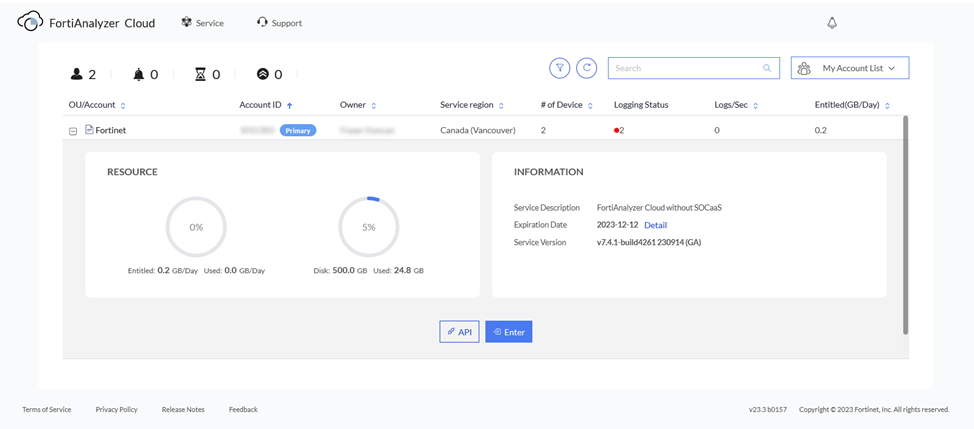
Deploying a FortiAnalyzer Cloud instance
After registering a FortiAnalyzer Cloud instance, deploy the FortiAnalyzer Cloud instance.
To deploy a FortiAnalyzer Cloud instance:
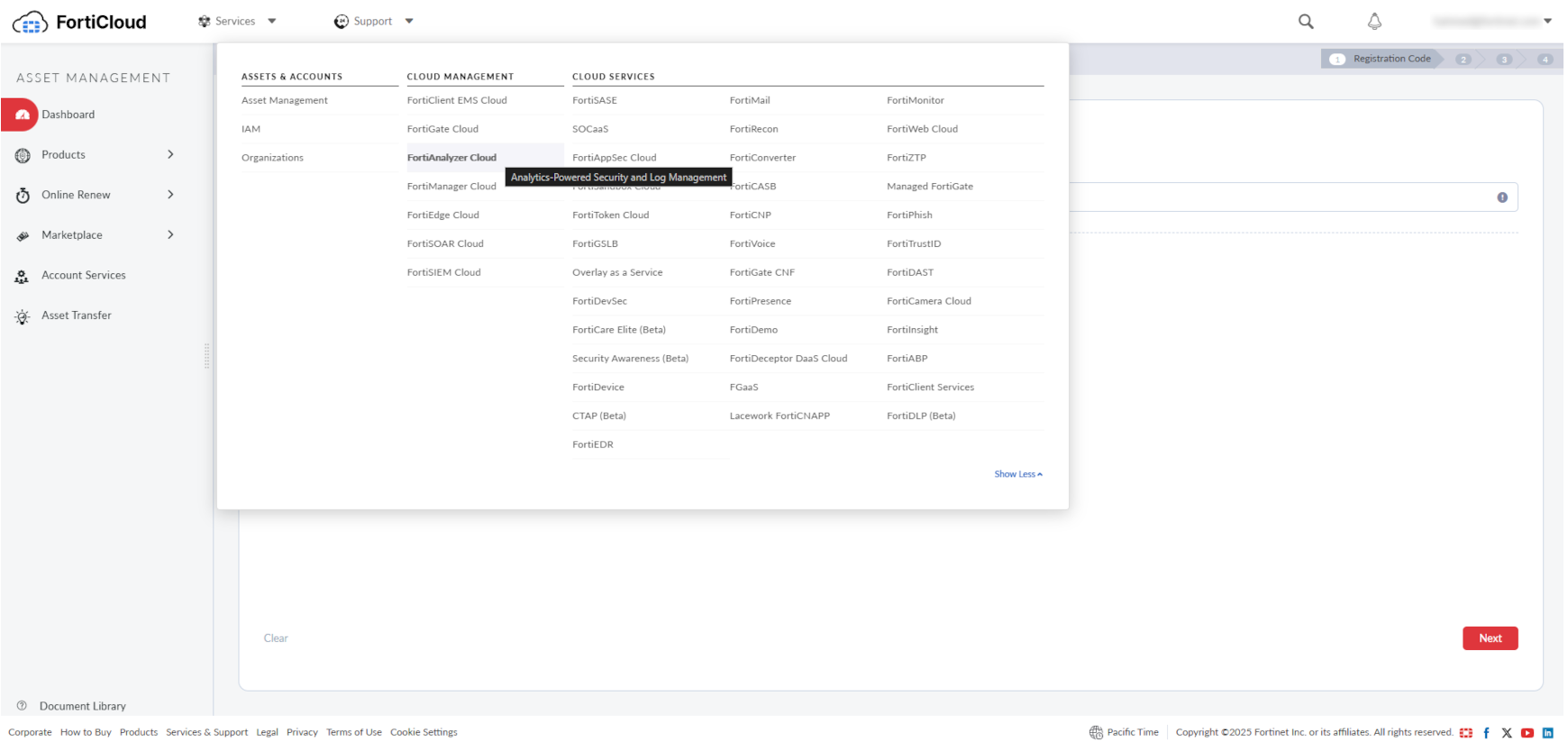
- From the Services menu, in CLOUD MANAGEMENT, select FortiAnalyzer Cloud.
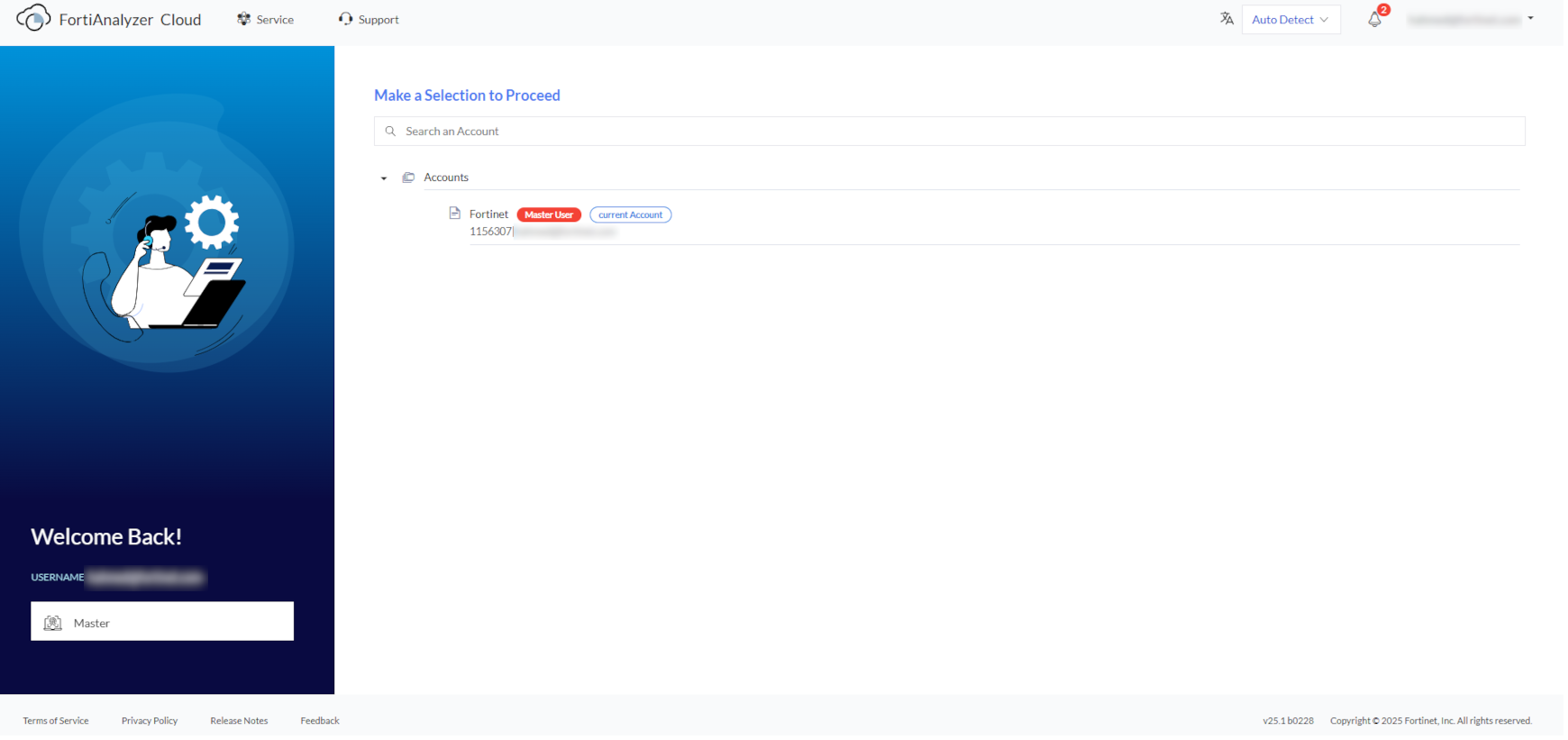
- In FortiAnalyzer Cloud, select a FortiCloud account to proceed.
- In the new window, select a Region.
In this example, the region is Canada (Vancouver).
- Select a Time Zone for the FortiAnalyzer Cloud instance.
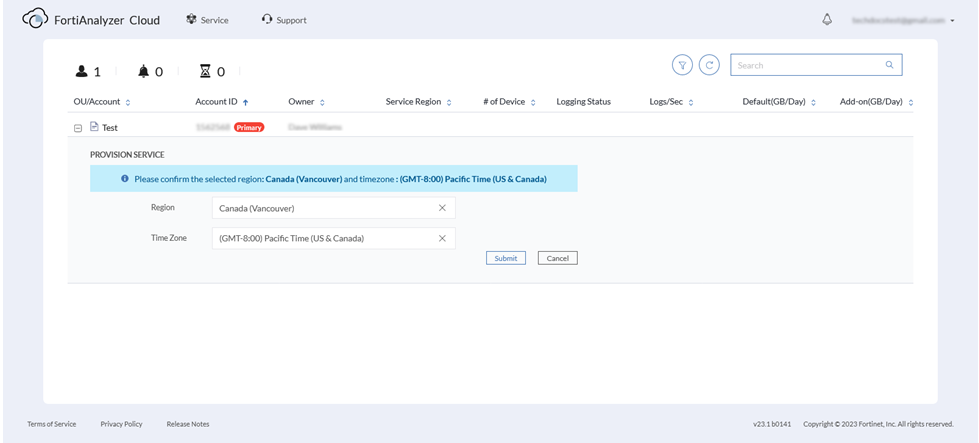
- Click Submit.
- Confirm the selected region and the timezone.
- Review and accept the Terms of Service and Privacy Policy.
FortiAnalyzer Cloud instance is provisioned in a few minutes.
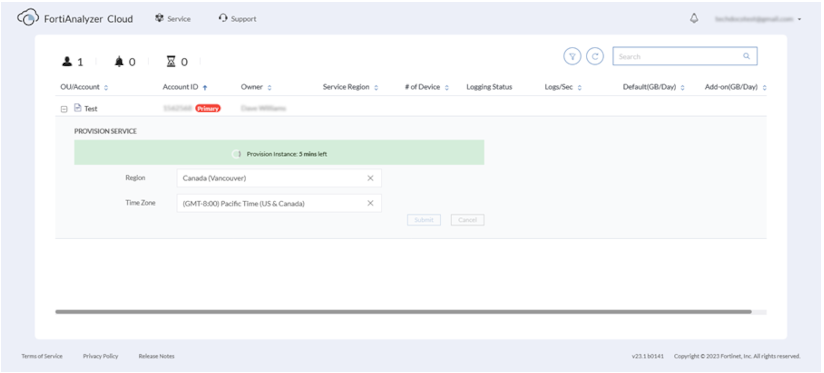
- Once provisioned, expand the account, and click Enter to access the FortiAnalyzer Cloud instance.