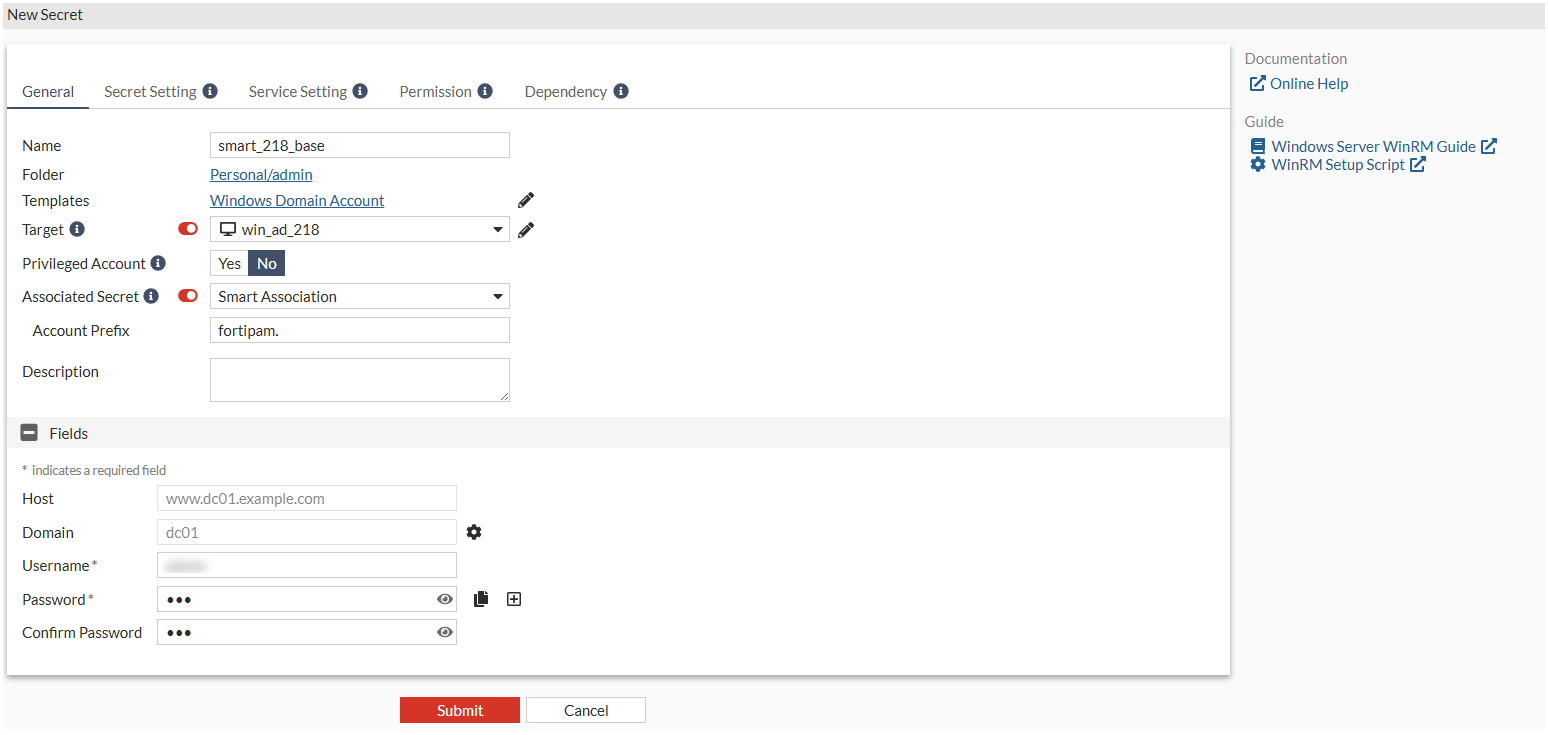
Creating a secret with Windows Domain Account as the secret template
To create the secret:
- Go to Secrets > Secrets.
- In Secret List, select Create.
The Select a Secret Template window opens.
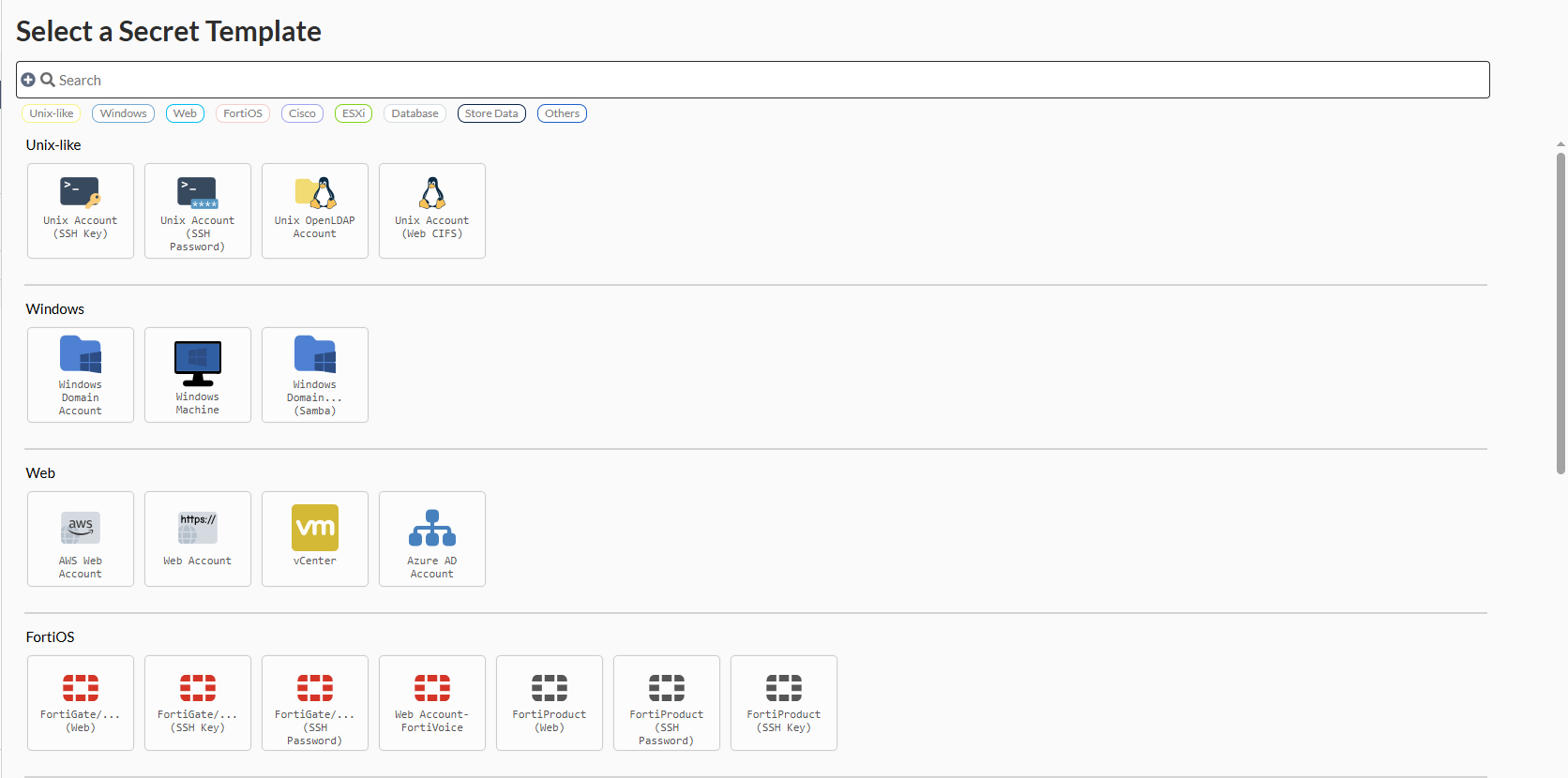
- In the Windows pane, select Windows Domain Account.
The General tab opens.
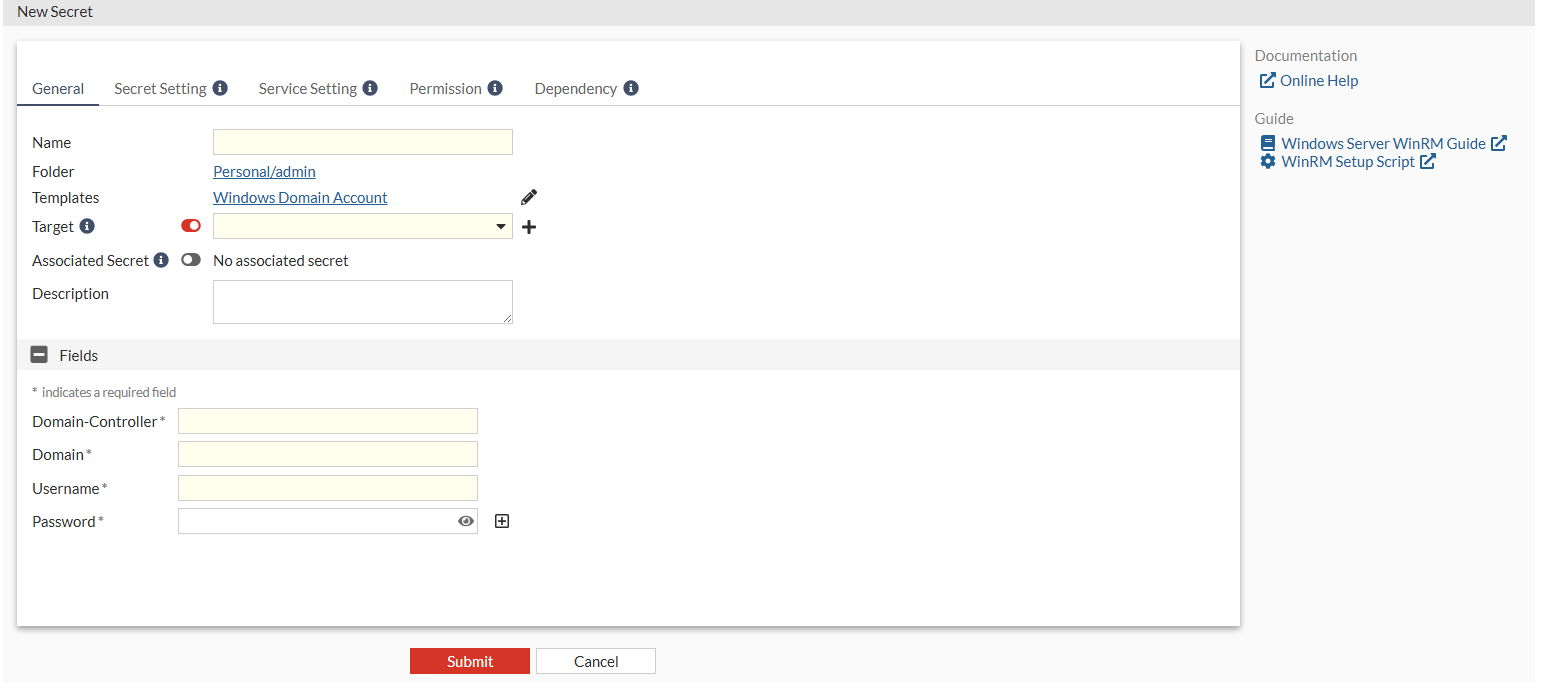
- In Name, enter a name for the secret.
- In Target, select the Windows AD server.
- Enable Associated Secret and select Smart Association from the dropdown.
- In Account Prefix, enter "
fortipam.". - In Fields:
- In Username, enter a username.
- In Password, enter the password.
- Reenter the password to confirm.
- Click Submit.