Creating a remote user
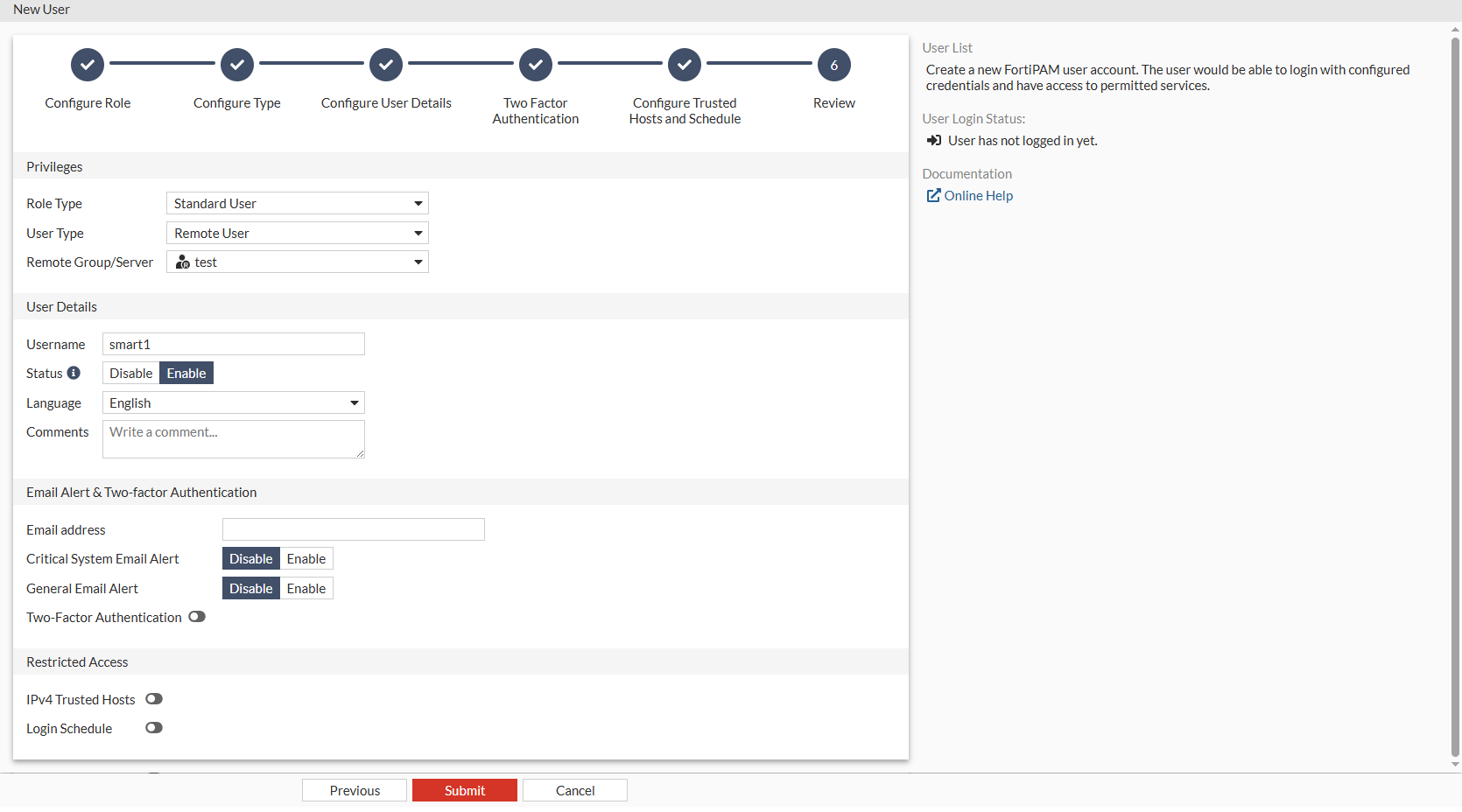
We create a new remote user located on a remote server smart1.
To create a remote user:
- Go to User Management > User List, and select Create.
The New User wizard is launched.
- In User Privilege, select Standard User, and click Next.
- In User Type, select Remote User, and from Choose a Remote Group where these users can be found, select the remote user group, and click Next.
- In Username, enter a username.
- Ensure that Status is Enable.
- Optionally, enter a description in Comments, and Click Next.
- Click Next.
- Click Next.
- In the Review tab, verify the information you entered and click Submit to create the user.
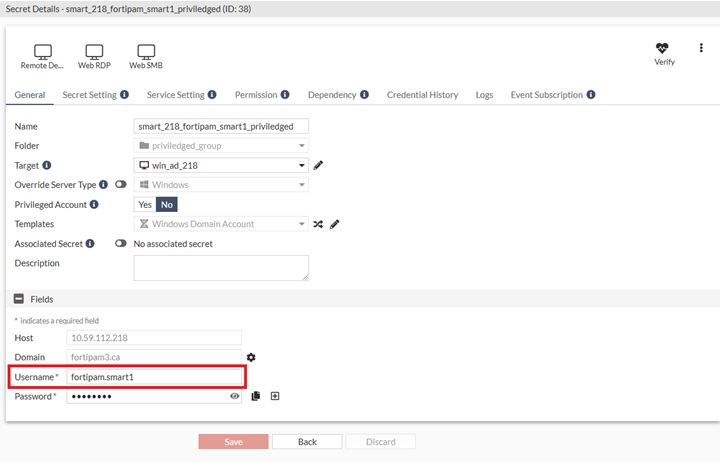
In the secret database, a secret with username containing the Account Prefix set in Creating a secret with Windows Domain Account as the secret template and the currently logged in user's username is expected, e.g.,
fortipam.smart1.