
Fortinet white logo
Fortinet white logo

New Features

GUI support for configuring proxy ARP on VLAN interface

GUI support for configuring proxy ARP on VLAN interface

To facilitate configuring proxy ARP address ranges for FortiSwitch VLANs, the GUI now supports adding proxy arp address ranges for VLAN type interfaces.

In a micro-segmentation scenario, you can enable blocking intra-VLAN traffic on a FortiSwitch and utilize proxy ARP and firewall policy to define which hosts are allowed to respond to each other. See Blocking intra-VLAN traffic.

Administrators can use the proxy ARP configuration option in a VLAN interface to create, edit, and delete these address ranges.

  1. Go to Network > Interfaces and edit a VLAN interface to enable Proxy ARP.
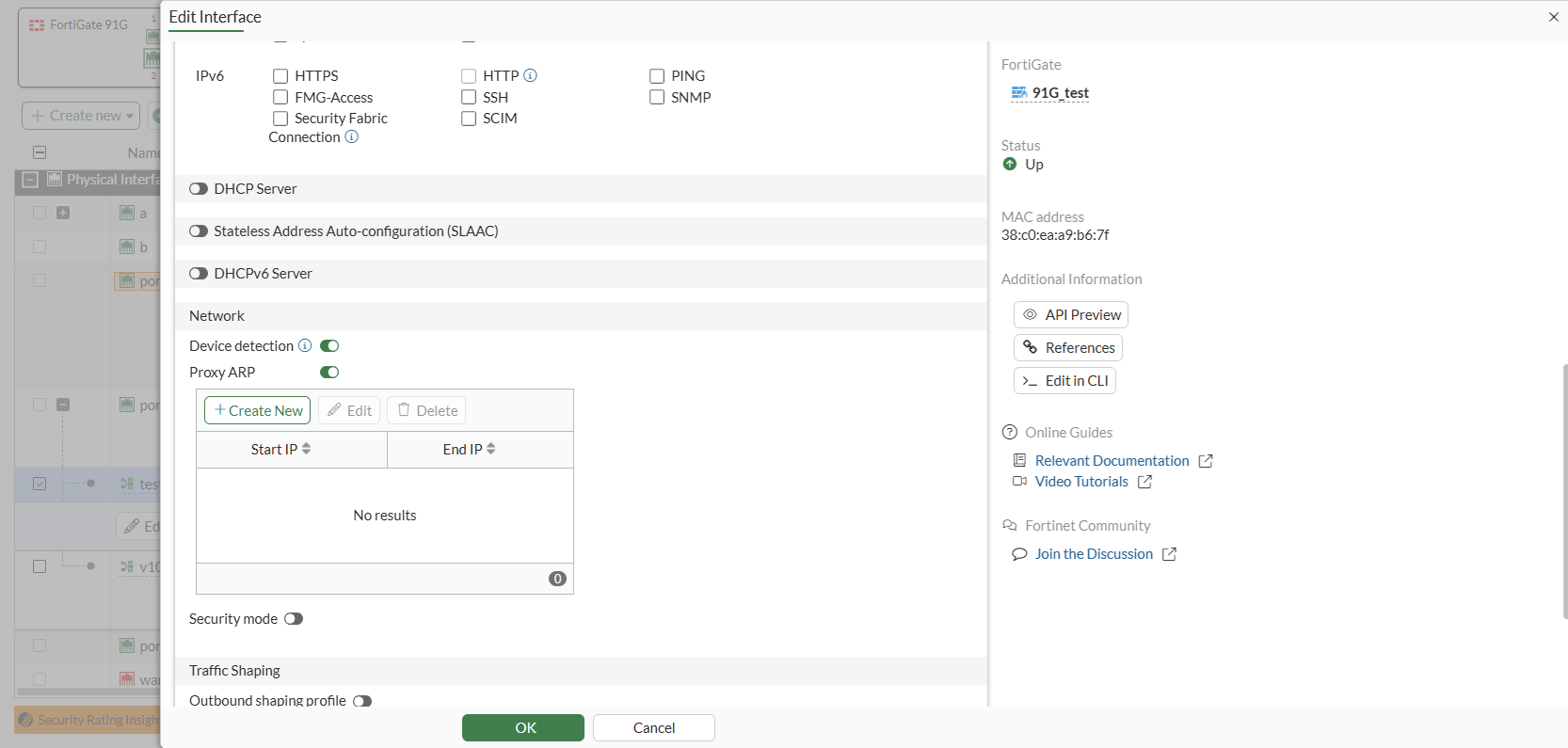
  2. Click Create New in the Proxy ARP table to add or edit an IP address range.
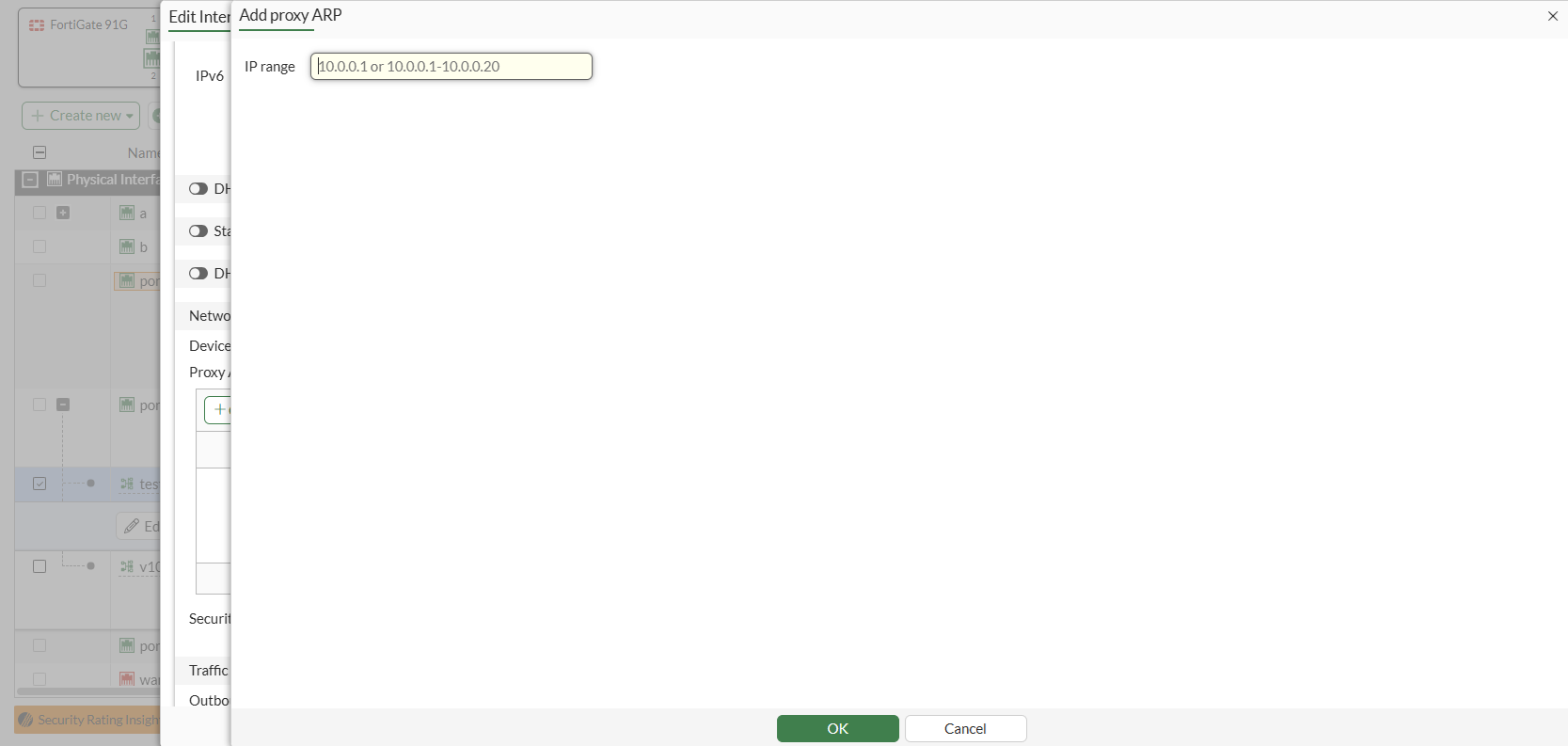
GUI support for configuring proxy ARP on VLAN interface

GUI support for configuring proxy ARP on VLAN interface

To facilitate configuring proxy ARP address ranges for FortiSwitch VLANs, the GUI now supports adding proxy arp address ranges for VLAN type interfaces.

In a micro-segmentation scenario, you can enable blocking intra-VLAN traffic on a FortiSwitch and utilize proxy ARP and firewall policy to define which hosts are allowed to respond to each other. See Blocking intra-VLAN traffic.

Administrators can use the proxy ARP configuration option in a VLAN interface to create, edit, and delete these address ranges.

  1. Go to Network > Interfaces and edit a VLAN interface to enable Proxy ARP.

  2. Click Create New in the Proxy ARP table to add or edit an IP address range.