

Improve switch management
The FortiGate GUI has been improved to make switch management easier.
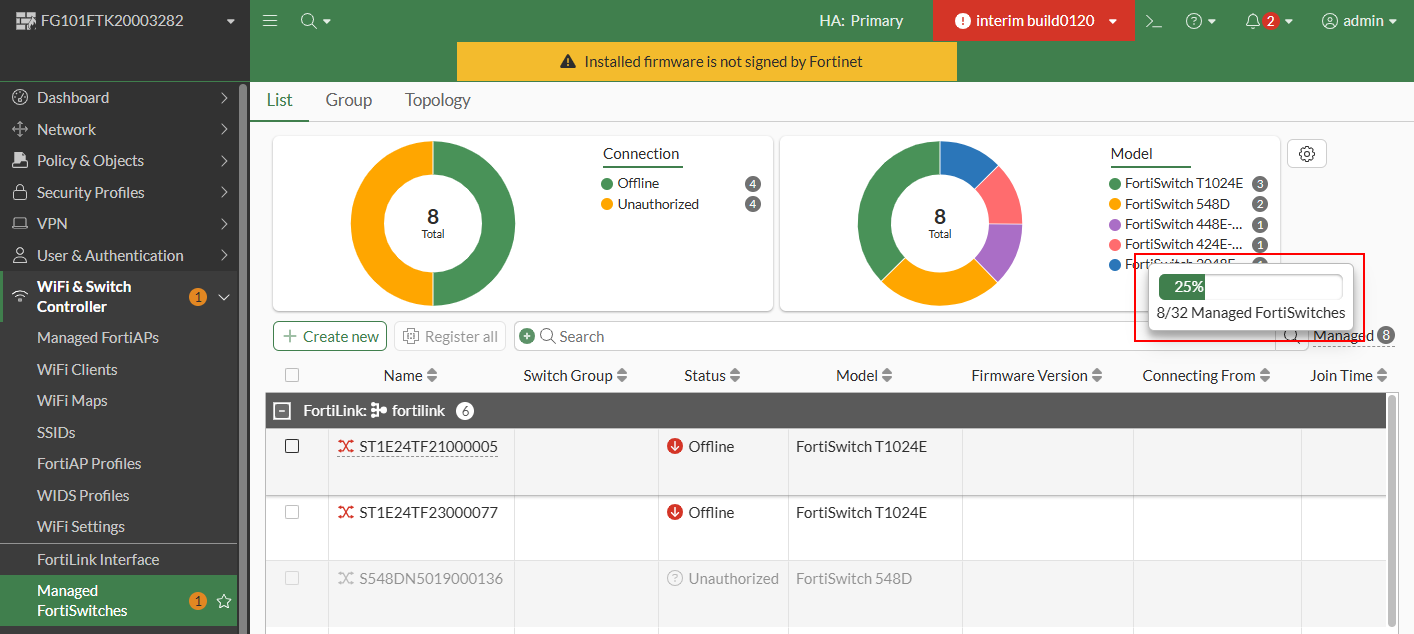
A tooltip in the WiFi & Switch Controller page > Managed FortiSwitches page shows the current number of managed FortiSwitch units and the maximum number supported of managed FortiSwitch units.
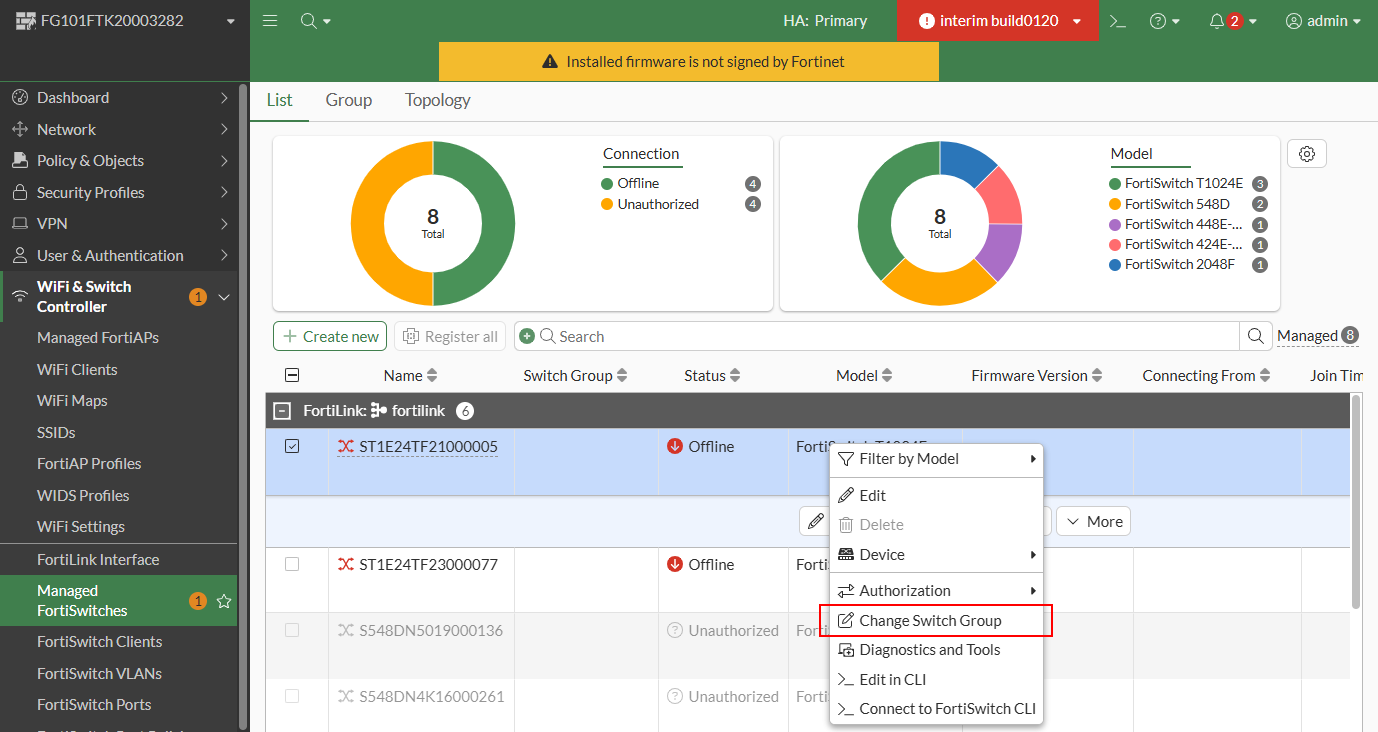
You can now change the group that the managed switch belongs by right-clicking on the switch in the WiFi & Switch Controller page > Managed FortiSwitches page.
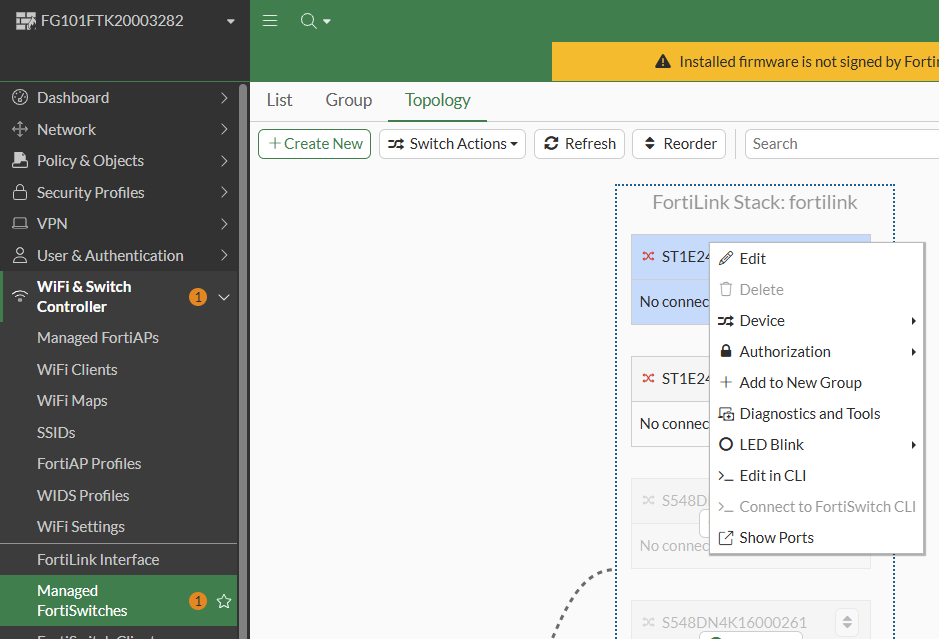
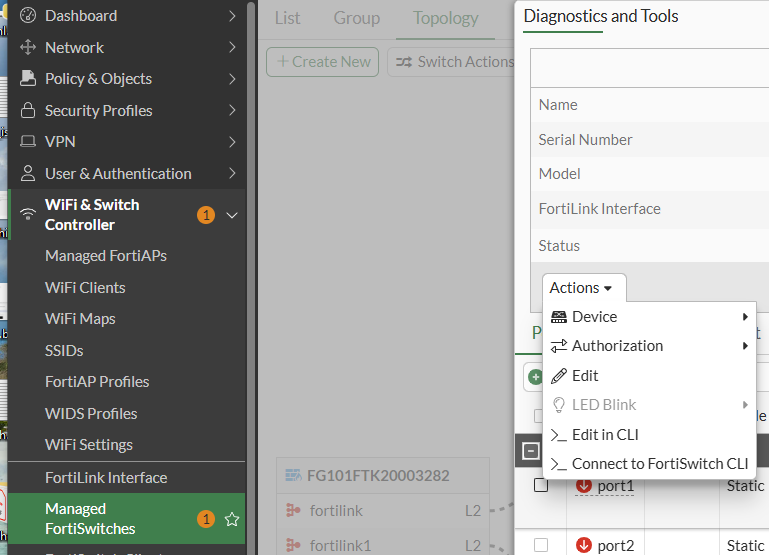
You now have the same commands available when you right-click a switch in the Topology view as in the List view.
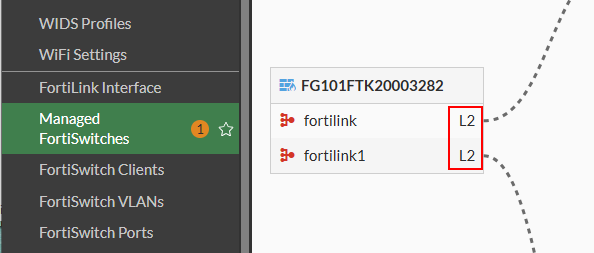
You can now see the type of FortiLink connection in the Topology view.
You now have more commands available in the Actions dropdown menu in the Diagnostics and Tools pane.
When there is only one FortiLink interface, there is no longer an option to select the FortiLink interface in the Diagnostics and Tools pane.