
Fortinet white logo
Fortinet white logo

New Features

VDOM selection for Central Management in the GUI

VDOM selection for Central Management in the GUI

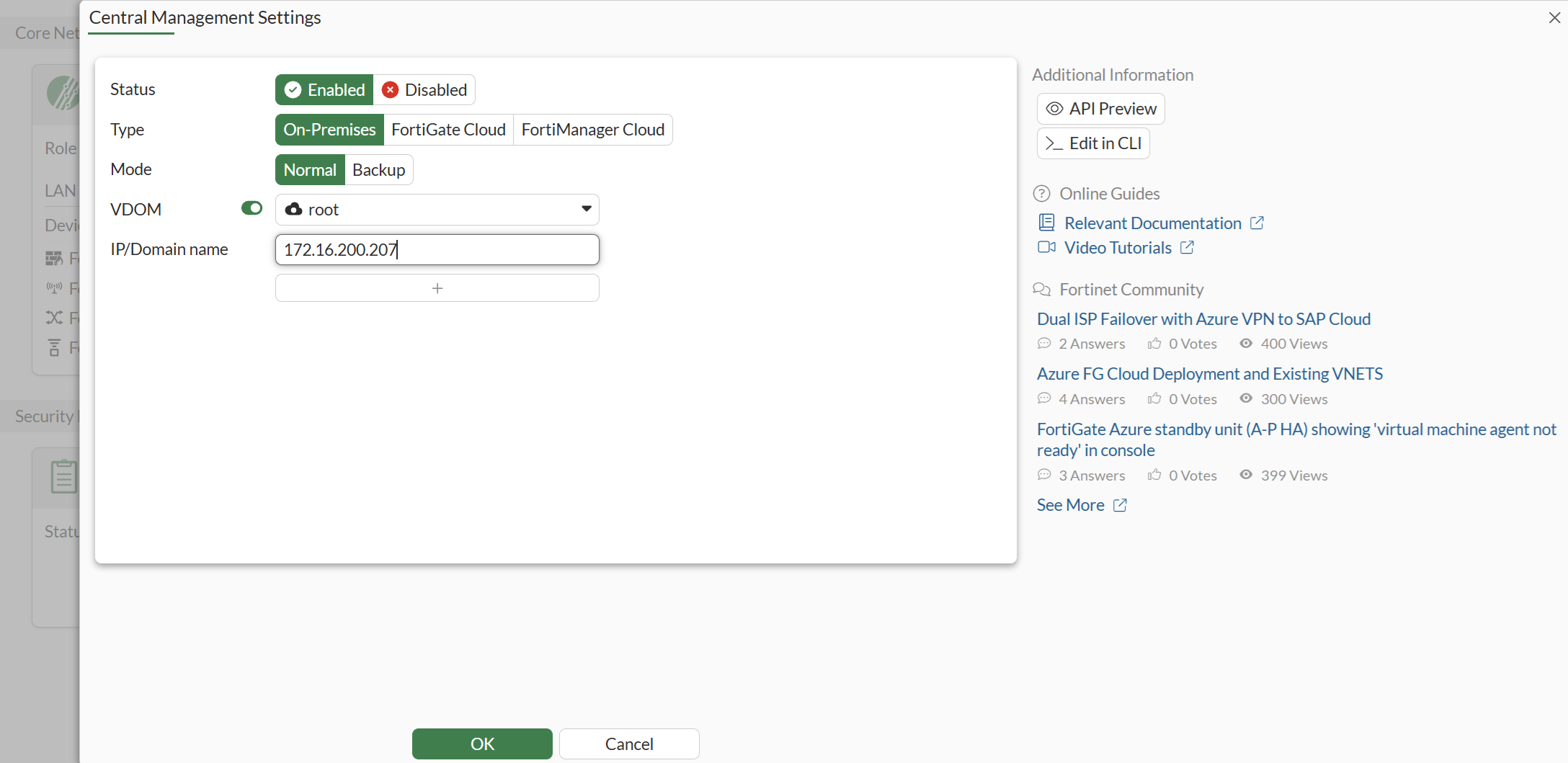
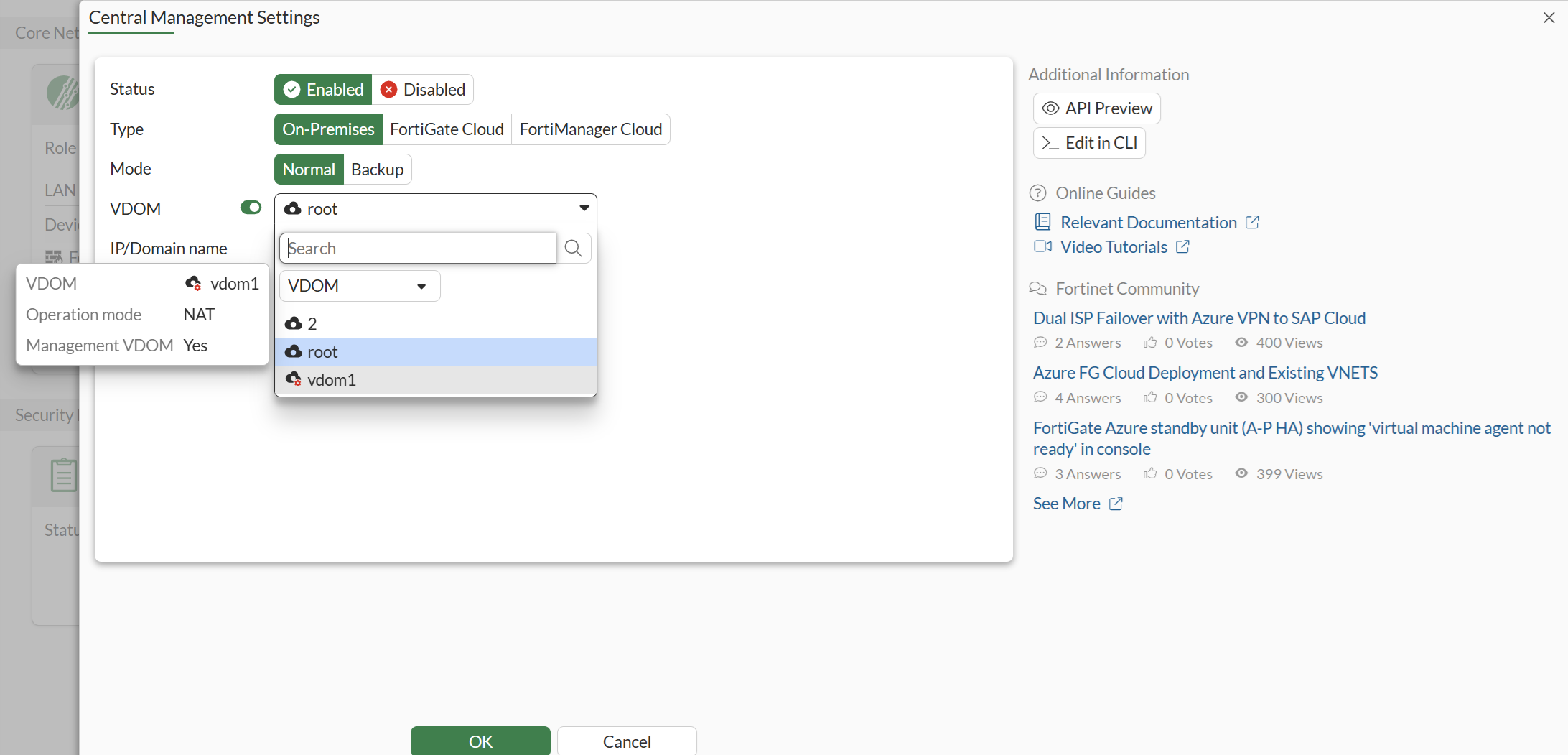
A VDOM dropdown has been added to the Fabric Central Management GUI page for FortiGate devices with multi-VDOM enabled. This provides a more intuitive configuration experience by allowing VDOM selection directly in the GUI.

To configure the central management VDOM in the GUI:
  1. Configure central-management in the GUI:
  2. Select the VDOM that has a route to the FortiManager:
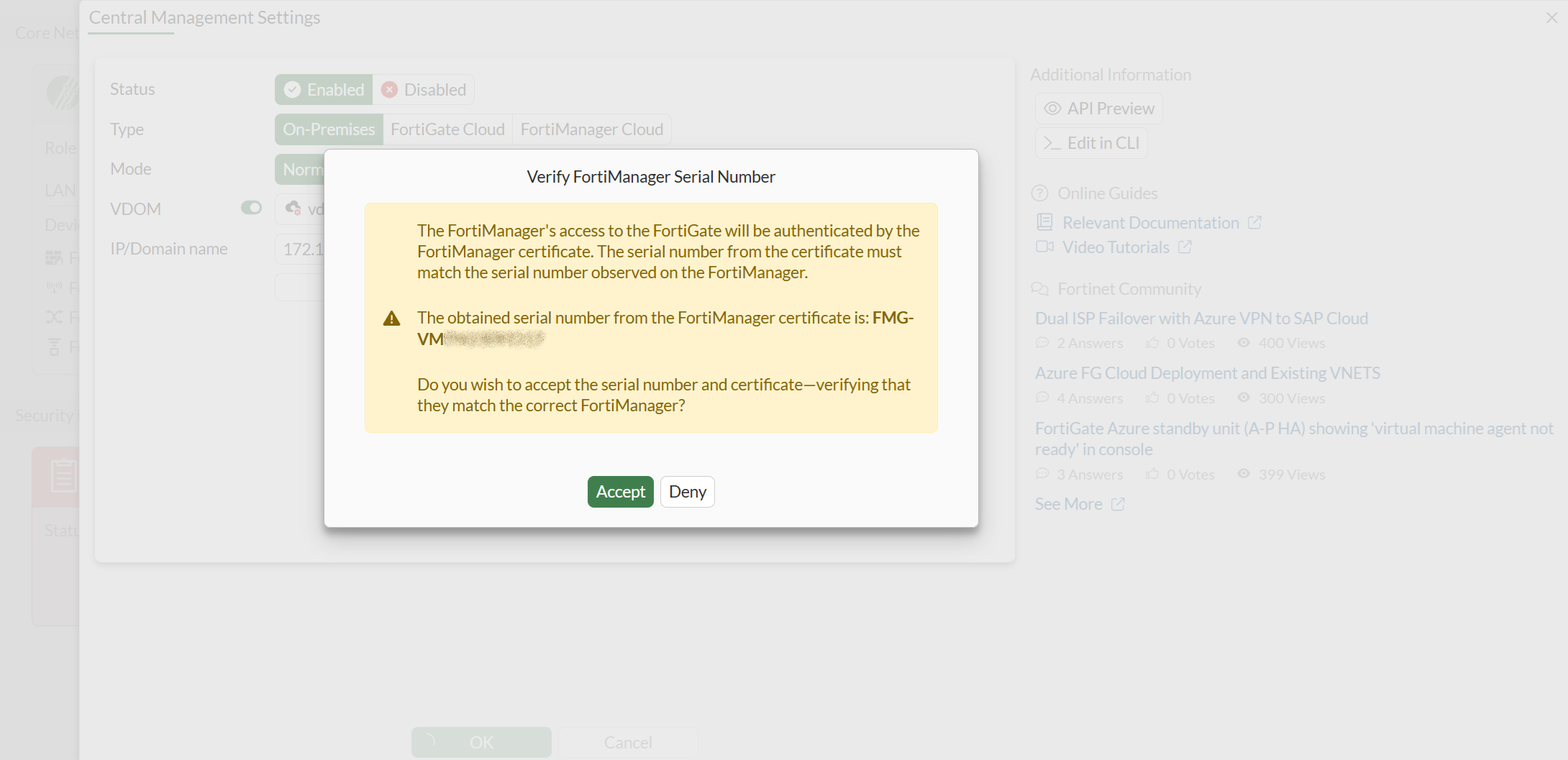
  3. Verify the FortiManager serial number:
  4. Confirm the VDOM configuration in the CLI:

    # show system central-management 
    config system central-management
        set type fortimanager
        set serial-number "FMG-VM**********"
        set fmg "172.16.200.207"
        set vdom "vdom1"
        set enc-algorithm default
    end

VDOM selection for Central Management in the GUI

VDOM selection for Central Management in the GUI

A VDOM dropdown has been added to the Fabric Central Management GUI page for FortiGate devices with multi-VDOM enabled. This provides a more intuitive configuration experience by allowing VDOM selection directly in the GUI.

To configure the central management VDOM in the GUI:
  1. Configure central-management in the GUI:

  2. Select the VDOM that has a route to the FortiManager:

  3. Verify the FortiManager serial number:

  4. Confirm the VDOM configuration in the CLI:

    # show system central-management 
    config system central-management
        set type fortimanager
        set serial-number "FMG-VM**********"
        set fmg "172.16.200.207"
        set vdom "vdom1"
        set enc-algorithm default
    end