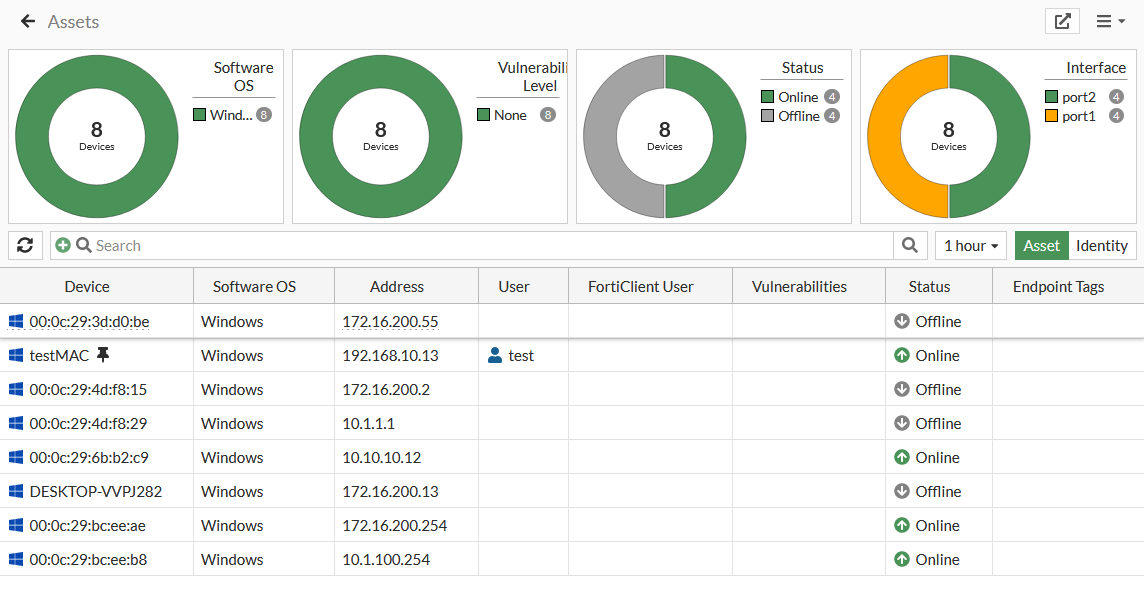
Assets
You can enable device detection to allow FortiOS to monitor your networks and gather information about devices operating on those networks, including:
-
MAC address
-
IP address
-
Operating system
-
Hostname
-
Username
-
Endpoint tags
-
When FortiOS detected the device and on which interface
You can enable device detection separately on each interface in Network > Interfaces.
Device detection is intended for devices directly connected to your LAN and DMZ ports. The widget is only available when your Interface Role is LAN, DMZ or Undefined. It is not available when the role is WAN.
To view the assets monitor:
-
Go to Dashboard > Assets & Identities.
-
Hover over the Assets widget, and click Click to Expand. The Assets monitor opens.
If you are using the Comprehensive dashboard template, go to Device Inventory Monitor.
-
Hover over a device to display a tooltip with information and buttons.
-
Click the Asset Details button to view the details. See Asset details NEW.

|
To filter or configure a column in the table, hover over the column heading, and click Filter/Configure Column. See Assets and filtering. |