Add GUI support for multiple APNs in WAN extension mode 7.6.3

|
This information is also available in the FortiExtender 7.6.1 Managed Administration Guide: |
|
|
Support for configuring multiple APNs in WAN extension mode using the CLI was added in FortiOS 7.6.1. FortiOS 7.6.3 adds GUI support. For more information, see Support multiple APNs in WAN extension mode 7.6.1. |
This release adds GUI support for configuring multiple APNs. When operating in WAN-Extension mode, select FortiExtender models can support multiple Access Point Names (APNs). By using different APNs to create multiple Packet Data Networks (PDNs), FortiGate can establish up to four FortiExtender virtual interfaces from a single FortiExtender modem. These interfaces provide users with more flexibility to customize data traffic steering, improving FortiGate connectivity and performance through FortiExtender.
To configure multiple APNs - GUI:
-
From the FortiGate, go to Network > FortiExtenders > Data Plans and click Create new to create multiple data plans with unique APNs.

-
Go to Network > FortiExtenders > Profiles and create a FortiExtender profile.
-
Select a model that supports multiple APNs, and then set the Mode to WAN extension.
-
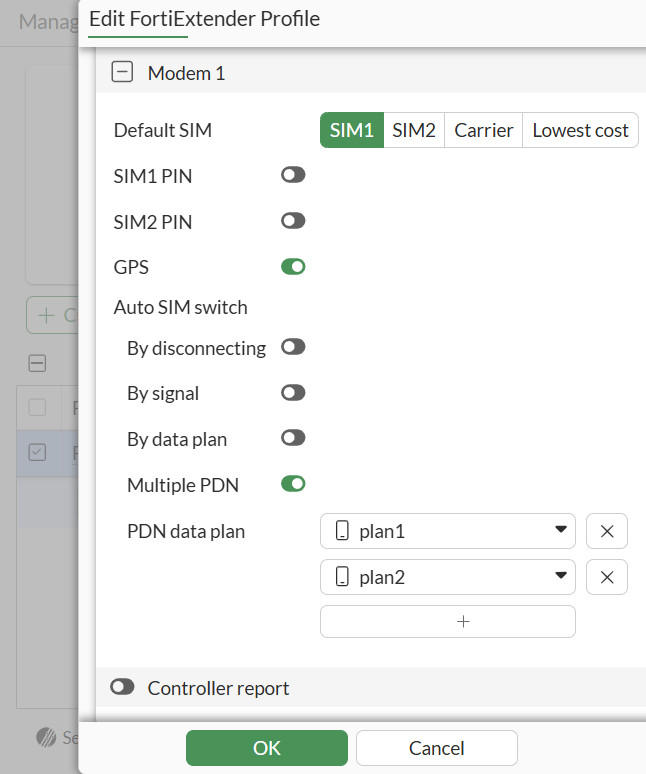
Under the modem section, enable Multiple PDN and add the multiple data plans (with different APN) to the same modem.
-
When you are finished, click OK.
-
Go to Network > FortiExtenders > Manged FortiExtenders and Authorize the FortiExtender.
-
Under WAN extension, add your FortiExtender interfaces to the Modem 1 PDN Interface.
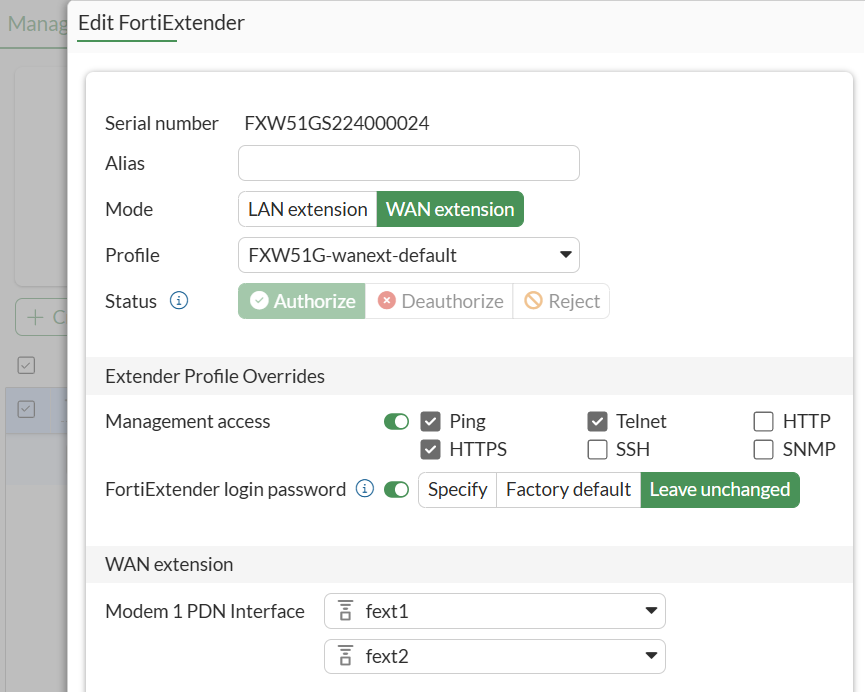
Multiple FortiExtender interfaces can be created to match the different PDN.
-
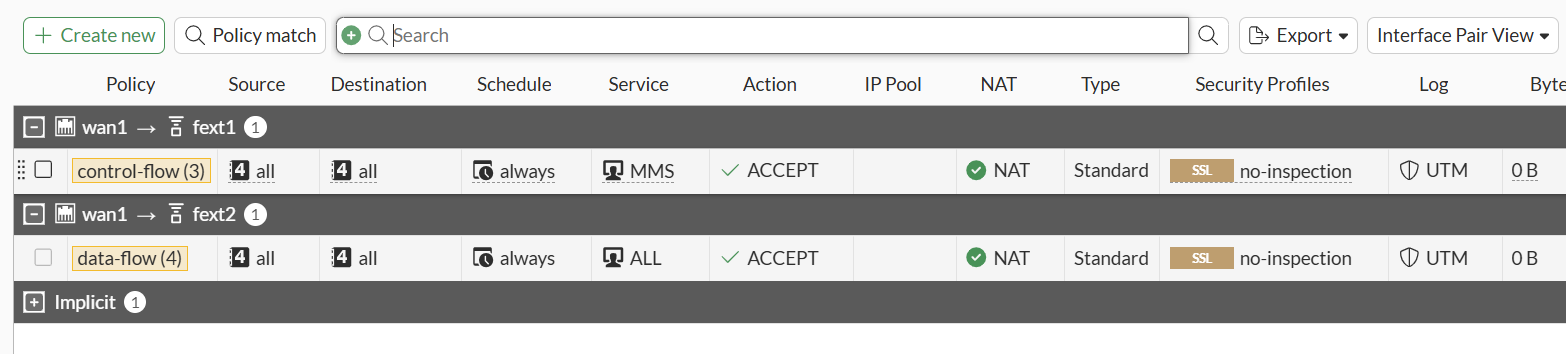
Go to Policy & Objects > Firewall Policy and create firewalls policies to steer different traffic flows to different FortiExtender interfaces based on PDNs.