Add GUI support for FortiCare registration for FortiExtender 7.6.3

|
This information is also available in the FortiExtender 7.6.2 Managed Administration Guide: |
|
|
Support for adding FortiExtenders to FortiCare using the CLI was added in FortiOS 7.6.1. FortiOS 7.6.3 adds GUI support. For more information, see Support FortiCare registration for FortiExtender 7.6.1. |
This release adds GUI support for registering your authorized FortiExtender to FortiCare directly from the FortiGate.
FortiCare enables you to manage security fabric devices such as FortiAP, FortiSwitch, and FortiExtender from a root FortiGate device. Once your FortiExtender is registered with FortiCare, you gain access to more streamlined ticket reporting and tracking services. You can also download historic and recent modem firmware and device images from FortiCare.
To register a FortiExtender to FortiCare via FortiGate - GUI
-
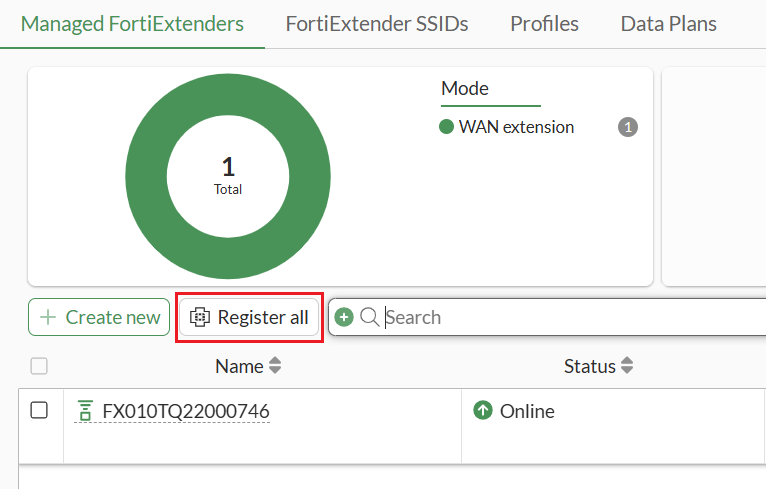
From the FortiGate, go to Network > FortiExtenders > Managed FortiExtenders.
If there are any authorized FortiExtenders that have not been registered yet, a Register all button is available.
-
Click Register all to begin registering your device.
-
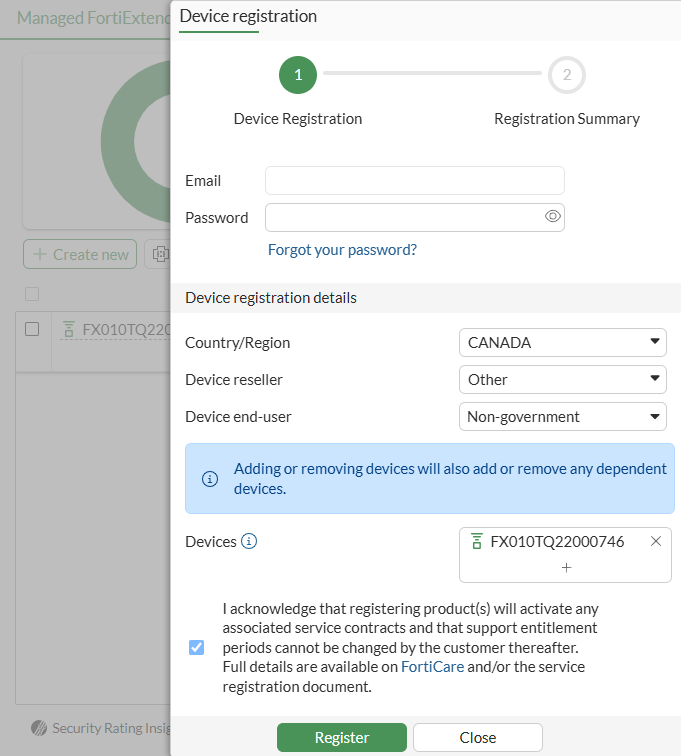
Complete the following:
- Enter your FortiCloud account credentials.
- Enter the device registration details.
- Select the device serial numbers of the FortiExtenders you want to register.
- When you are finished, click Register.
-
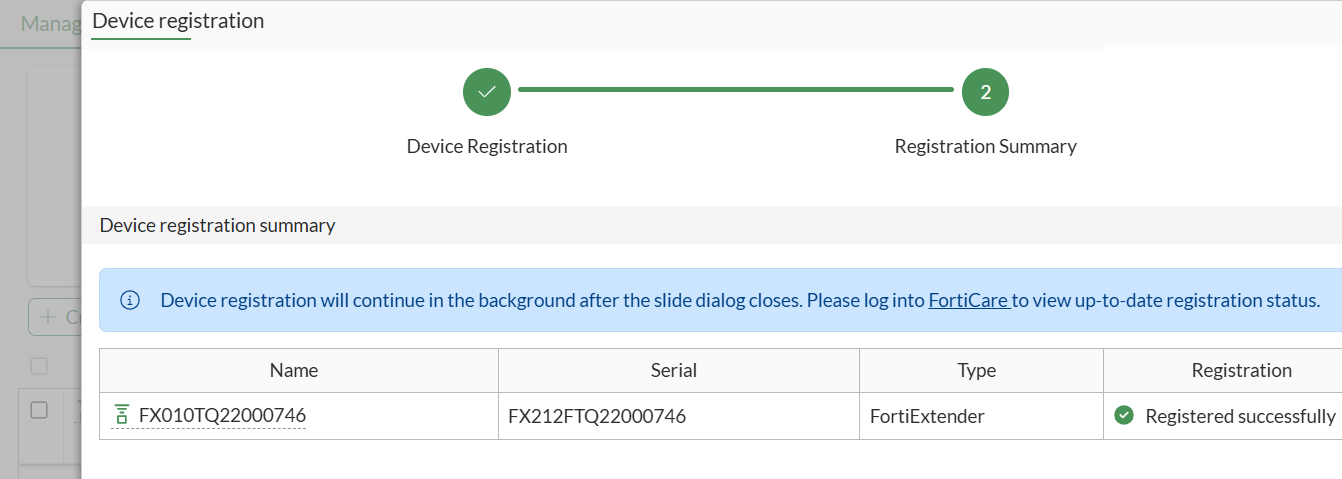
FortiGate displays the registration result.