Remove overlap check for VIPs
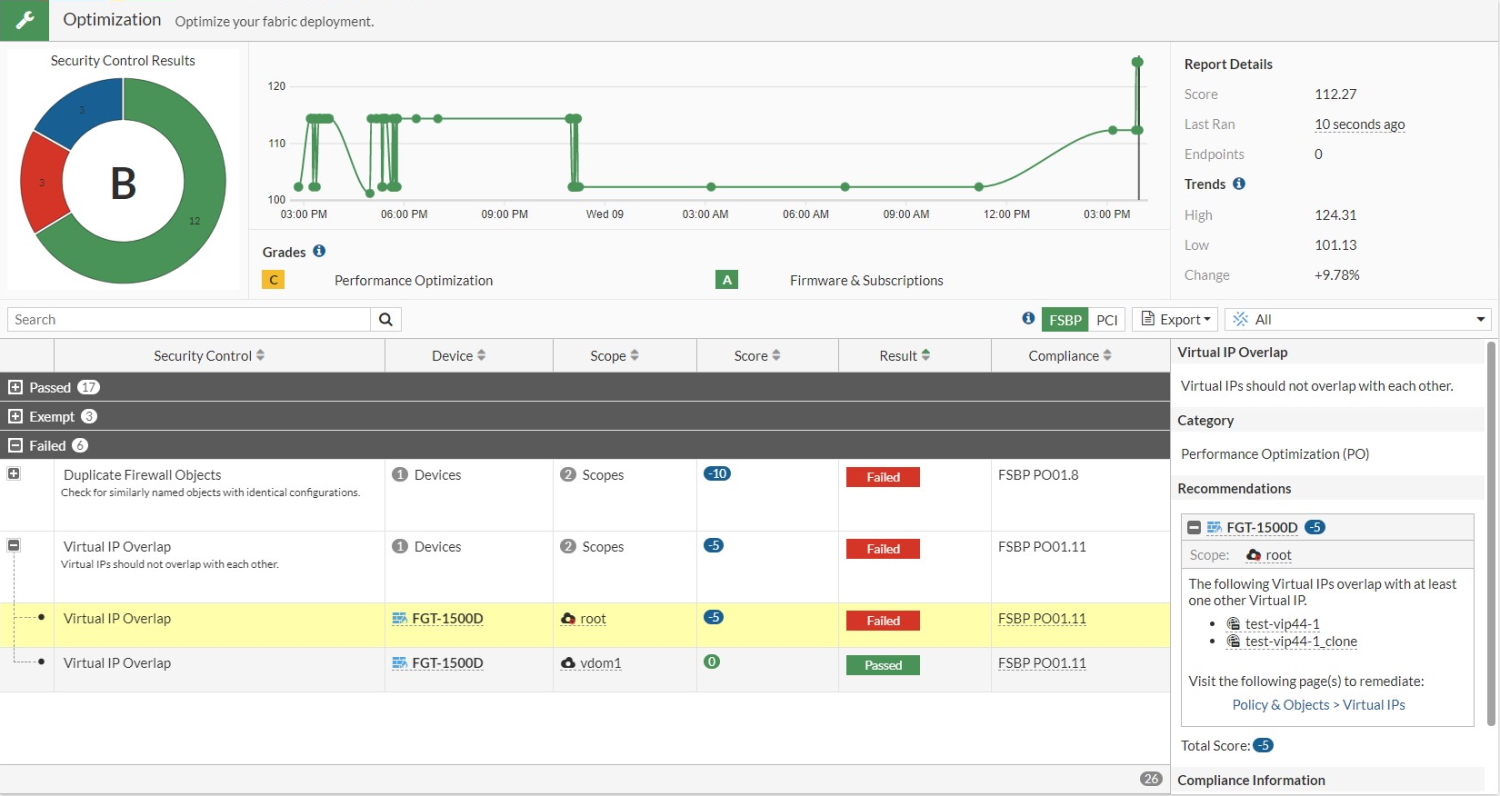
There is no overlap check for VIPs, so there are no constraints when configuring multiple VIPs with the same external interface and IP. A new security rating report alerts users of any VIP overlaps.
To configure two VIPs with the same external interface and IP:
config firewall vip
    edit "test-vip44-1"
        set extip 10.1.100.154
        set mappedip "172.16.200.156"
        set extintf "port24"
    next
    edit "test-vip44-1_clone"
        set extip 10.1.100.154
        set mappedip "172.16.200.156"
        set extintf "port24"
        set src-filter 10.1.100.11
    next
end

|
No error message appears regarding the overlapping VIPs. |
To view the security rating report:
- Go to Security Fabric > Security Rating and click the Optimization scorecard.
- Expand the Failed section. The Virtual IP Overlap results show an overlap (test-vip44-1 and test-vip44-1_clone) on the root FortiGate.