

SLA targets example
SLA targets are a set of constraints that are used in SD-WAN rules to control the paths that traffic take.
The available constraints are:
- Latency threshold: Latency for SLA to make decision, in milliseconds (0 - 10000000, default = 5).
- Jitter threshold: Jitter for SLA to make decision, in milliseconds (0 - 10000000, default = 5).
- Packet loss threshold: Packet loss for SLA to make decision, in percentage (0 - 100, default = 0).
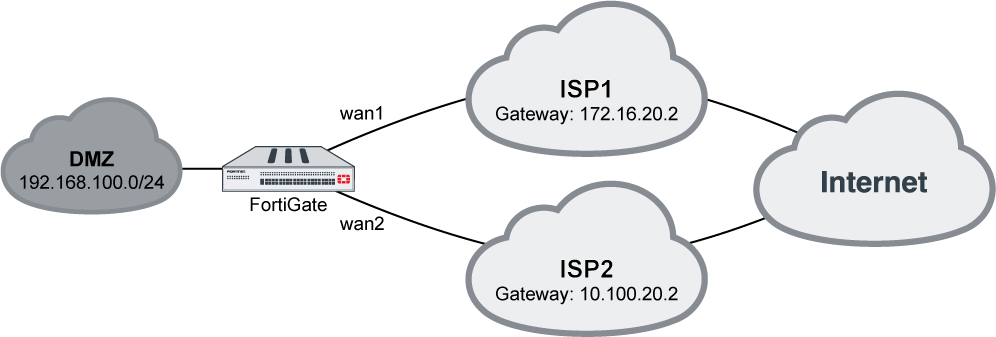
To configure Performance SLA targets using the GUI:
- On the FortiGate, add wan1 and wan2 as SD-WAN members, then add a policy and static route. See SD-WAN quick start for details.
- Go to Network > SD-WAN and select the Performance SLAs tab.
- Create a new Performance SLA or edit an existing one. See Link monitoring example.
- Enable SLA Targetsand configure the constraints. To add multiple SLA targets, use the CLI.
- Configured the remaining settings as needed, then click OK.
To configure Performance SLA targets using the CLI:
config system sdwan
    config health-check
        edit "server"
            set server "208.91.114.182"
            set members 1 2
            config sla
                edit 1
                    set link-cost-factor latency jitter packet-loss
                    set latency-threshold 10
                    set jitter-threshold 10
                    set packetloss-threshold 1
                next
                edit 2
                    set link-cost-factor latency packet-loss
                    set latency-threshold 15
                    set packetloss-threshold 2
                next
            end
        next
    end
end
The link-cost-factor variable is used to select which constraints are enabled.