

Multitenancy with FortiCloud Organizations
FortiGate Cloud supports FortiCloud Organizations for seamless multitenant features designed for managed security service providers across multiple FortiCloud accounts. With Organizations, Identity & Access Management (IAM) users can view an organizational unit (OU) Dashboard for a single pane of glass view of assets across the entire Organization or OU. Administrators can add additional users with a fine grained permission model (IAM permission profile) and manage the visibility and access to full Organization or specific OU or OU member accounts. You can create an Organization and manage up to 10 accounts. For managing more than 10 accounts, Organization root account can create a Fortinet Developer Network basic account. This requires no additional subscription. See the following for details on various OU tasks:
|
Task |
Instructions |
|---|---|
|
Creating an OU |
|
|
Creating an OU IAM user |
When creating a permission profile in the IAM portal, you must add the FortiGate Cloud portal to the profile, and configure the desired permissions. See IAM users. |
|
Log in as an OU IAM user |
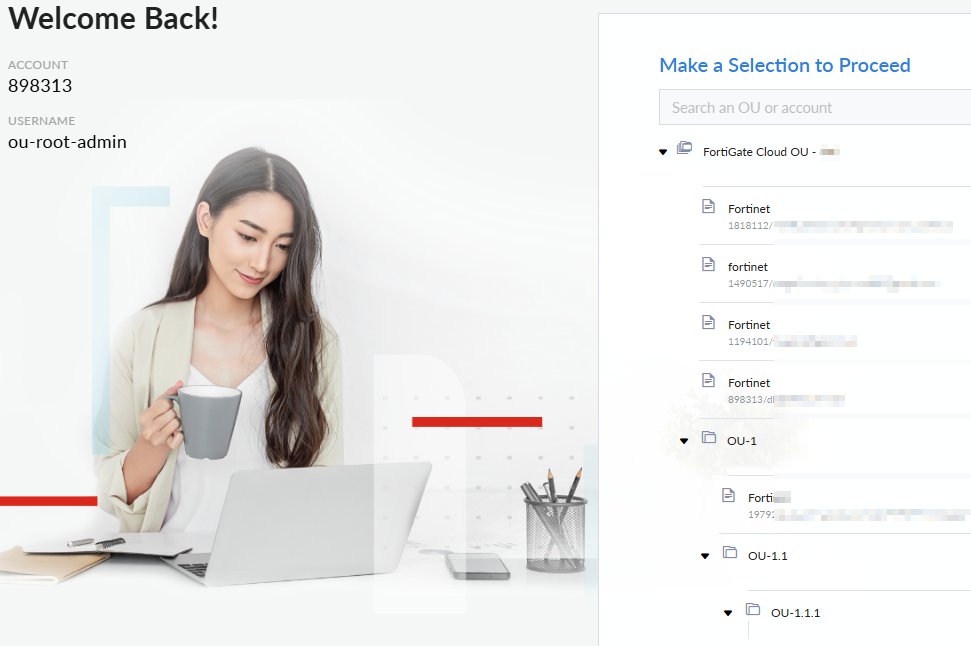
When you log in to FortiGate Cloud, if OUs are enabled on the account, a OU/account selection screen displays. You can select an OU or account to access from this tree. The folder icon denotes OUs, while the file icon denotes accounts.
To move to another OU or account, select the desired OU from the dropdown list in the upper right corner.
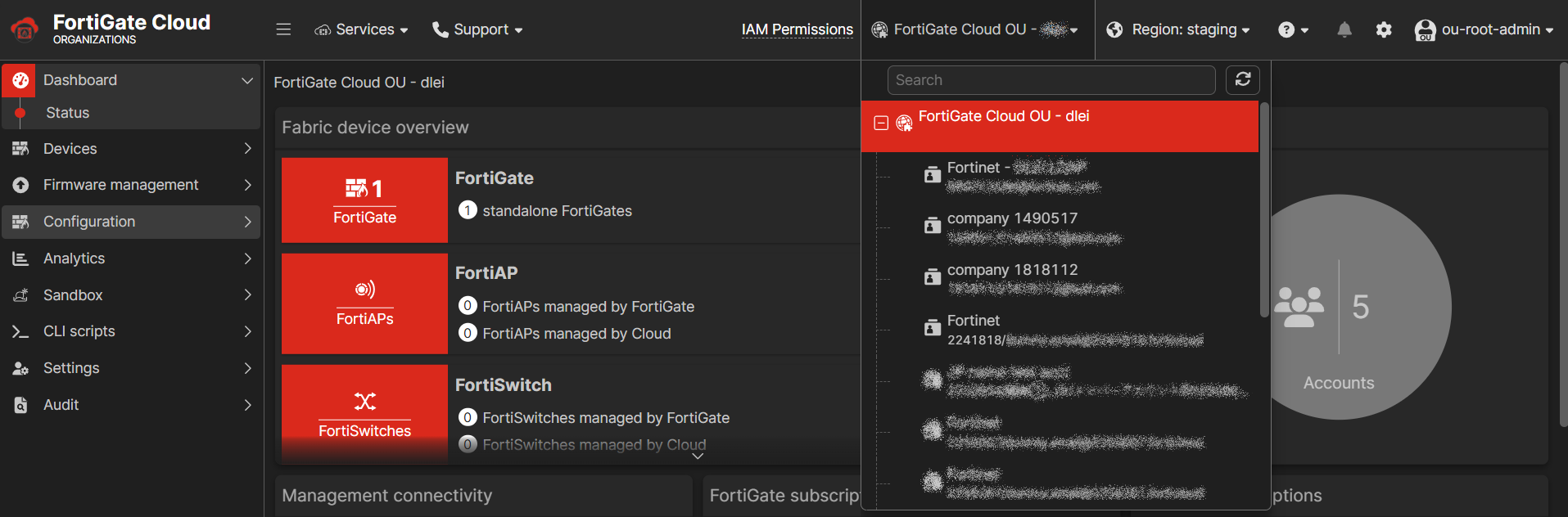
OU Dashboard
The OU Dashboard provides a consolidated view of accounts and assets in the given scope of the Organization. The dashboard is available for Organization type IAM users and the visibility of accounts and assets depends on the OU scope selected for the IAM user.
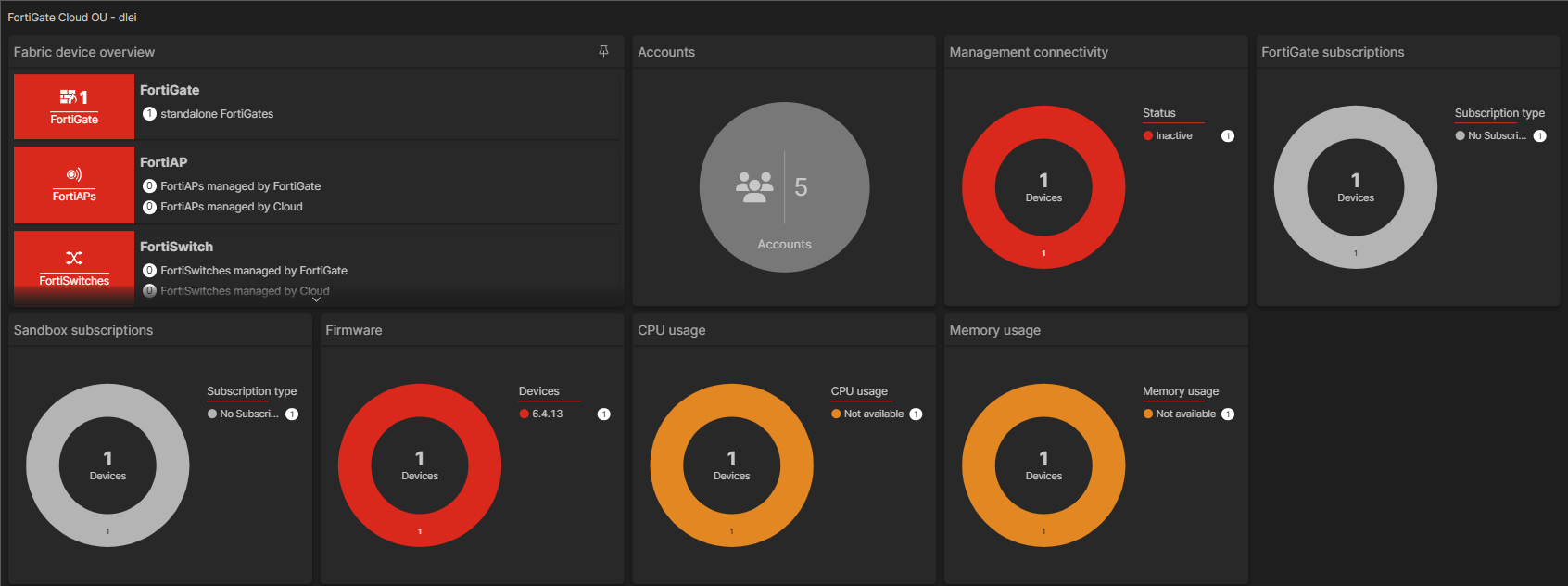
When you access an OU from the OU tree, FortiGate Cloud displays an OU dashboard. The following lists OU dashboard widgets:
|
Widget |
Displays a donut chart that details... |
|---|---|
|
Fabric Device Overview |
Device type breakdown and total number of devices in this OU. |
|
Accounts |
Total number of accounts in this OU. |
|
Management connectivity |
Management connectivity status breakdown and total number of devices in this OU. |
|
FortiGate subscriptions |
FortiGate Cloud subscription type breakdown and total number of devices in this OU. |
|
Sandbox subscriptions |
Sandbox subscription type and total number of devices in this OU. |
|
Firmware |
Firmware version installed on devices in this OU. |
|
CPU usage |
CPU usage levels on devices in this OU. |
|
Memory usage |
Memory usage levels on devices in this OU. |
When logged in to an OU, you can also access the same pages that you can access from within an account. When accessing one of these pages from an OU, there is a panel where you can select an account or sub-OU. The content pane then displays content from the selected account or OU.
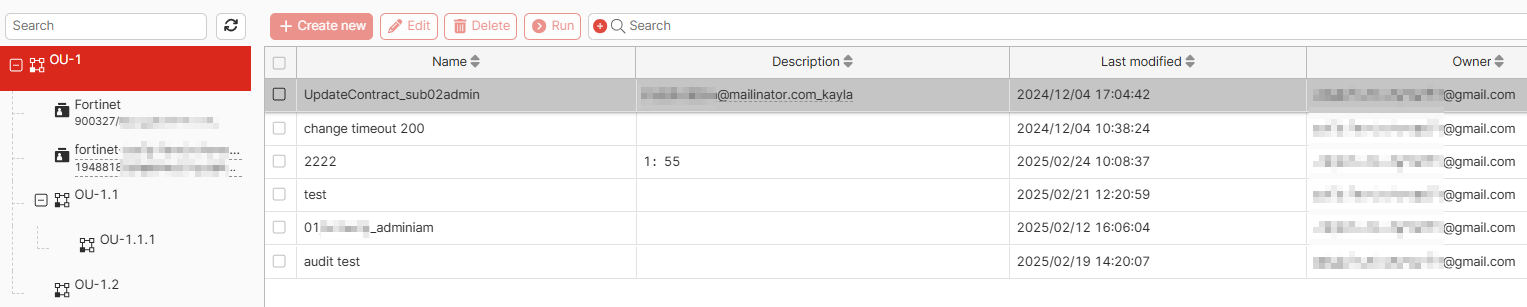
The following lists configuration pages that are available when logged into an OU. See the relevant topic in this guide as linked in the table:
|
Page |
Description |
|---|---|
|
Dashboard |
|
|
Devices |
Offers some functionalities that the account-level Assets page does not. See OU Device list. |
|
Firmware management |
|
|
Configuration |
|
|
Analytics |
|
|
Sandbox |
|
|
CLI scripts |
|
|
Settings |
|
|
Audit |