

Switch
This pane controls FortiSwitch email notifications and scheduled daily backups.
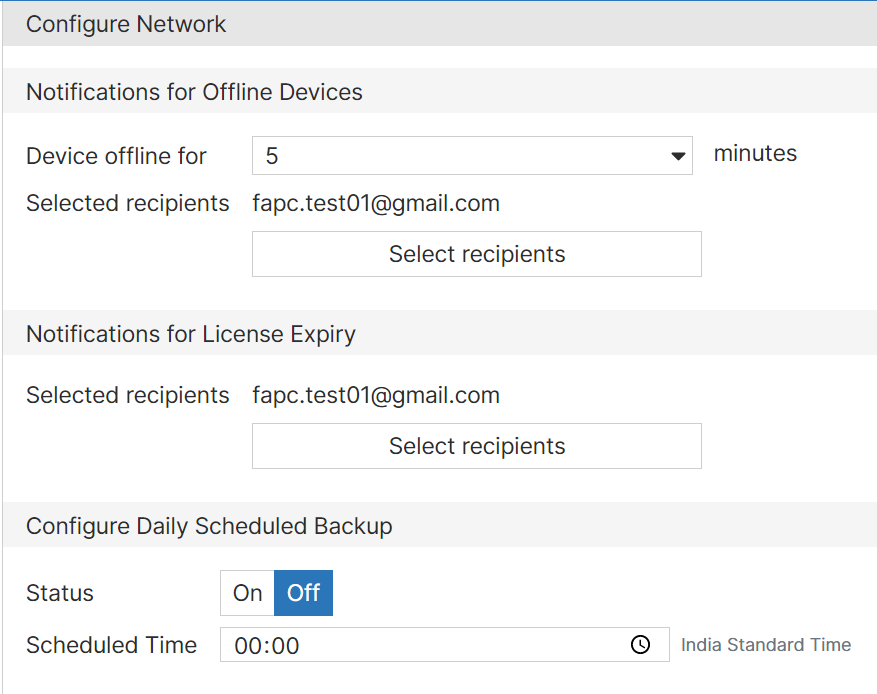
To set up an email notification:
- Select 5, 10, 15, 30, or 60 minutes before FortiEdge Cloud sends an email notification that a FortiSwitch unit is offline.
- Select
 and then select one or more users to receive an email notification when a FortiSwitch unit is offline. If no users are selected, FortiEdge Cloud will not send email notifications.
 - Select and then select one or more users to receive an email notification when FortiEdge Cloud licenses are going to expire or have expired. If no users are selected, FortiEdge Cloud will not send email notifications.
- Select Save to apply your changes.
To schedule daily backups:
- Select On to enable daily backups.
- Select whether to use Local Time or UTC.
- Select the hour and minutes for your daily backup.
- Select Save to apply your changes.