Workflows
Overview
This topic covers common use cases for FortiCNAPP Explorer. The Explorer provides saved queries as a starting point and allows you to build complex queries involving multiple risk factors, such as vulnerabilities, identities, and noncompliance.
Create queries to explore cloud entities and their connectivity for the following common use cases:
- Compute instances: You can create queries to explore compute instances that can assume the role of specific identities or have access to specific data resources. This allows you to understand the permissions and roles assigned to various compute instances within your cloud environment.
- View identities: you can view identities that can be assumed by specific compute instances or have access to specific data resources. This helps in identifying which identities have the ability to interact with certain compute instances and data resources, ensuring proper access control and security.
- Identify access to resources: You can identify resources that can be accessed by specific compute instances or identities. This enables you to map out the connectivity and access patterns within your cloud infrastructure, providing insights into potential security risks and compliance issues.
Compute instances that have a specific vulnerability
You receive notice that some EC2 instances are vulnerable to log4j vulnerability. All these hosts belong to a production account with the hostnames containing production. You can start your investigation by using the query builder to find which instances have a vulnerability with CVE-2021-44228 tagged as hostnames containing production.

Compute instances that identify an identity risk associated with the crown jewel assets
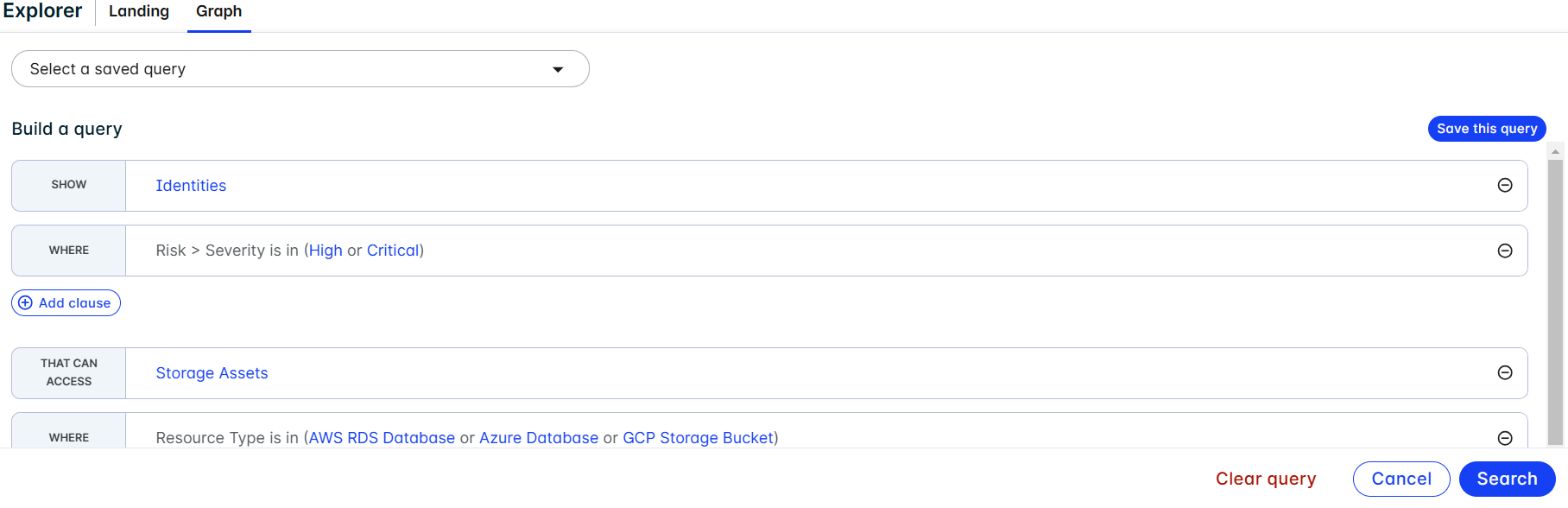
As a cloud security analyst, you want to identify any identity risks associated with crown jewel assets so that you can assign the appropriate permissions associated with the resource. A crown jewel is any resource you care about, such as data assets (S3 buckets, databases, etc). In this scenario you will create a query to show Identities that can access Storage Assets to view all identities ordered by identity risk that can access storage assets.
Compute instances for blast radius with vulnerabilities on an active package
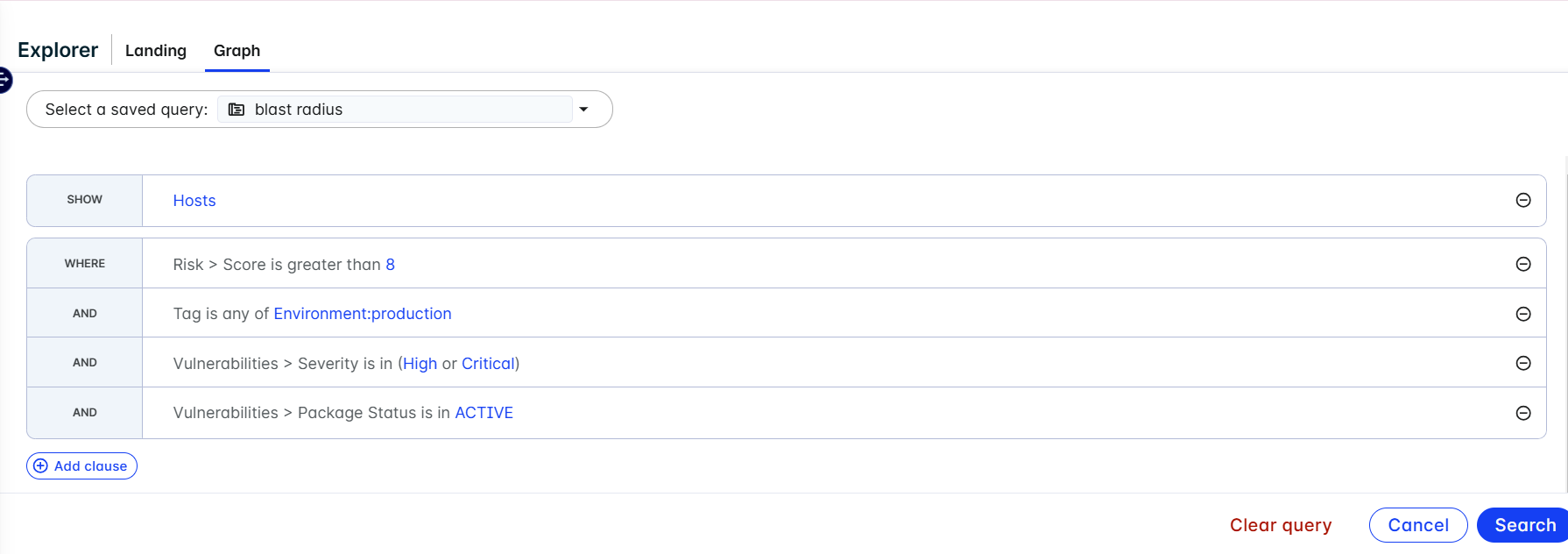
As a VM analyst, you want to identify hosts in production environments with the largest blast radius that have vulnerabilities on an active package with an active exploit and can be accessed from the internet. For this query you will show the Hosts where the Risk Score is greater than 8 with Critical and High vulnerabilities and an Active Package status with Tags where the Environment is equal to production that can assume identities.
Show all internet exposed hosts with SSH port 22 open
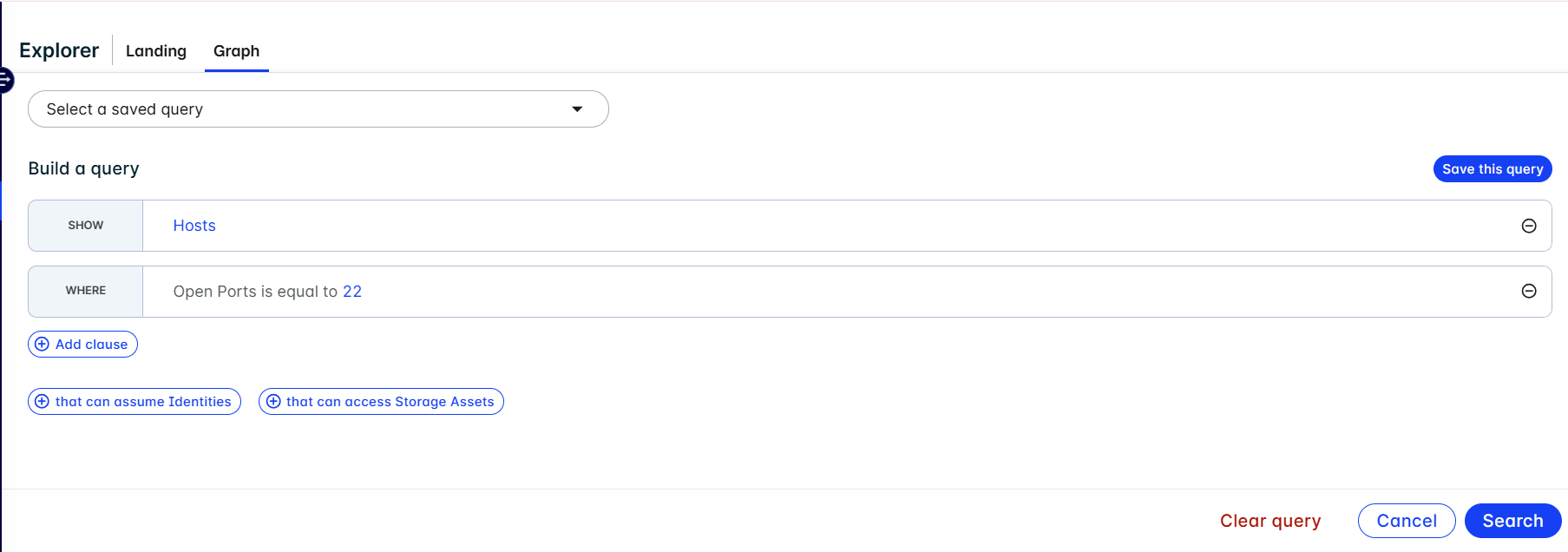
As a VM analyst, you want to identify all internet exposed hosts that have SSH ports open so that you can inform your engineering team and mitigate those risks. To create this query, show Hosts where open ports is equal to 22.