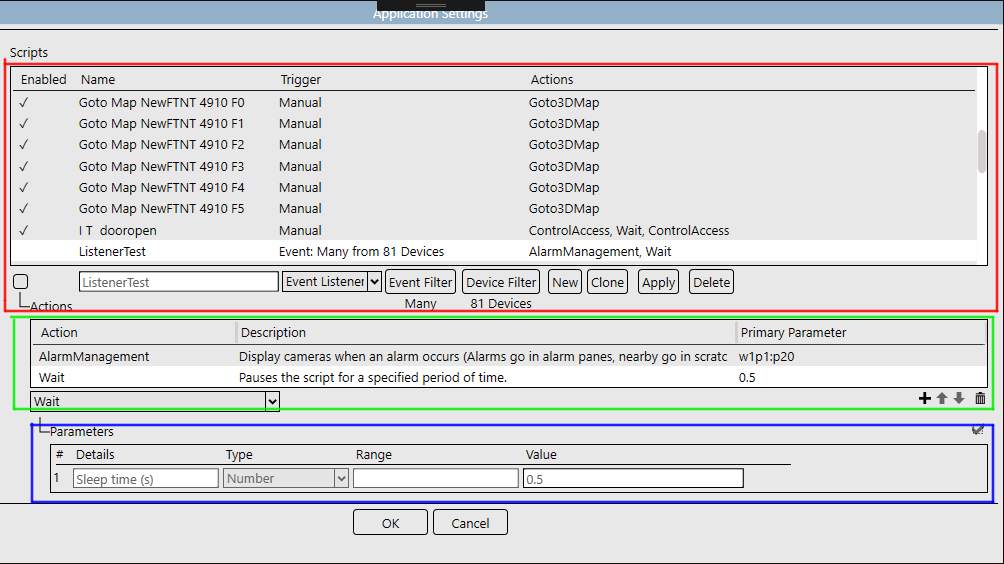
Script interface overview
The dialog for scripts is split into these parts:
- Top area: List of scripts.
- Middle area: Actions performed by the script that you selected in the area above it. It appears after you either click the New button to create a new script, or select the name of an existing script in the top area. This list is ordered sequentially, in the order that you indicate to do the actions.
- Bottom area: Parameters, such as a number range or option, for the action that you selected in the area above it. It appears after you select an Action that the parameters will apply to, and then click the plus ( + ) button in the middle area.