
Fortinet white logo
Fortinet white logo

User Guide

GSLB Dashboard

GSLB Dashboard

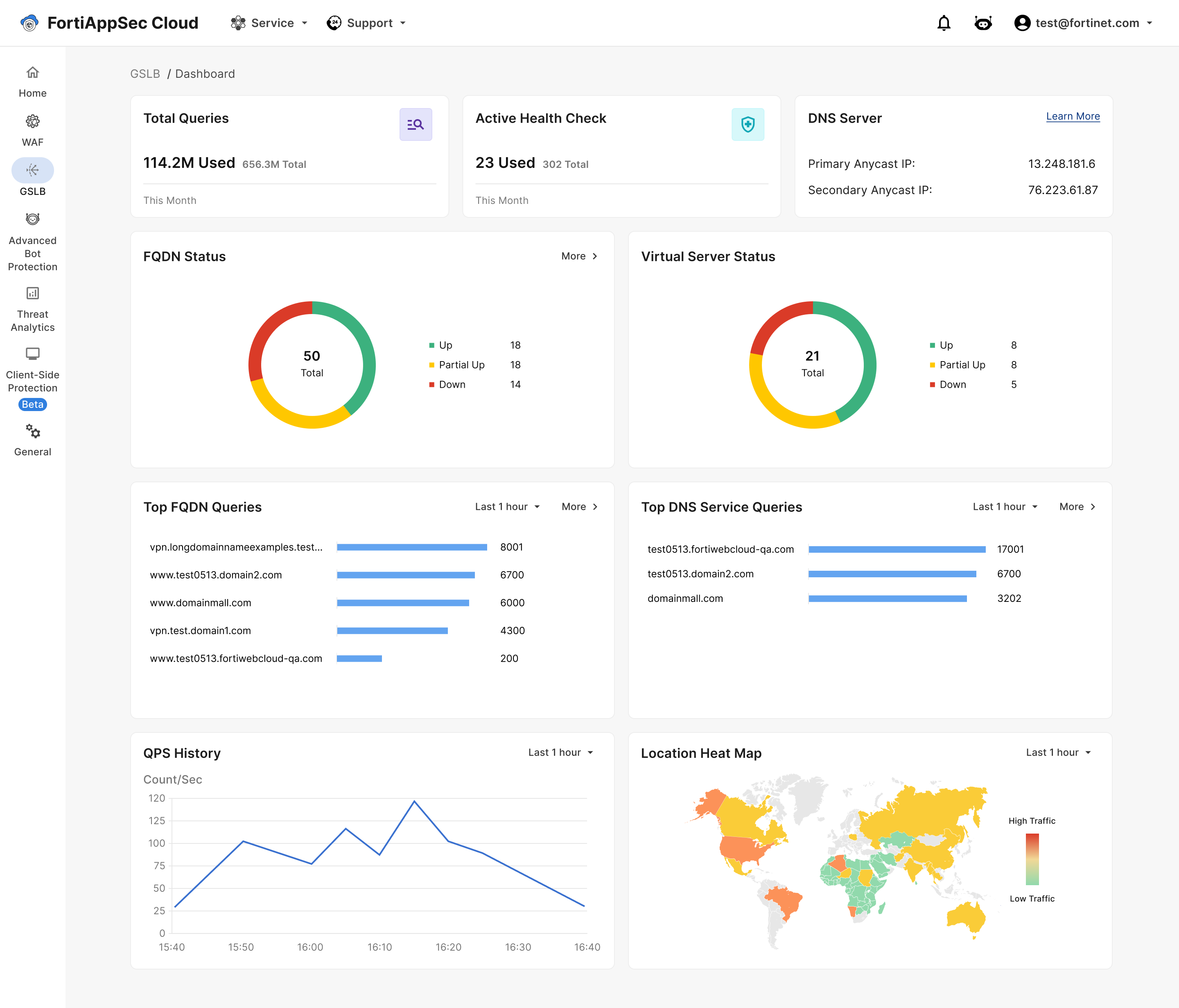
The GSLB Dashboard provides real-time metrics on total queries, query per second (QPS) rates, load balancer health checks, fully qualified domain name (FQDN) status, and virtual server operational status.
FQDN status

Shows the status of the FQDN. Red is down; yellow is partially up; green is completely up.

Virtual server status

Shows the status of virtual servers. There are three statuses: up, down, and unknown.

Top FQDN Queries

The FQDNs receiving the highest number of queries over the selected time frame.

Top DNS Queries

The DNS domains that received the highest number of client queries over the selected time frame.

Queries per second (QPS) History

Queries per second over the selected time frame.

Total Queries

Total queries used by the account over the selected time frame.

Location Heat Map

A color-coded map showing the geographic origin of queries over time.

For comprehensive details regarding the functionalities within the GSLB services WebUI and its various pages, please see Service

GSLB Dashboard

GSLB Dashboard

The GSLB Dashboard provides real-time metrics on total queries, query per second (QPS) rates, load balancer health checks, fully qualified domain name (FQDN) status, and virtual server operational status.

FQDN status

Shows the status of the FQDN. Red is down; yellow is partially up; green is completely up.

Virtual server status

Shows the status of virtual servers. There are three statuses: up, down, and unknown.

Top FQDN Queries

The FQDNs receiving the highest number of queries over the selected time frame.

Top DNS Queries

The DNS domains that received the highest number of client queries over the selected time frame.

Queries per second (QPS) History

Queries per second over the selected time frame.

Total Queries

Total queries used by the account over the selected time frame.

Location Heat Map

A color-coded map showing the geographic origin of queries over time.

For comprehensive details regarding the functionalities within the GSLB services WebUI and its various pages, please see Service