

Displaying configuration in its context (7.6.0)
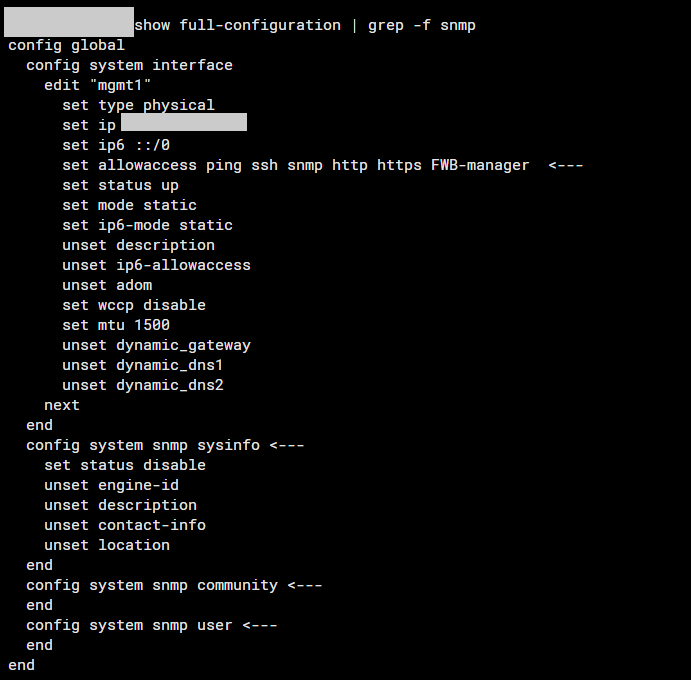
It's now possible to append grep -f <keyword> to the show or show full-configuration command to display configurations related to the search keywords. This command will not only show the lines containing the keywords but also the entire upper-level command structure associated with them. This enhancement provides a more comprehensive view of the configurations, making it easier to understand the context in which the keywords appear.
For example, if you want to view the context of the SNMP command, run the following:
show full-configuration | grep -f snmp
The system will display the configurations which contain the keyword "snmp":
For more information on the show command, see show.