SSO application wizards
FortiIdentity Cloud introduces SSO application configuration wizards which are template-based wizards for creating SSO applications. When creating an SSO application, you stat by selecting a wizard based on the type of SSO application that you are going to create, and the wizard will walk you through the configuration process with ease.
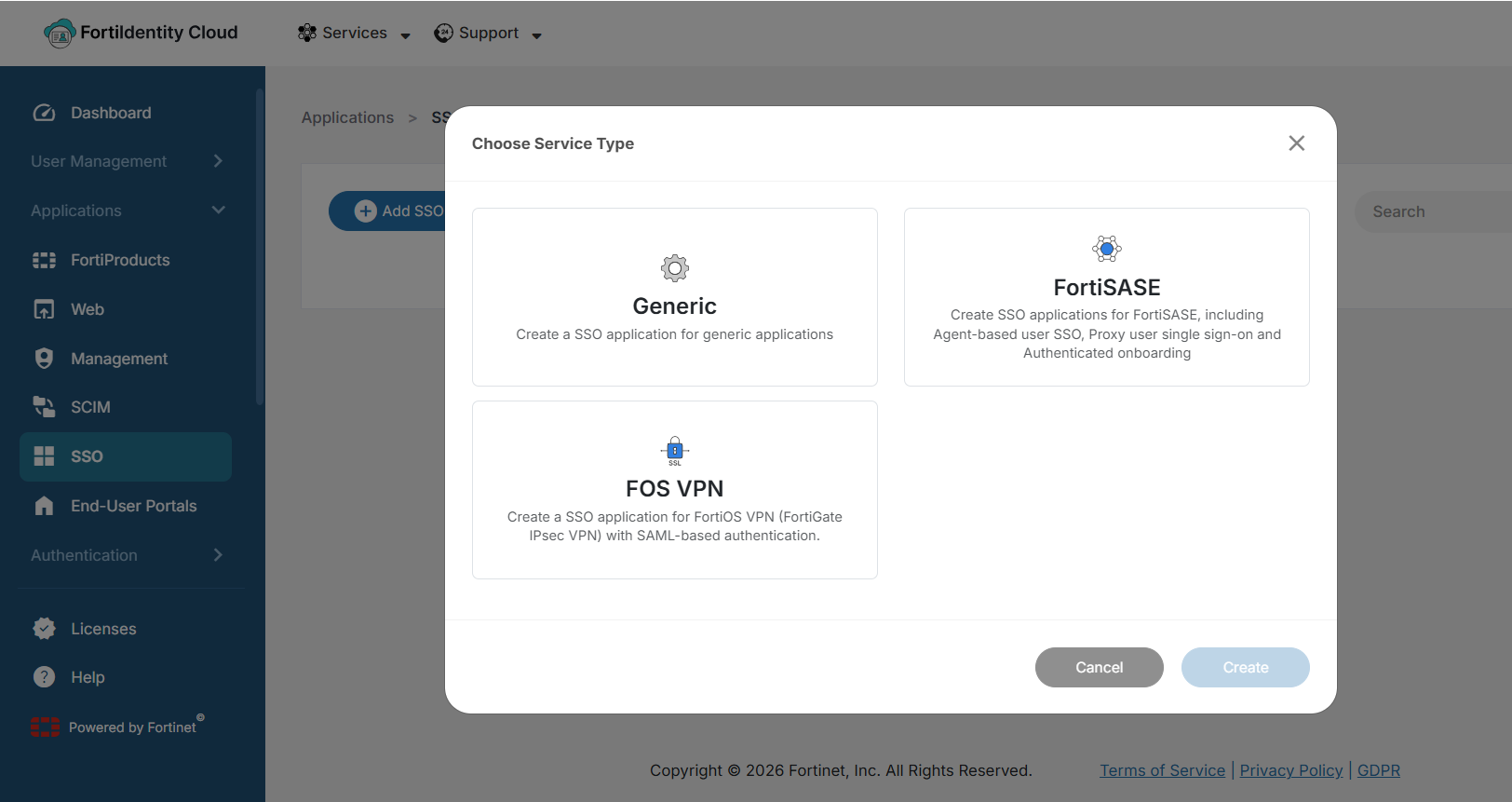
Depending your Fortinet licensing situation, you will see the following wizards when you click Applications > SSO > Add SSO Application:
-
Generic — Create an SSO application in FIC for any generic application.
-
FOS VPN — Create an SSO application for FortiOS VPN. (Note: When you provide the Entity ID for SP Metadata, the wizard will automatically populate the Assertion Consumer Service (ACS) URL and Single Logout Service (SLS) URL)
-
FortiSASE — Create SSO applications for FortiSASE, including Agent-based user SSO, Proxy user single sign-on and Authenticated onboarding. (Note: This option is available only for FIC accounts with a FortiSASE license.)
FortiSASE wizard
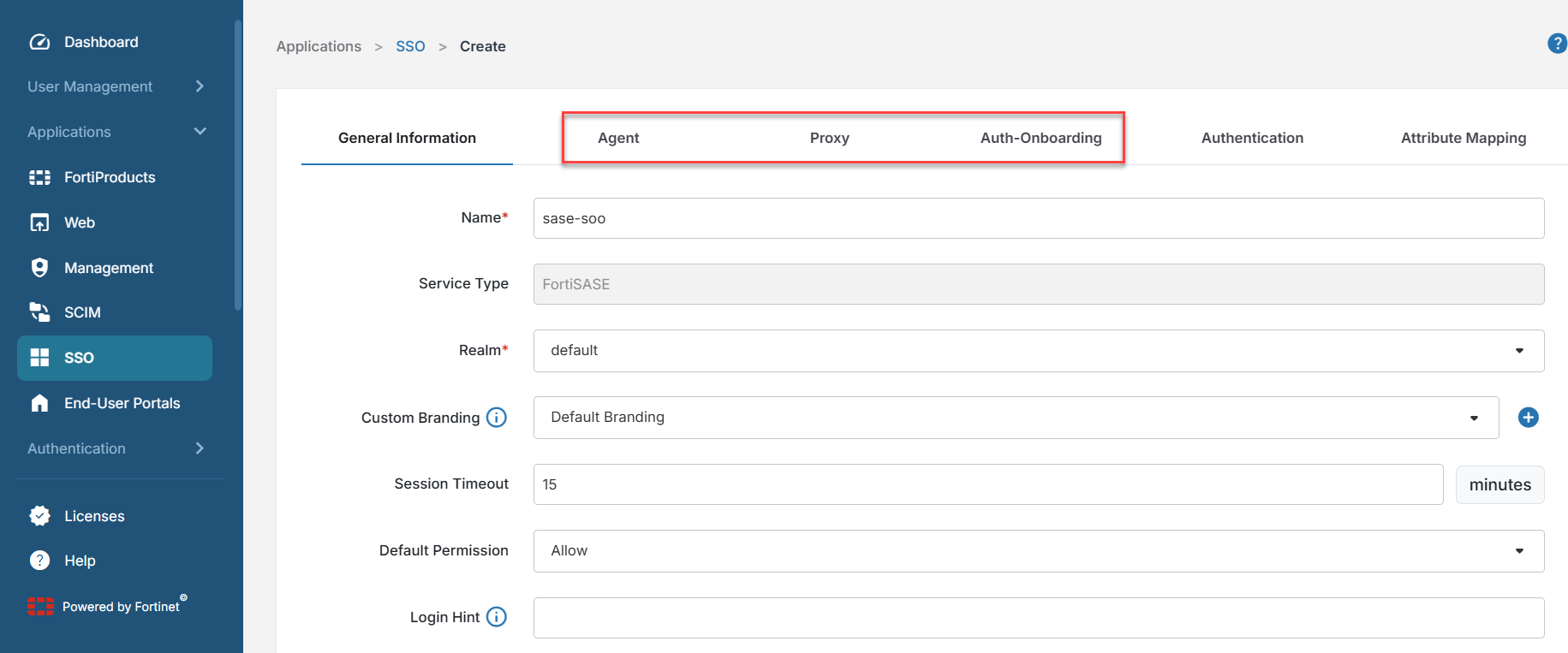
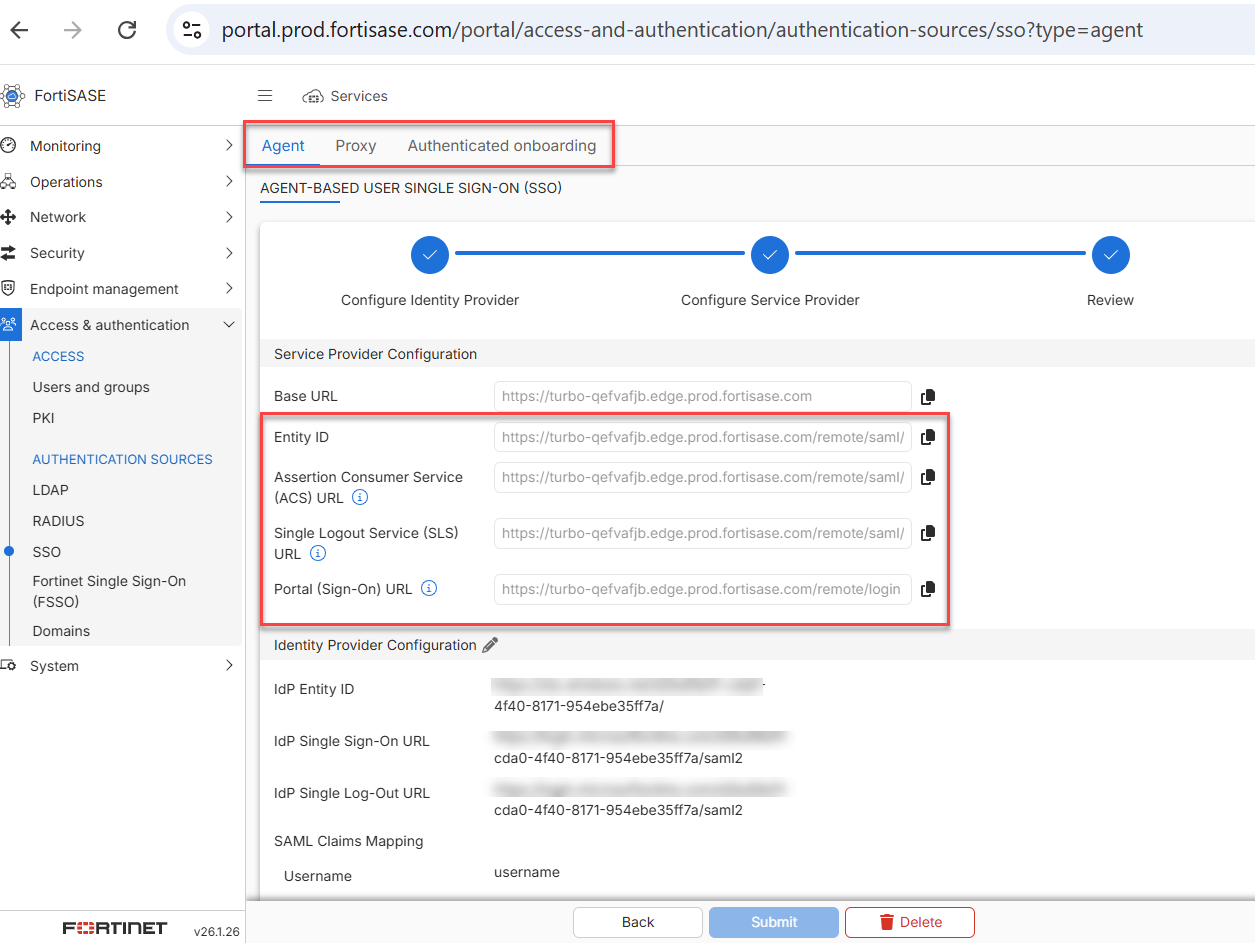
The FortiSASE wizard has 3 tabs: Agent, Proxy, and Auth-Onboarding which match the SSO configuration settings in the FortiSASE portal.