

Viewing security issues
The Attack Surface Management > Security Issues page displays the number of active security issues and how many of the active security issues are rated critical, high, medium, and low.
You can use search and filters to change the list of reports that are displayed, and then click each report to display its details.
To view security issues:
-
Go to Attack Surface Management > Security Issues. Choose IASM using toggle, the respective security issues are displayed.
The Issues bar at the top displays the total number of security issues, the number of exploitable issues, and the count of active issues categorized by risk level (Critical, High, Medium, and Low).
To filter the list, click the number next to Exploitable or a specific risk level. Click the selected count again to remove the filter.
- For each report, the following information is displayed.
- The title of the security issue or the CVE ID.
The total number of discovered assets and the number of active assets.
- FortiRecon and NVD severity rating.
- Exploitable tag and Indicators displayed when a CVE is exploitable. See Reviewing Exploitable Vulnerabilities.
- For each report, click the i icon to display a description of the issue and suggested remediation steps.

- Click the title of a report to display details about affected assets.
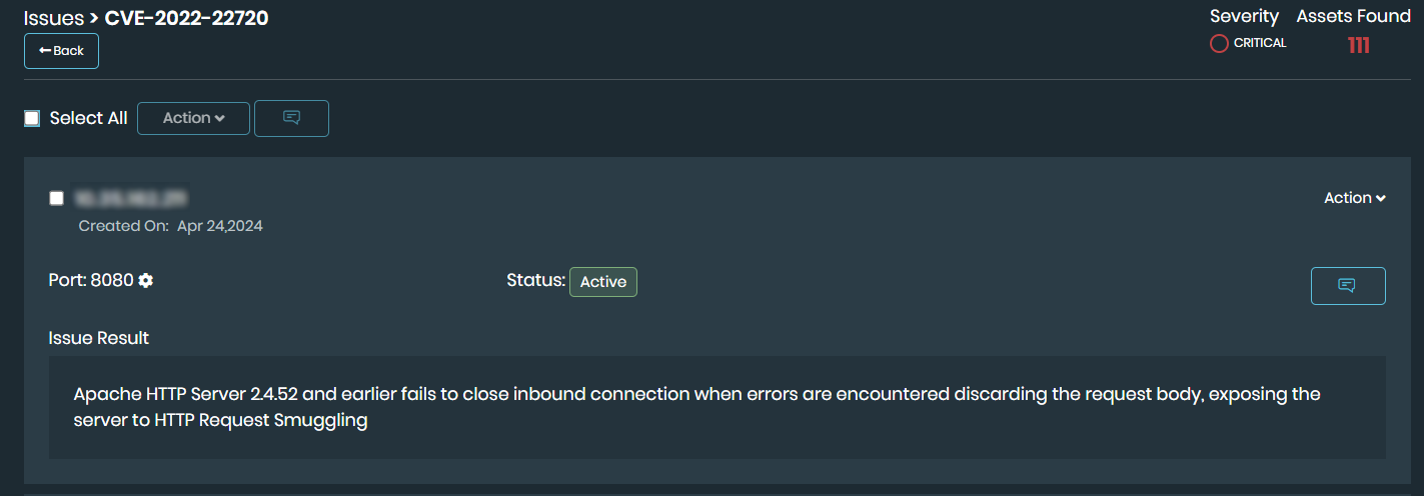
- Click gear icon next to Port to view Service Discovery information. See Reviewing Service Discovery.