
Fortinet white logo
Fortinet white logo

User Guide

Reviewing Service Discovery

Reviewing Service Discovery

The Service Discovery view provides a technical breakdown of the services, protocols, and versions running on your internal assets. You can access the Service Discovery view through the following two methods:

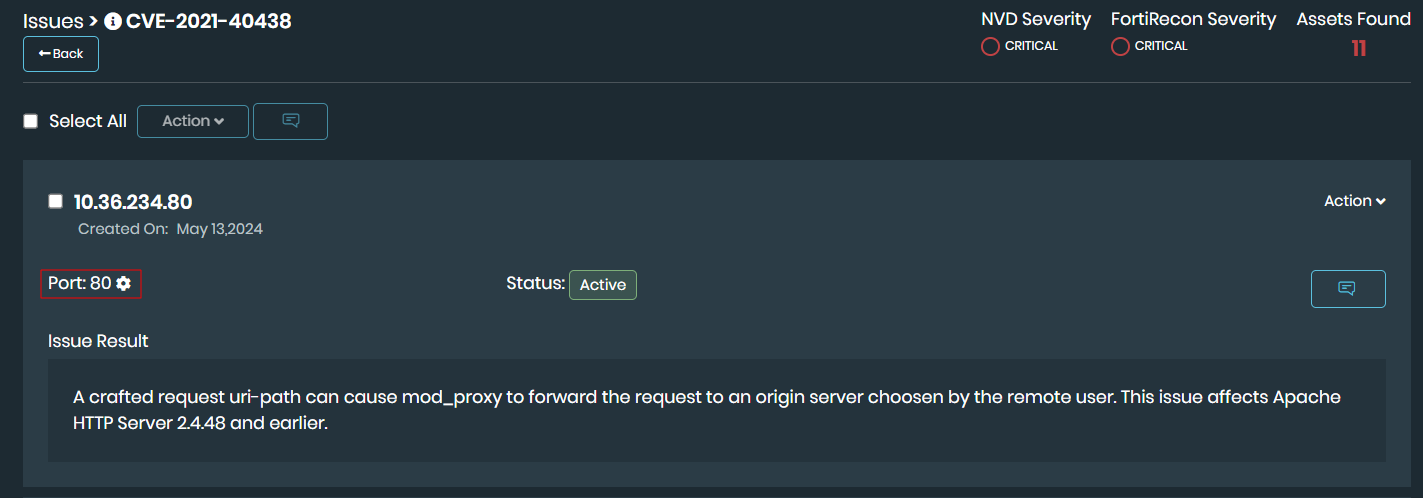
  1. From Security Issues page: Navigate to Attack Surface Management > Security Issues > IASM. Click an issue title to view the affected assets. If discovery data is available, click the gear icon next to the port number for a specific asset.
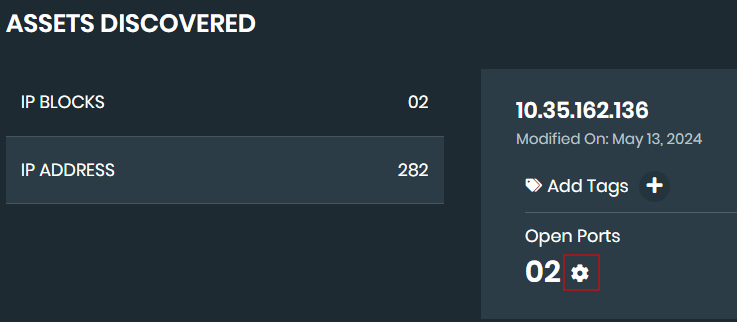
  2. From Asset Discovery page: Navigate to Attack Surface Management > Asset Discovery > IASM. In the IP Addresses tab, locate the required asset and click the gear icon next to the Open Ports count. Use the Search bar at the top to filter results by port
The following information is displayed.

  • Discovered Date: The date the service was identified.

  • Port: The network port number.

  • Service: The name of the identified service or protocol.

  • Version: The version of the service, if detected.

  • CPE: The Common Platform Enumeration (CPE) string identifying the hardware or software.

Click View Full Detail in the table to expand the metadata for a specific entry. This section provides granular discovery data, including:

  • CPE: The full CPE identifier.

  • Created Date: The precise system timestamp of the discovery.

  • IP Address: The IP address of the target asset.

  • Port: The specific port associated with the entry.

  • Product: The identified product name (e.g., simatic_s7-1500_et_200pro). This is especially useful for identifying OT and IoT devices.

  • Service: The protocol or service type identified.

Reviewing Service Discovery

Reviewing Service Discovery

The Service Discovery view provides a technical breakdown of the services, protocols, and versions running on your internal assets. You can access the Service Discovery view through the following two methods:

  1. From Security Issues page: Navigate to Attack Surface Management > Security Issues > IASM. Click an issue title to view the affected assets. If discovery data is available, click the gear icon next to the port number for a specific asset.

  2. From Asset Discovery page: Navigate to Attack Surface Management > Asset Discovery > IASM. In the IP Addresses tab, locate the required asset and click the gear icon next to the Open Ports count. Use the Search bar at the top to filter results by port

The following information is displayed.

  • Discovered Date: The date the service was identified.

  • Port: The network port number.

  • Service: The name of the identified service or protocol.

  • Version: The version of the service, if detected.

  • CPE: The Common Platform Enumeration (CPE) string identifying the hardware or software.

Click View Full Detail in the table to expand the metadata for a specific entry. This section provides granular discovery data, including:

  • CPE: The full CPE identifier.

  • Created Date: The precise system timestamp of the discovery.

  • IP Address: The IP address of the target asset.

  • Port: The specific port associated with the entry.

  • Product: The identified product name (e.g., simatic_s7-1500_et_200pro). This is especially useful for identifying OT and IoT devices.

  • Service: The protocol or service type identified.