
Fortinet white logo
Fortinet white logo

User Guide

Assigning tags

Assigning tags

Tags can be assigned to assets for focused filtering in the Asset Discovery > IASM page. For more information on tags, see IASM Asset Management.

To assign a tag to an asset:
  1. Go to Attack Surface Management > Asset Discovery.

  2. Select IASM toggle.

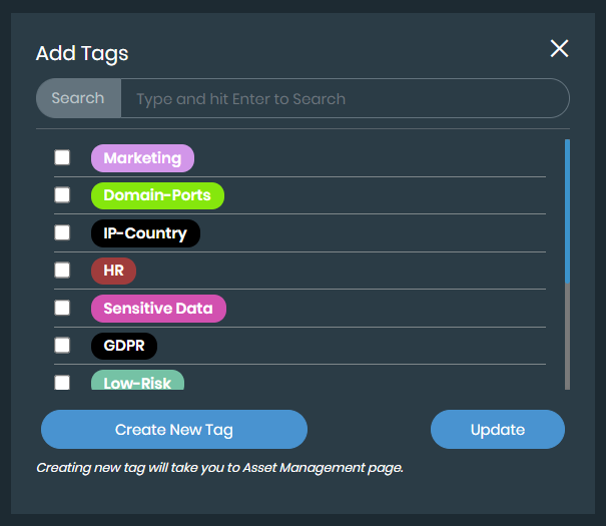
  3. Find the asset you want to tag and click the + icon. The Add Tags dialog is displayed.
    Note

    To create a new tag, click Create in the Add Tags dialog or go to Attack Surface Management > Asset Management page. See Adding assets to a tag.

  4. Select the tags you would like to assign.

  5. Click Add.

Assigning tags

Assigning tags

Tags can be assigned to assets for focused filtering in the Asset Discovery > IASM page. For more information on tags, see IASM Asset Management.

To assign a tag to an asset:
  1. Go to Attack Surface Management > Asset Discovery.

  2. Select IASM toggle.

  3. Find the asset you want to tag and click the + icon. The Add Tags dialog is displayed.

    Note

    To create a new tag, click Create in the Add Tags dialog or go to Attack Surface Management > Asset Management page. See Adding assets to a tag.

  4. Select the tags you would like to assign.

  5. Click Add.