

Transferring FortiPoints to FortiFlex points
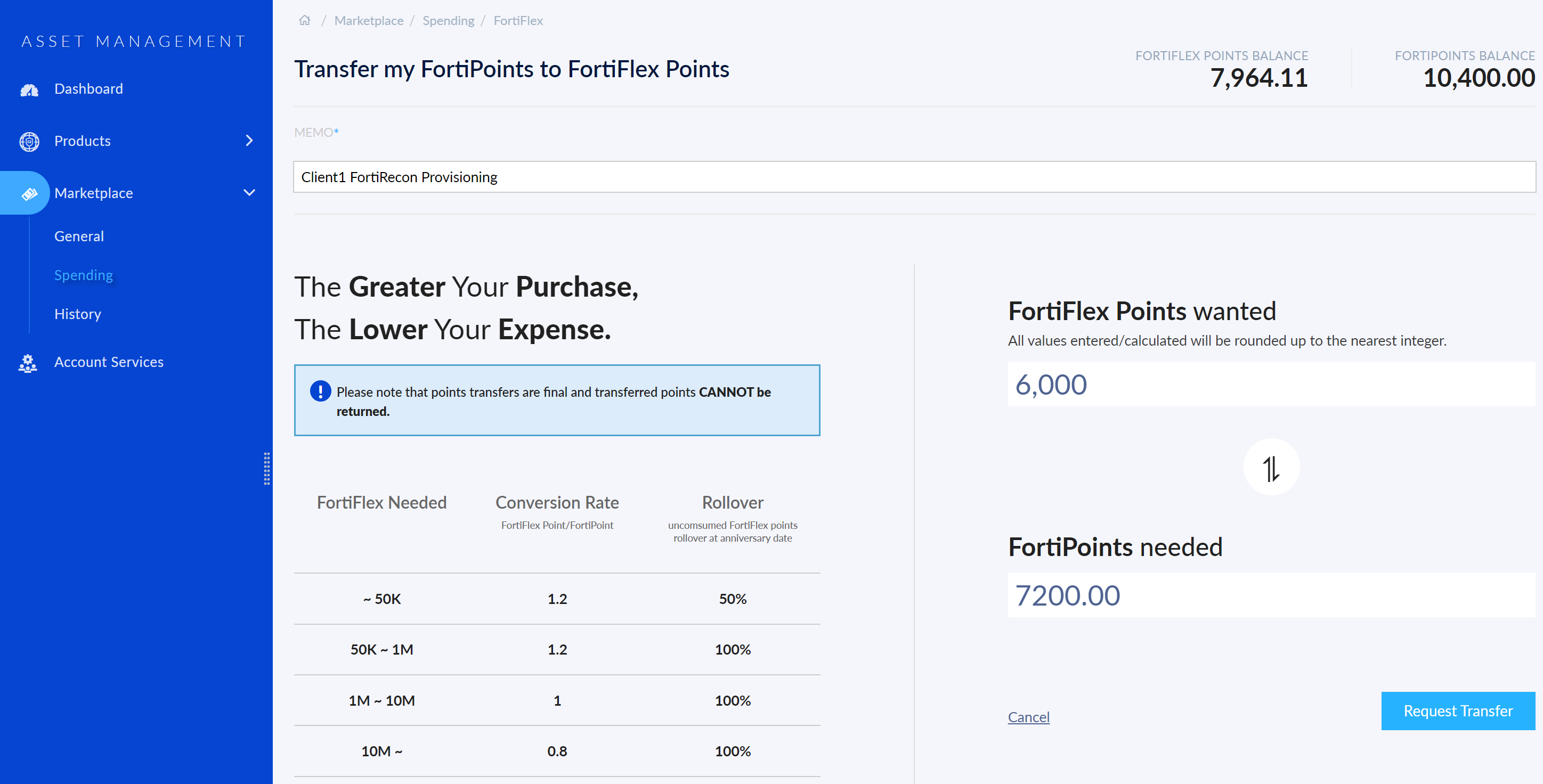
FortiFlex FortiPoints can be transferred to FortiFlex points to be used in the FortiFlex portal. The conversion rate of FortiPoints to FortiFlex points, points rollover, and expiration information depend on the conversion option. Details on each option can be viewed in FortiCloud > Marketplace > Spending > FortiFlex.

|
You can use the FortiFlex points calculator to estimate the total number of points that will be consumed before you transfer the FortiPoints. See Points calculator in FortiFlex Administration Guide. |
Perform the following steps to transfer FortiPoints into FortiFlex points.
-
Log in to https://support.fortinet.com/ using your FortiCloud Root Account.
-
Go to Marketplace > Spending.
-
Select FortiFlex.
-
Add a description of the transfer in the Memo field.
-
Enter the number of FortiFlex points you want. The FortiPoints needed field will update to show how many points must be transferred to receive the desired amount.
-
Click Request Transfer. The Order Summary is displayed.
-
If you do not have enough FortiPoints to complete the transfer, a warning will display the number of outstanding points. Select Register More Points to register FortiPoints or select Go Back To Edit to reduce the number of FortiFlex points needed.
-
To purchase FortiPoints, contact Fortinet Support. Once you have purchased your licenses, register them in your FortiCloud account. See FortiCloud Services Asset Management Guide > Registering Assets.
-
-
Click Transfer Points. The points will be transferred and the transfer record will display on the History page.