
Fortinet white logo
Fortinet white logo

User Guide

Adding a new vendor to the watchlist

Adding a new vendor to the watchlist

You can add new vendors to the watchlist to generate a risk assessment report and identify the overall estimate risk exposure rating. Vendors can be added to the watchlist using the primary domain. Once the domain name has been submitted, collecting data and generating the risk assessment can take up to 24 hours.

Note

If the overall estimated risk exposure rating of a vendor changes to High, an alert notification will be sent.

To add a new vendor to the watchlist:
  1. Go to Adversary Centric Intelligence > Vendor Risk Assessment.

  2. Click Add Vendor. The Add new Vendor dialog is displayed.
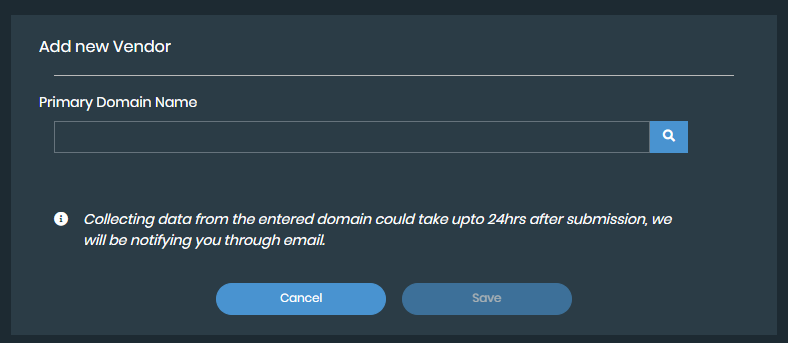
  3. Enter the vendor domain in the Primary Domain Name field.

  4. Click the search icon. Vendor information will be displayed.

  5. Click Save. The vendor risk assessment will begin to generate.

Note

By default, you can add a maximum of 25 vendors to watchlist. To monitor additional vendors, you can purchase a separate license.

Removing a vendor from the watchlist

To remove a vendor from the watchlist, click Remove on its watchlist card.

Adding a new vendor to the watchlist

Adding a new vendor to the watchlist

You can add new vendors to the watchlist to generate a risk assessment report and identify the overall estimate risk exposure rating. Vendors can be added to the watchlist using the primary domain. Once the domain name has been submitted, collecting data and generating the risk assessment can take up to 24 hours.

Note

If the overall estimated risk exposure rating of a vendor changes to High, an alert notification will be sent.

To add a new vendor to the watchlist:
  1. Go to Adversary Centric Intelligence > Vendor Risk Assessment.

  2. Click Add Vendor. The Add new Vendor dialog is displayed.

  3. Enter the vendor domain in the Primary Domain Name field.

  4. Click the search icon. Vendor information will be displayed.

  5. Click Save. The vendor risk assessment will begin to generate.

Note

By default, you can add a maximum of 25 vendors to watchlist. To monitor additional vendors, you can purchase a separate license.

Removing a vendor from the watchlist

To remove a vendor from the watchlist, click Remove on its watchlist card.