

Configure EDM for data loss prevention NEW
In this example, an exact data match (EDM) template named Customer SSN EDM is created for a data threat feed file in a CSV file (testEDM.csv) located on an external server. The data threat feed file contains data for use with the following pre-defined DLP data types:
-
credit-card
-
edm-keyword
-
mip-label
-
ssn-us
The EDM template is used to identify the URL location of the data threat feed file and what column index in the file contains data (or patterns) for the specific DLP data types that you want to match. In this example, the EDM template specifies:
-
Column index 1 in the external data threat feed file contains patterns for the
g-ssn-usdata type. -
Column index 3 and 9 contain patterns for the
g-edm-keyworddata type. -
The patterns from column index 1 must match for FortiProxy to take an action.
-
The pattern from either column index 3 or 9 must match for FortiProxy to take an action.

|
The patterns in the data file must be valid. If the patterns are invalid, FortiProxy cannot use them, and no warning is displayed. |
To configure EDM for DLP in the GUI:
-
Ensure that Data Loss Prevention is enabled.
-
Go to System > Feature Visibility.
-
Under Security Features, enable Data Loss Prevention, and click Apply.
-
-
Create an EDM template with matching criteria:
-
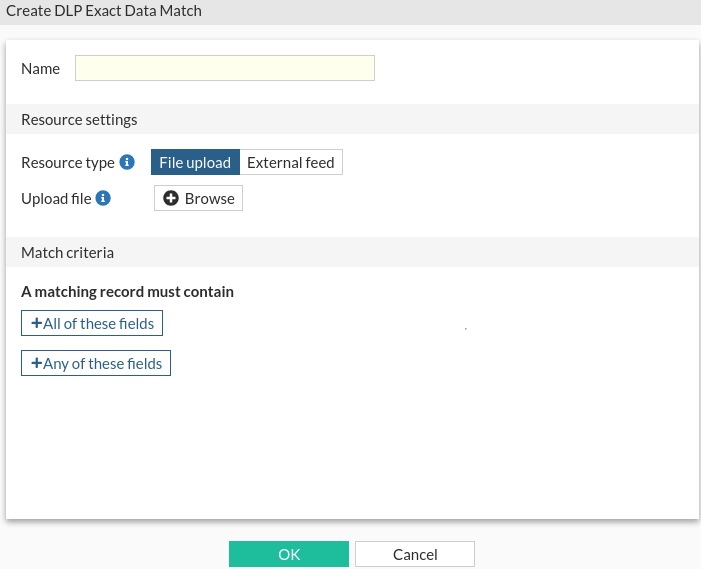
Go to Security Profiles > Data Loss Prevention > EDM Templates, and click Create New.
-
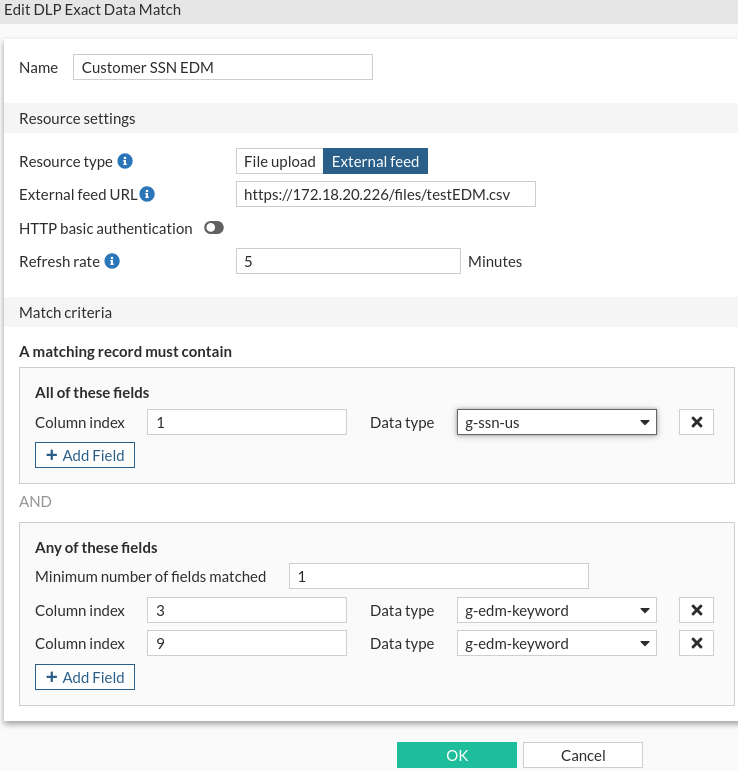
Specify a name for the template, such as Customer SSN EDM.
-
Set Resource type to External feed, and set External feed URL to the location of the file on the external server.
-
Click +All of these fields to pair the column index of patterns with a DLP data type. All of the specified data in this section must match for FortiProxy to take an action.
In this example, column 1 in the external resource file contains the patterns for the g-ssn-us data type.
-
Click +Any of these fields to pair the column index of patterns with a DLP data type, and to specify how many of these pairs must match for FortiProxy to take an action.
In this example, columns 3 and 9 in the external resource file contains the patterns for the g-edm-keyword data type. Only one pattern from the two columns must match.
-
Click OK.
-
- Configure a DLP sensor for the EDM template.
In Security Profiles > Data Loss Prevention, click Sensors > Create New.
Specify a name for the DLP sensor.
Click Create New. The New Entry pane is displayed.
From the Sensor entry list, select the EDM template, and click OK.
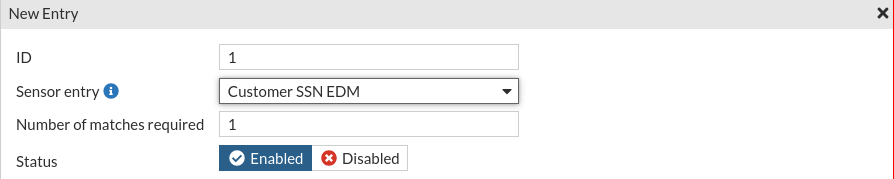
The New DLP Sensor pane is displayed
- Click OK.
- Create a DLP profile and select the DLP sensor for the EDM template.
In Security Profiles > Data Loss Prevention, click Profiles > Create New.
Specify a name for the DLP profile.
Click Create New. The New Rule pane is displayed.
Specify a name for the rule.
Set Data source type to Sensor, and select the DLP sensor that uses the EDM template.
Set Action.
Set Match type to File, and set File type to builtin-patterns.
Select one or more protocols.
- Click OK. The New DLP Profile pane is displayed.
- Click OK to save the profile.
To configure EDM for DLP in the CLI:
-
Add the URL for the data threat feed file to FortiProxy.
In this example, an external resource named
customer data EDMis created, and it defines the location of the data threat feed file in CSV format on an external server.config system external-resource edit "customer data EDM" set uuid 3cadb9be-f639-51ee-df8d-ea94d069c9cf set type data set resource "https://172.18.20.226/files/testEDM.csv" end next end -
Configure the EDM template.
In this example, an exact data-match template named
Customer SSN EDMis created for the external resource namedcustomer data EDM. The matching record must contain the pattern for the data type from column index 1 (g-ssn-us) and at least one pattern for the data type from column index 3 (g-edm-keyword) or 9 (g-edm-keyword).config dlp exact-data-match edit "Customer SSN EDM" set optional 1 set data "customer data EDM" config columns edit 1 set type "g-ssn-us" next edit 3 set type "g-edm-keyword" set optional enable next edit 9 set type "g-edm-keyword" set optional enable next end next end -
Add the EDM template to a DLP sensor.
config dlp sensor edit <name> config entries edit <id> set dictionary Customer SSN EDM next end next end -
Configure a DLP profile to use the DLP sensor.
config dlp profile
    edit <name>
        config rule
            edit <id>
                set name <name>
                set proto <protocol> <protocol> ...
                set filter-by sensor
                set sensor Customer SSN EDM
                set action {allow | log-only | block | quarantine-ip}
            next
        end
    next
end
To verify:
-
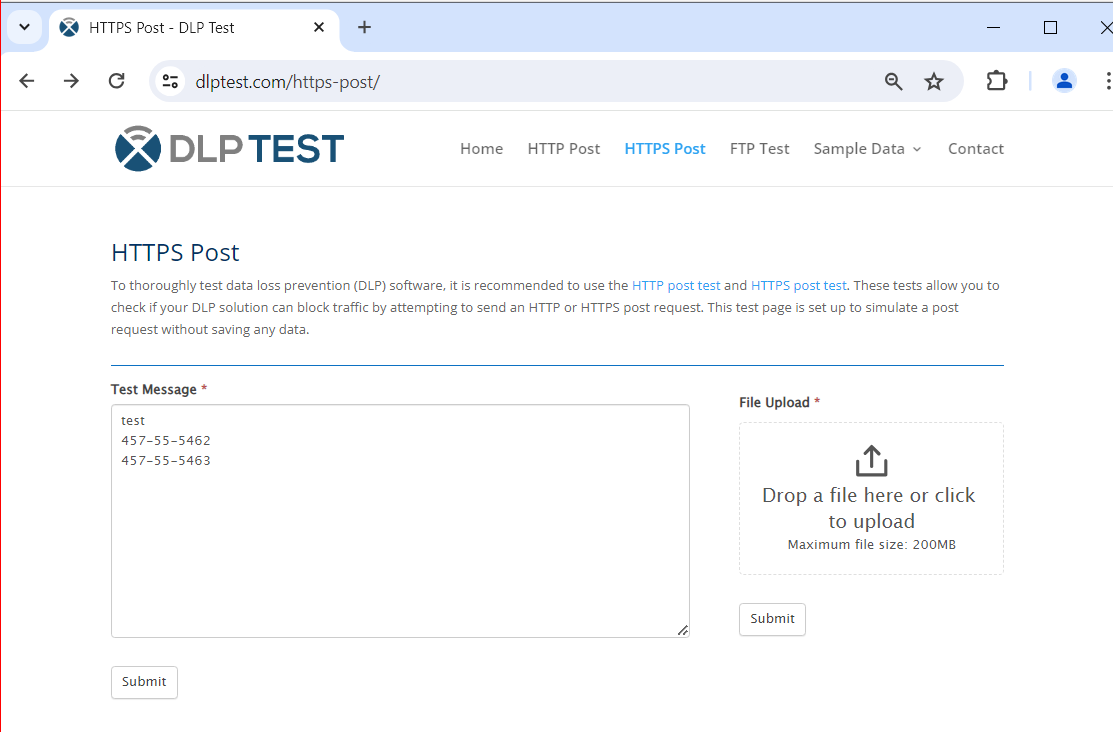
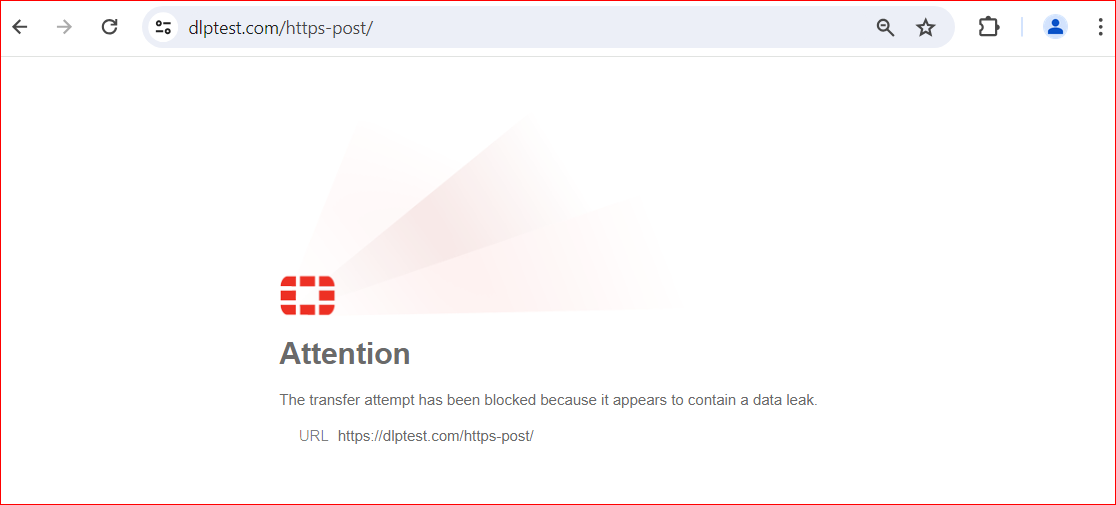
A user attempts to post a sensitive message through HTTPS to dlptest.com, and the message content matches the EDM template.
-
FortiProxy blocks the user's attempt and displays a replacement message:
-
FortiProxy generates a DLP log:

1: date=2024-05-01 time=16:29:50 eventtime=1714606189934871347 tz="-0700" logid="0954024576" type="utm" subtype="dlp" eventtype="dlp" level="warning" vd="root" ruleid=1 filtertype="sensor" filtercat="file" severity="medium" policyid=1 poluuid="2e09d668-0750-51ef-6133-8897d1a36d2d" policytype="policy" sessionid=926212558 epoch=224041789 eventid=0 srcip=10.1.2.203 srcport=55709 srccountry="Reserved" srcintf="port2" srcintfrole="undefined" srcuuid="82127bdc-21d9-51ee-c7d4-aae693c18c05" dstip=35.209.95.242 dstport=443 dstcountry="United States" dstintf="port1" dstintfrole="undefined" proto=6 service="HTTPS" filetype="unknown" direction="outgoing" action="block" hostname="dlptest.com" url="
https://dlptest.com/https-post/"
agent="Mozilla/5.0 (Windows NT 10.0; Win64; x64) AppleWebKit/537.36 (KHTML, like Gecko) Chrome/124.0.0.0 Safari/537.36" httpmethod="POST" referralurl="
https://dlptest.com/https-post/"
filename="item_meta[6]" filesize=24 profile="edm"