
Fortinet white logo
Fortinet white logo

Examples

Creating a sponsor admin

Creating a sponsor admin

We now create a sponsor admin assigned to the sponsored group created in Creating a sponsored group.

To create a sponsor admin:
  1. Go to User Management > User List, and select Create.

    The New User List wizard is launched.

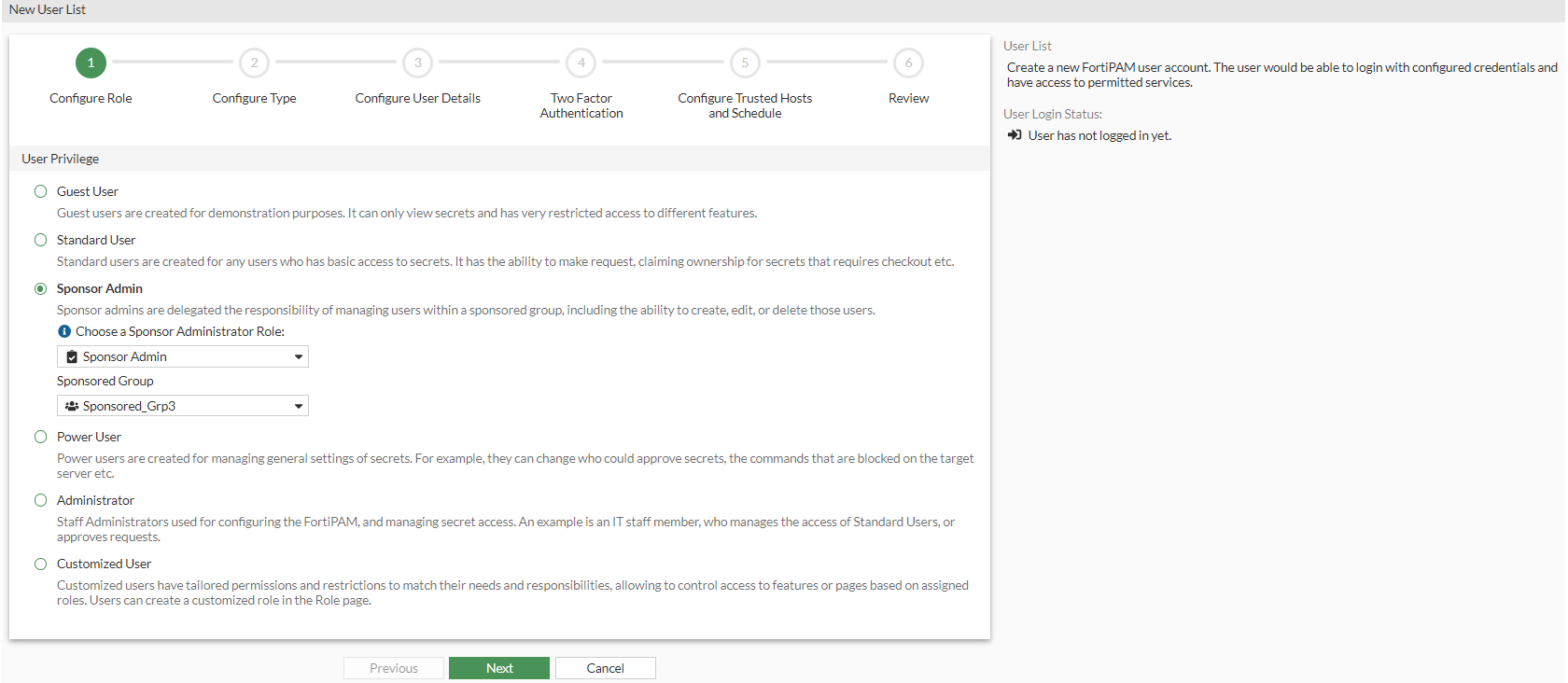
  2. In Configure Role, select Sponsor Admin, and from the Choose a Sponsor Administrator Role dropdown, select the sponsored group created in Creating a sponsored group.

    Sponsor admins can only manage users within their assigned sponsored group.
  3. Click Next.
  4. In Configure Type, select Local User and click Next.
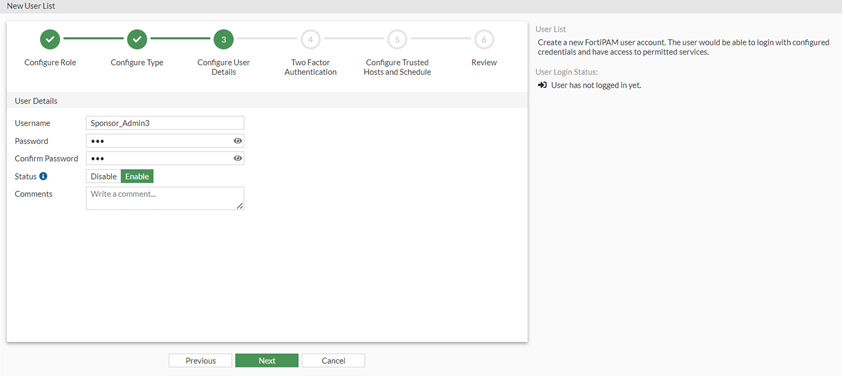
  5. In Configure User Details:
    1. In Username, enter a username.
    2. In Password, enter a password.
    3. In Confirm Password, enter the password again.
    4. In Status, select Enable.
    5. Optionally, you can enter a description about the user.
    6. Click Next.
  6. In Two Factor Authentication, click Next.
  7. In Configure Trusted Hosts and Schedule, click Next.
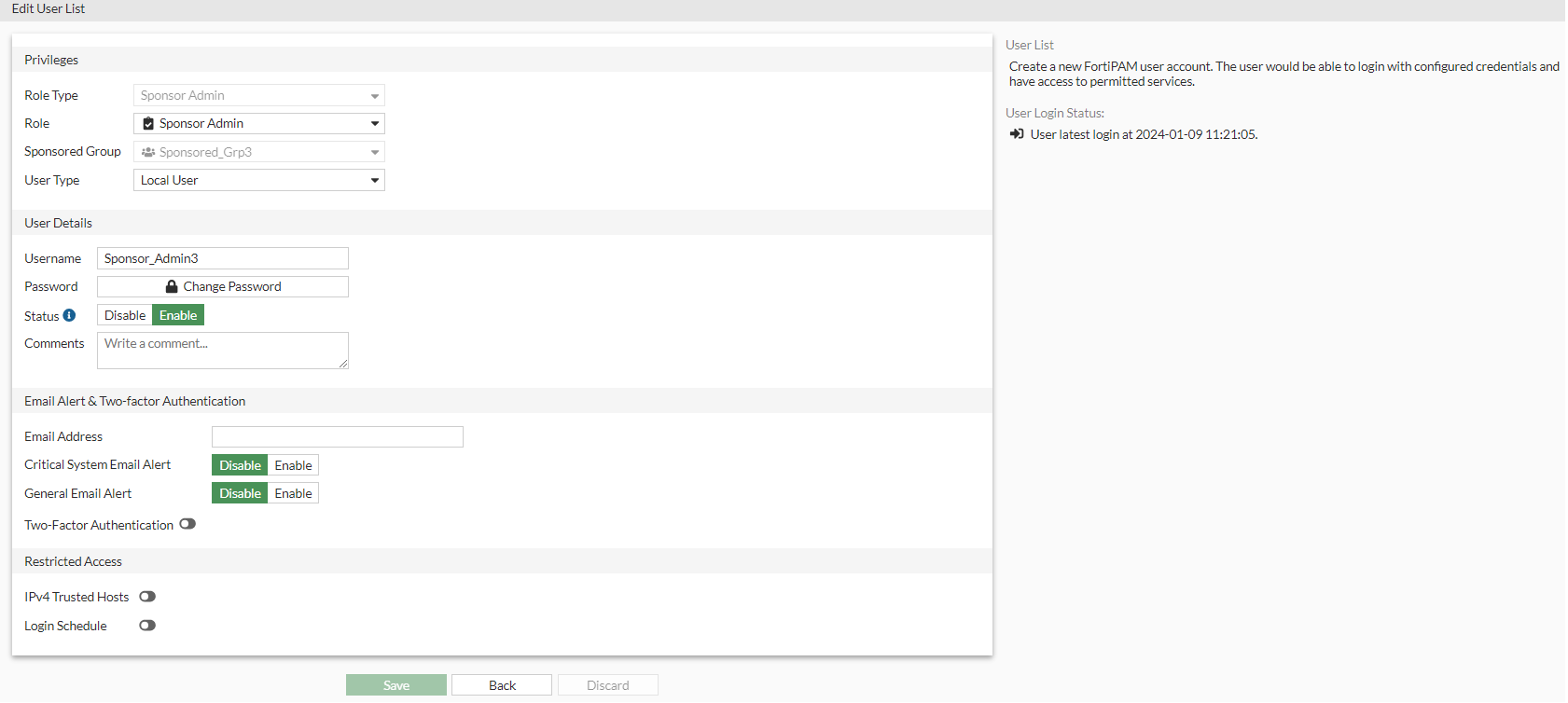
  8. Review the configuration and click Submit.
Creating a sponsor admin

Creating a sponsor admin

We now create a sponsor admin assigned to the sponsored group created in Creating a sponsored group.

To create a sponsor admin:
  1. Go to User Management > User List, and select Create.

    The New User List wizard is launched.

  2. In Configure Role, select Sponsor Admin, and from the Choose a Sponsor Administrator Role dropdown, select the sponsored group created in Creating a sponsored group.

    Sponsor admins can only manage users within their assigned sponsored group.

  3. Click Next.
  4. In Configure Type, select Local User and click Next.
  5. In Configure User Details:
    1. In Username, enter a username.
    2. In Password, enter a password.
    3. In Confirm Password, enter the password again.
    4. In Status, select Enable.
    5. Optionally, you can enter a description about the user.

    6. Click Next.
  6. In Two Factor Authentication, click Next.
  7. In Configure Trusted Hosts and Schedule, click Next.
  8. Review the configuration and click Submit.