

Managing encryption keys
Any PCAP captured and stored in FortiNDR Cloud will be encrypted by adding the associated keys to the account.
FortiNDR Cloud requires the encryption of all PCAP data captured and stored on the platform, backed by public key cryptography.
Encryption key requirement impact on existing sensors
| If you do not have a PCAP-enabled sensor | The encryption key will be required to enable PCAP on sensors. |
| If you have a PCAP-enabled sensor |
|
| When deleting the encryption key |
|
Encryption key settings
To access PCAP Encryption Keys settings:
- Go to Settings > Account Management.
- Select an account.
- On the left navigation, select Settings.
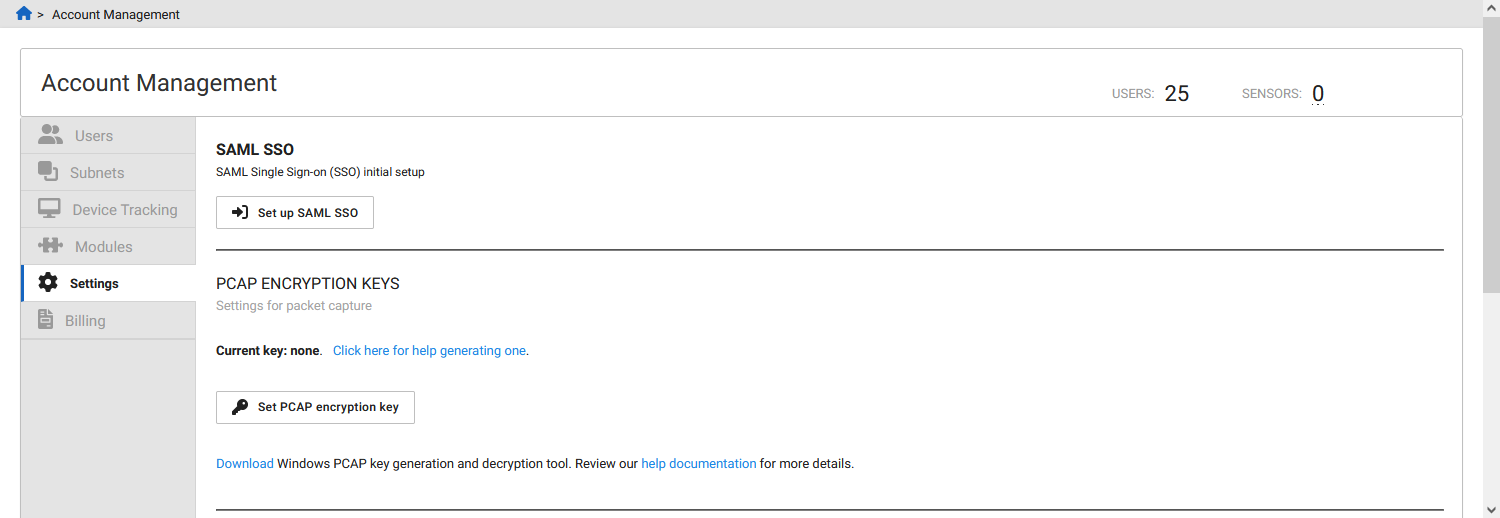
The Set PCAP encryption key button will only appear for the Admin role.
Encryption warnings
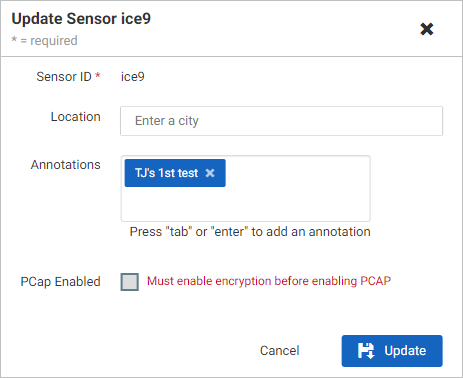
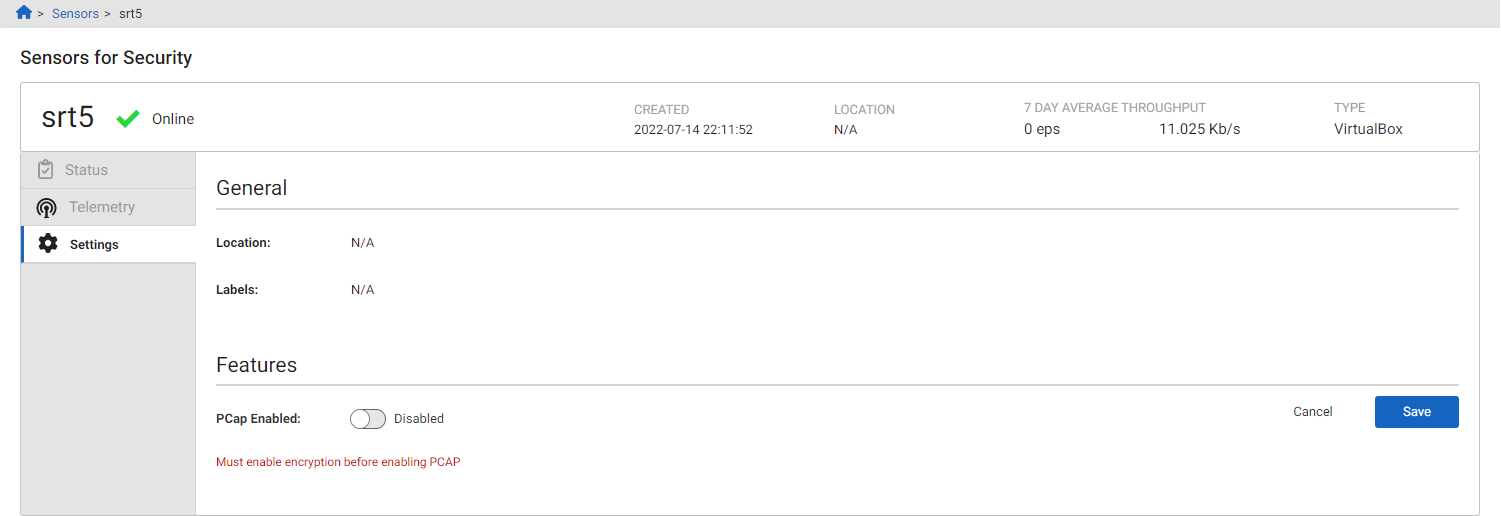
Encryption must be enabled to use PCAP. The PCAP Enabled option remains unavailable until encryption is enabled, and a message indicates that encryption must be configured before PCAP can be enabled.
A warning appears in the Sensor Update dialog when accessed from the sensor list:
A warning appears on the Sensor Settings page:
Deleting a PCAP encryption key
To delete a PCAP encryption key:
- Go to Settings > Account Management > Settings tab.
- In the PCAP Encryption Keys section, click the delete button (X) next to the encryption key. A warning appears indicating that PCAP will be disabled for all sensors associated with the account.
- When deleting a PCAP key for an account, a warning will appear advising that PCAP will be disabled for sensors associated with that account.
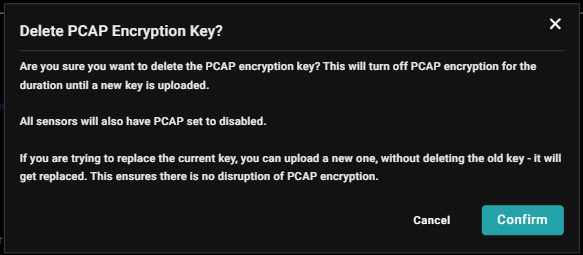
- Click Confirm to acknowledge the message and proceed.