
Fortinet white logo
Fortinet white logo

User Guide

Audit Trail

Audit Trail

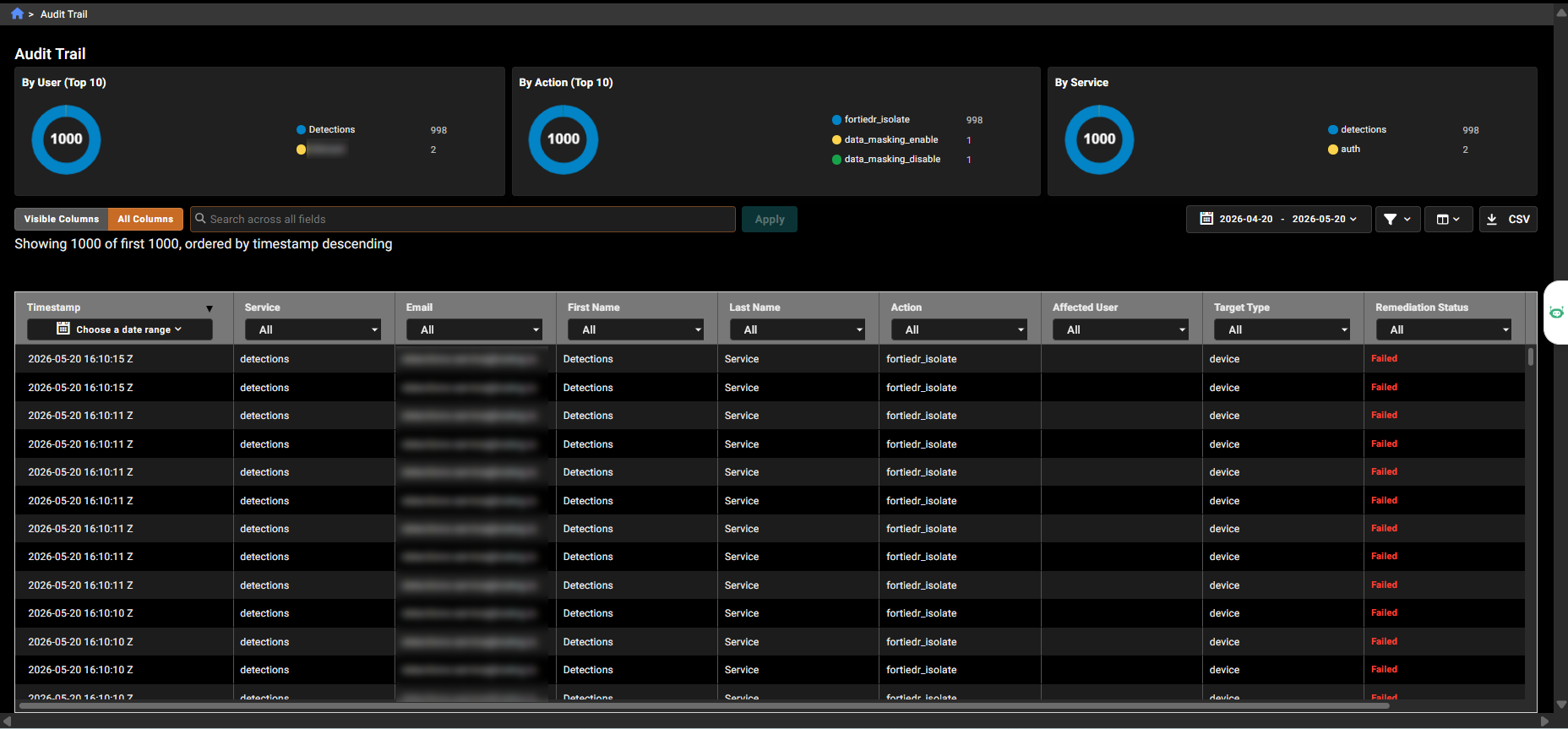
The Audit Trail page provides visibility into system events captured by FortiNDR Cloud. It supports tracking of configuration changes by showing what was changed and by whom, helping with compliance and monitoring.

Captured events include user authentication activity such as login, logout, password changes and resets, and MFA enable or disable. The page also records user management actions, including create, update, delete, disable, role assignment, and token management, as well as automated detection and response activity such as playbook execution, AutoIR configuration updates, and endpoint isolation actions.

To access the page, go to Settings > Audit Trail.

Charts at the top of the page display activity by user, action, and service over a selected time range. Admin users can filter and search records, review event details, and investigate system activity for auditing or troubleshooting.
Audit Trail

Audit Trail

The Audit Trail page provides visibility into system events captured by FortiNDR Cloud. It supports tracking of configuration changes by showing what was changed and by whom, helping with compliance and monitoring.

Captured events include user authentication activity such as login, logout, password changes and resets, and MFA enable or disable. The page also records user management actions, including create, update, delete, disable, role assignment, and token management, as well as automated detection and response activity such as playbook execution, AutoIR configuration updates, and endpoint isolation actions.

To access the page, go to Settings > Audit Trail.

Charts at the top of the page display activity by user, action, and service over a selected time range. Admin users can filter and search records, review event details, and investigate system activity for auditing or troubleshooting.