

Version 25.1.0
New functionality
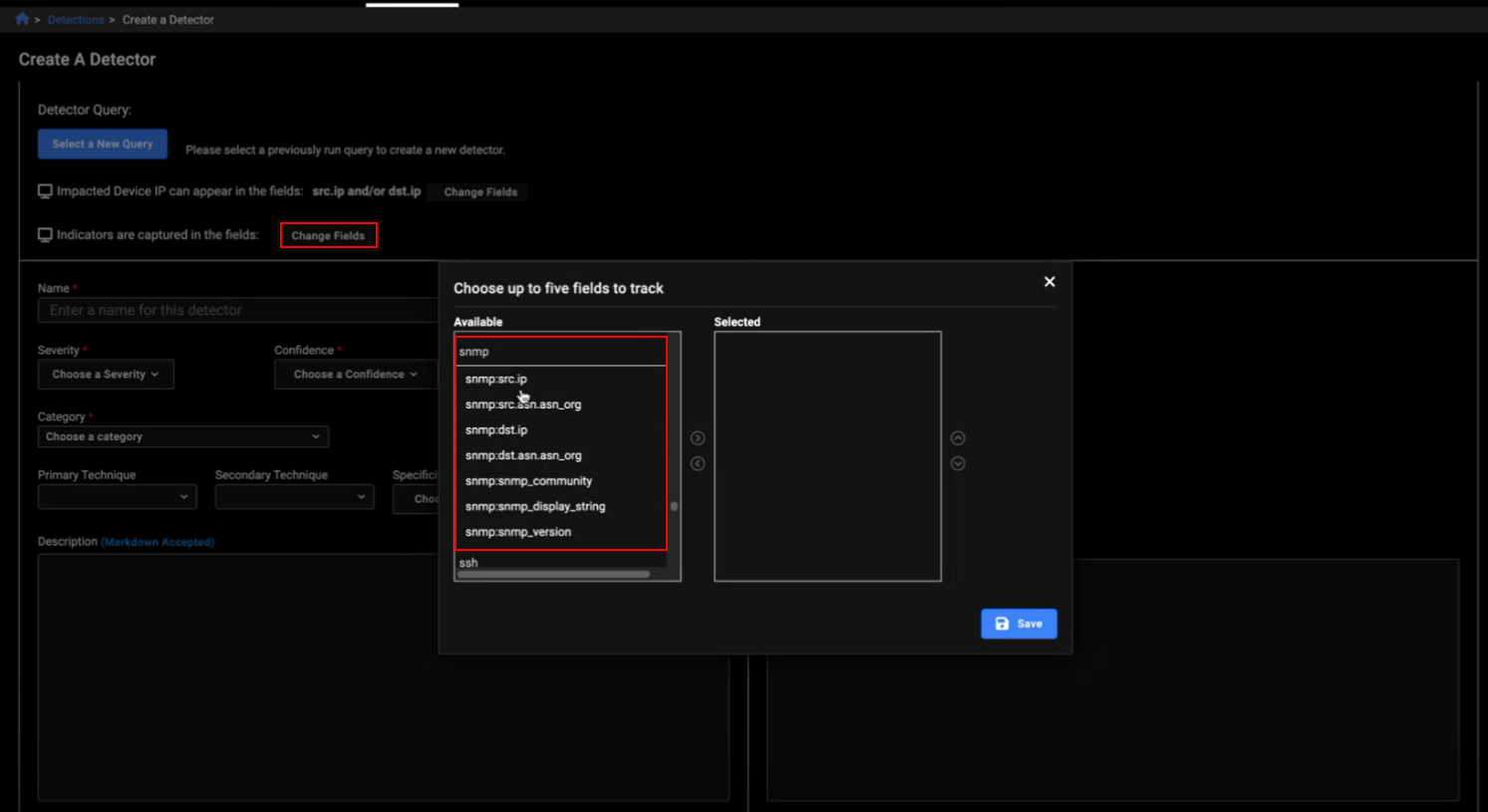
SNMP event fields
SNMP event fields were added to the Change Fields option when creating and editing a Detector. Any SNMP detections will appear in its own column in the Detector's Indicators tab.
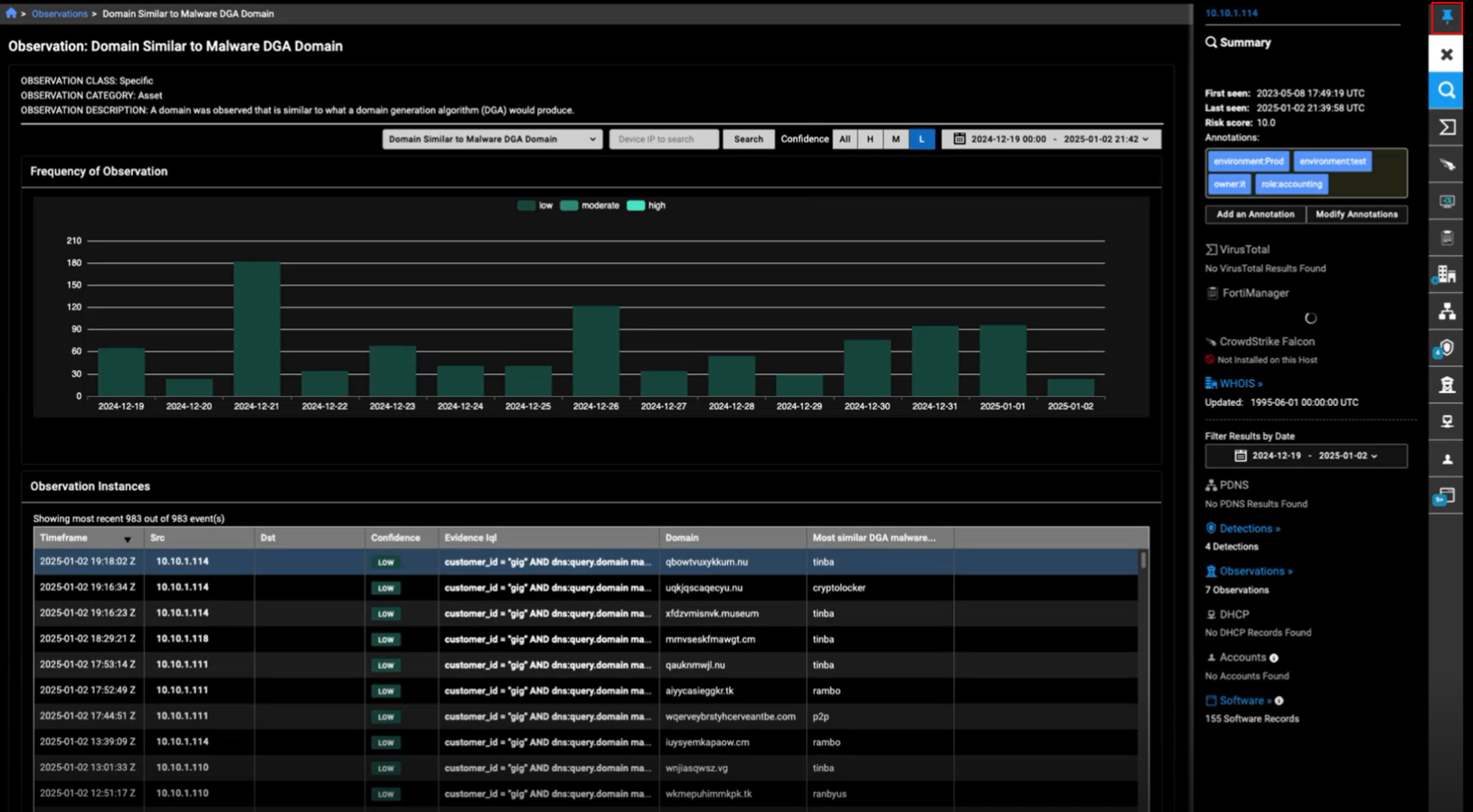
Entity Panel
You can now the pin the Entity Panel to keep it open and visible when you switch between pages that support it.
We have also limited the date picker in the Entity Panel to one year. If you attempt to enter a date that is more than one year, the picker defaults to the last seven days and a yellow border appears around the date.
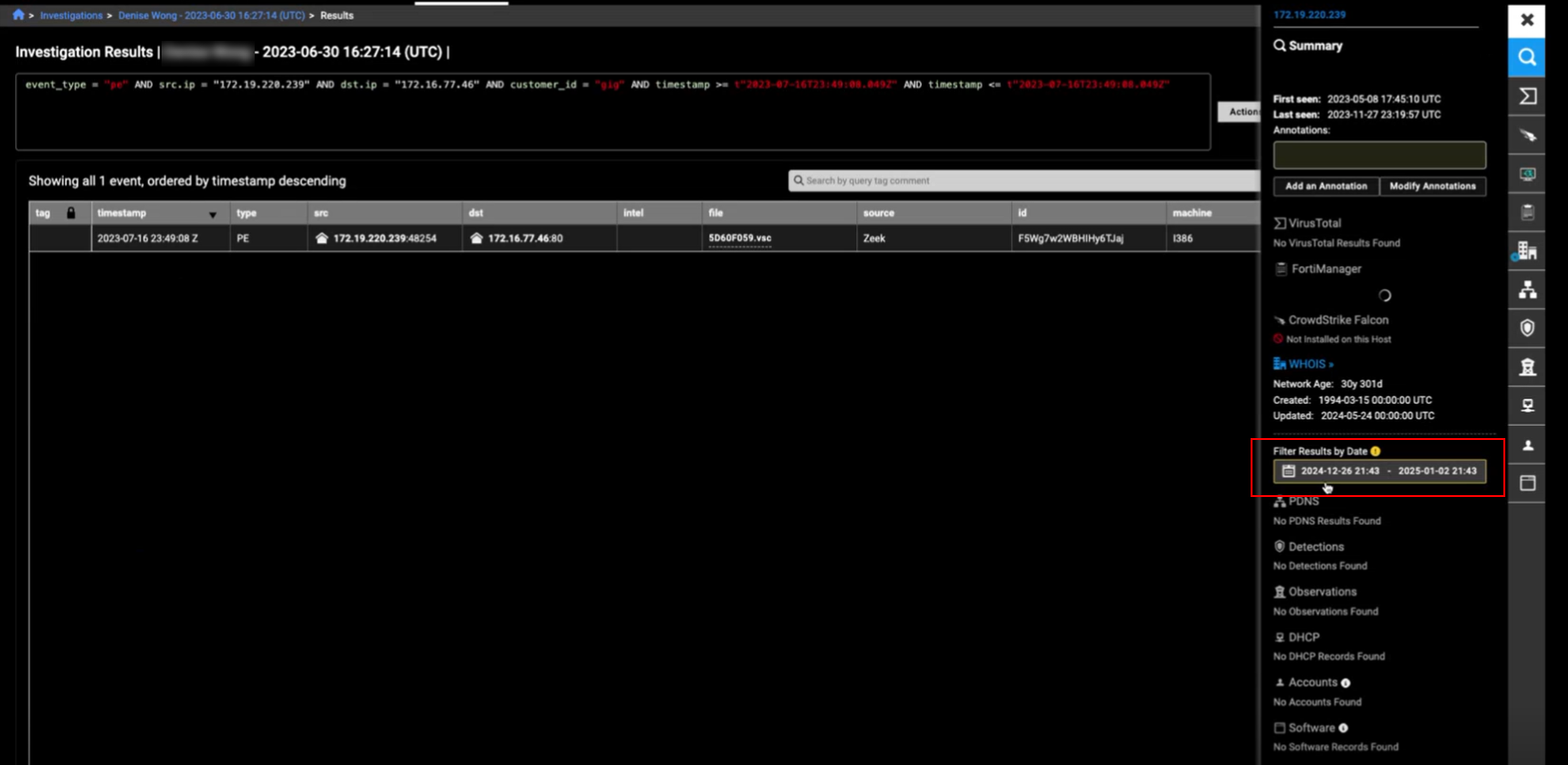
The summary First seen and Last seen fields will display a timestamp for the last year. If the summary is more than a year old, More than a year ago is displayed.
A timestamp is displayed for detections within the current year in the Entity Panel. Detections that are more than a year old, appear as More than a year ago.
NOTE: The Number of connections from internal devices yesterday section has been deprecated.
Improved functionality
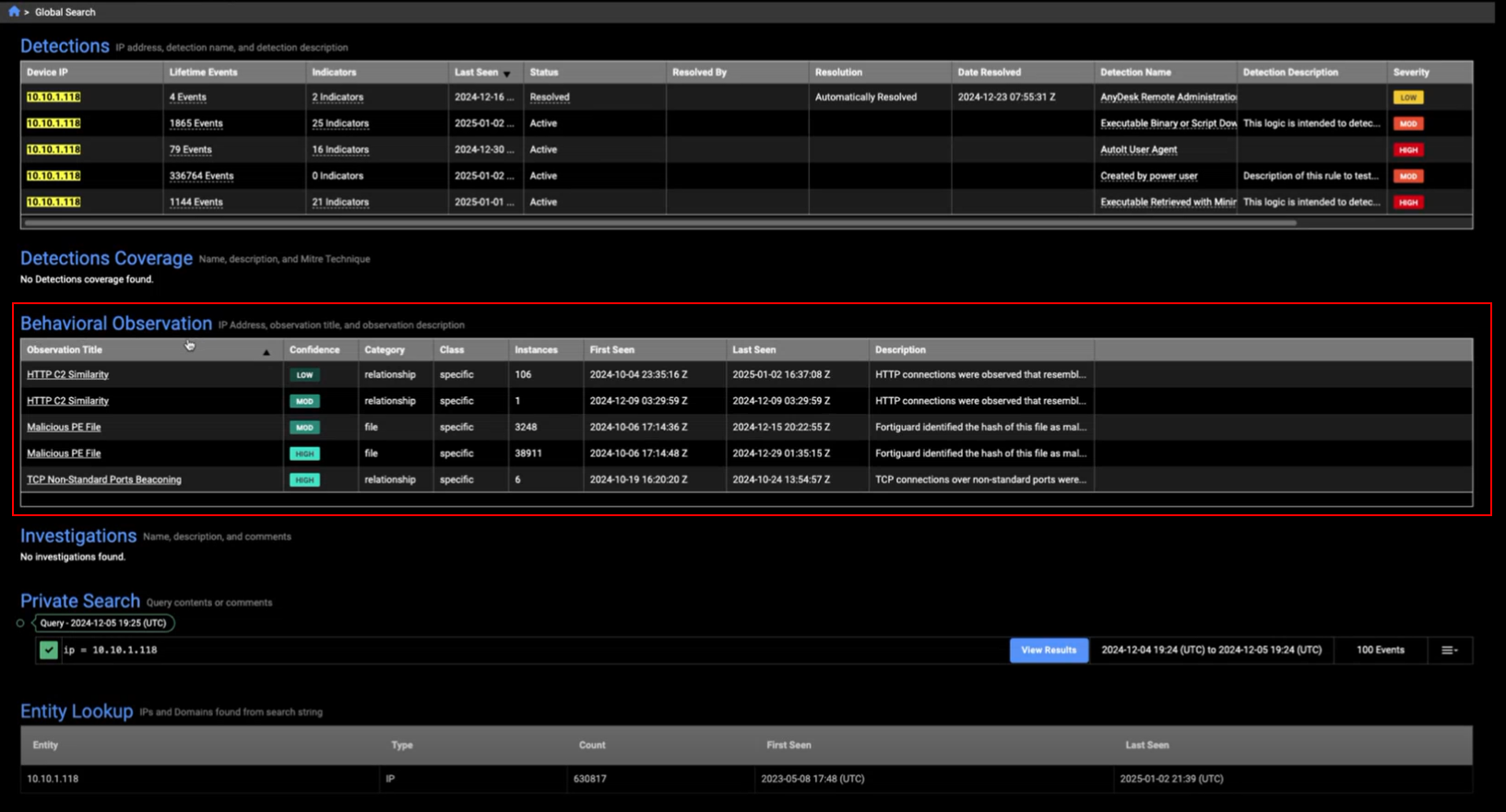
Global Search
Behavioral Observations have been added to the Global Search results.
Other improvements
- We have a added a Back to Login Page button to the login error page.
- A Collapse button was added to the Triage Devices page to hide the Impacted Devices column.
- When you pivot to the Entity Lookup from a page that supports a time range of one year, the time range picker will default to the Last Seven Days and a yellow border appears around the date field.