
Fortinet white logo
Fortinet white logo

Administration Guide

Installing policy blocks on target devices

Installing policy blocks on target devices

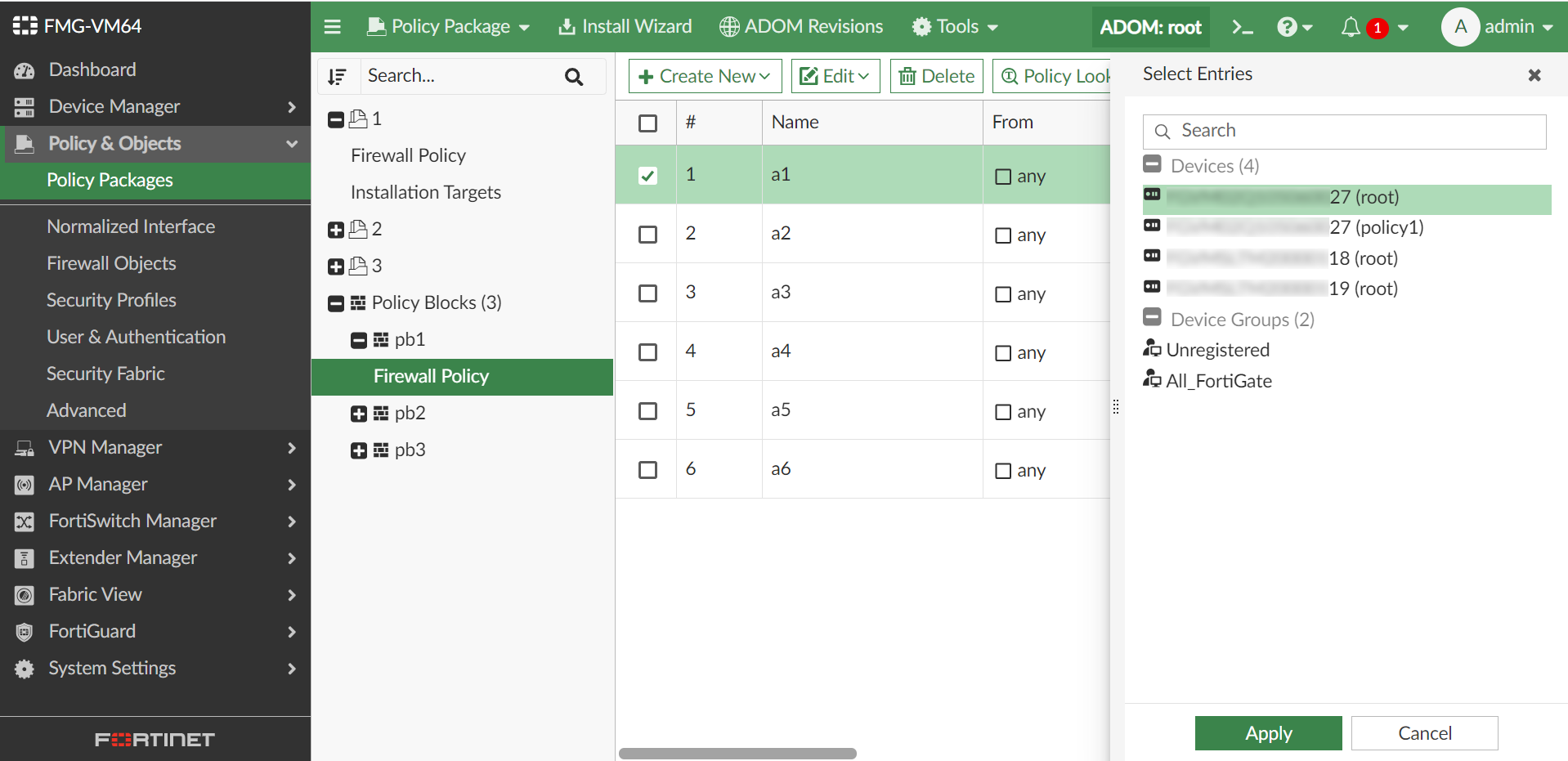
To install policy blocks on targets using Install On:
  1. Go to Policy & Objects > Policy Packages.

  2. Install from the policy blocks menu:

    1. Select a policy block from the tree menu.

    2. Click the edit icon in the Install On column.

    3. Select the target device(s) for installation. You can select any installation targets.
  3. Install from the policy package:

    1. Go to a policy package where the policy block is installed, and select the policy block.

    2. Click the edit icon in the Install On column.

    3. Select the target device(s) for installation. You can select any installation targets, including ones not assigned to the policy package's installation targets.
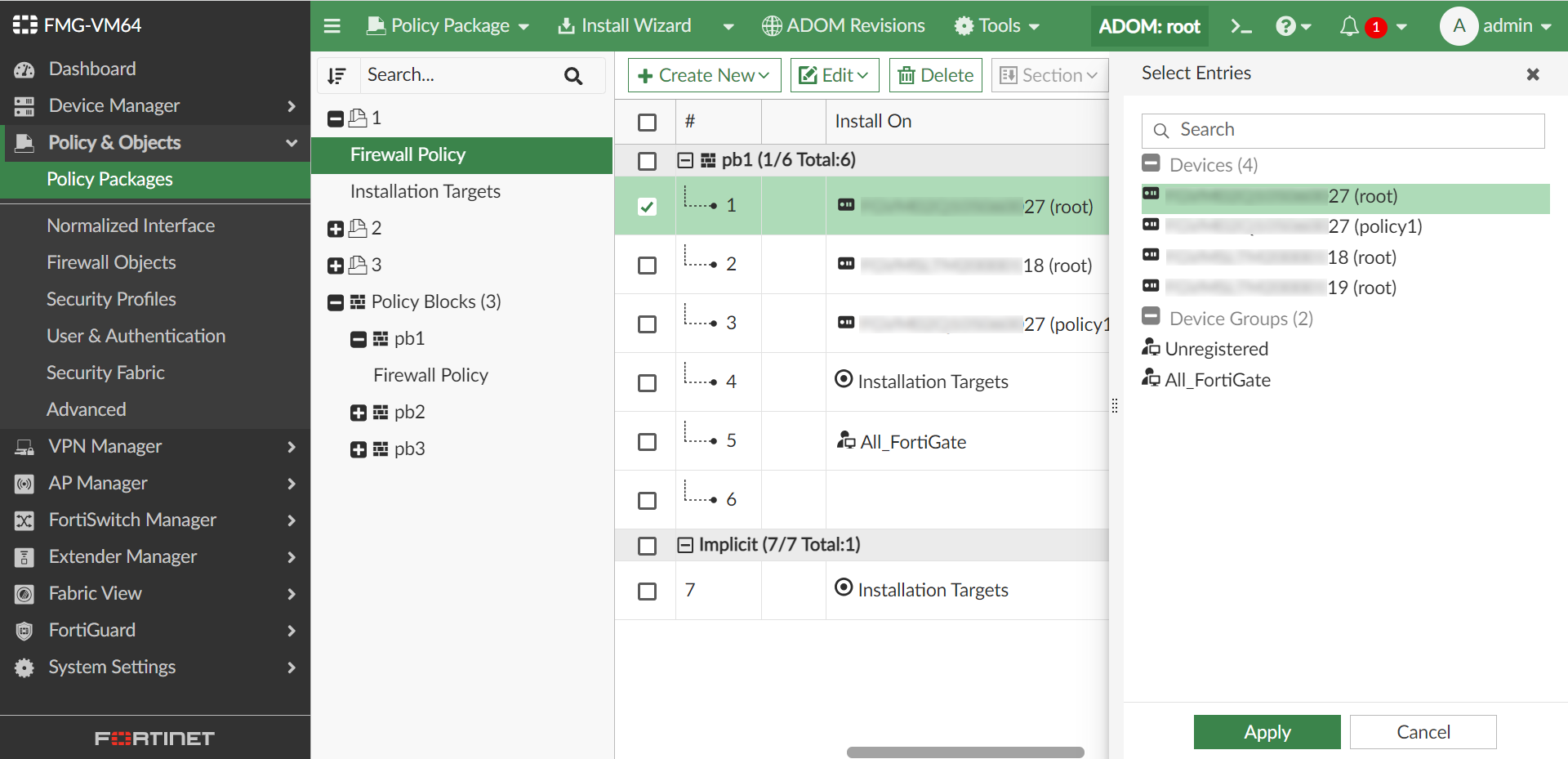
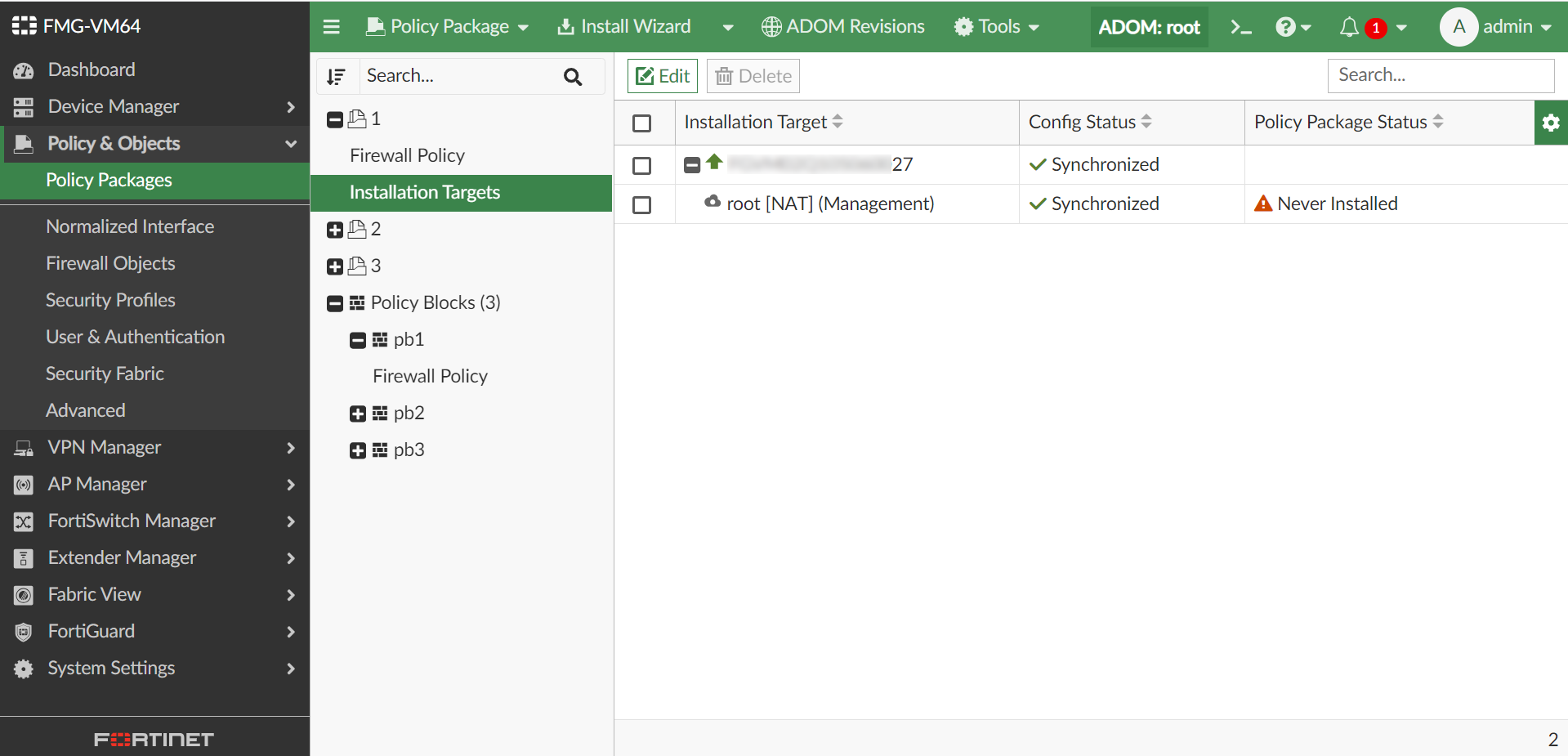
  4. Click Apply, and install the policy block using Installation Targets. In the example below, Policy a1, a4, and a5 are installed.
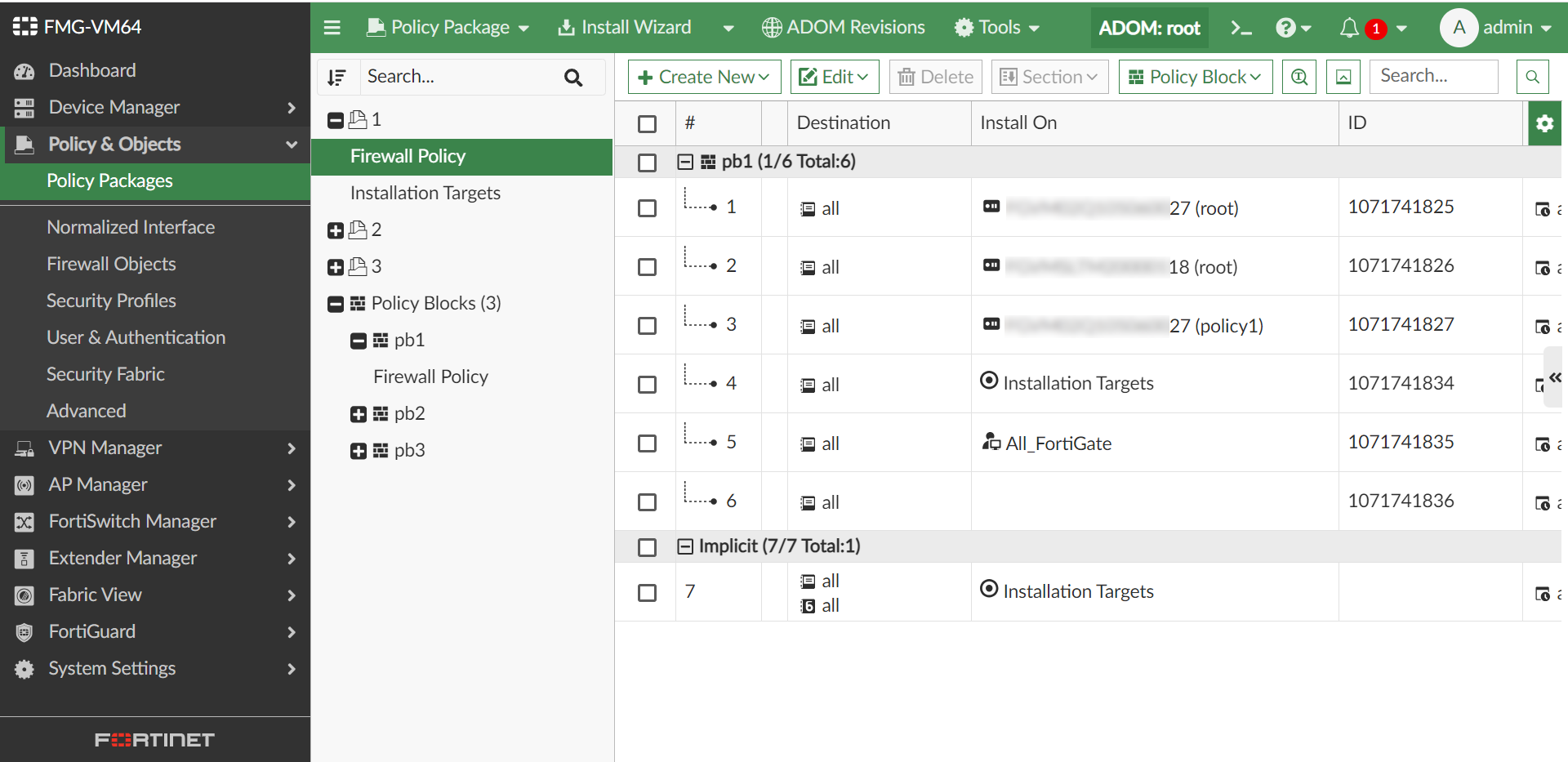
    Below is the example copy log:

    config firewall policy
        edit 1071741825
            set name "pb1-a1"
            set uuid 0722adfadea-729d-51ee-0fad-*************
            set srcintf "any"
            set dstintf "any"
            set srcaddr "all"
            set dstaddr "all"
            set schedule "always"
            set service "ALL"
            set logtraffic all
        next
        edit 1071741834
            set name "pb1-a4"
            set uuid 99adsfadsf34e-7375-51ee-c3a4-*************
            set srcintf "any"
            set dstintf "any"
            set srcaddr "all"
            set dstaddr "all"
            set schedule "always"
            set service "ALL"
            set logtraffic all
        next
        edit 1071741835
            set name "pb1-a5"
            set uuid 9ffdca46-7375-51ee-ca51-*************
            set srcintf "any"
            set dstintf "any"
            set srcaddr "all"
            set dstaddr "all"
            set schedule "always"
            set service "ALL"
            set logtraffic all
        next
    end
    

Installing policy blocks on target devices

Installing policy blocks on target devices

To install policy blocks on targets using Install On:
  1. Go to Policy & Objects > Policy Packages.

  2. Install from the policy blocks menu:

    1. Select a policy block from the tree menu.

    2. Click the edit icon in the Install On column.

    3. Select the target device(s) for installation. You can select any installation targets.

  3. Install from the policy package:

    1. Go to a policy package where the policy block is installed, and select the policy block.

    2. Click the edit icon in the Install On column.

    3. Select the target device(s) for installation. You can select any installation targets, including ones not assigned to the policy package's installation targets.

  4. Click Apply, and install the policy block using Installation Targets. In the example below, Policy a1, a4, and a5 are installed.
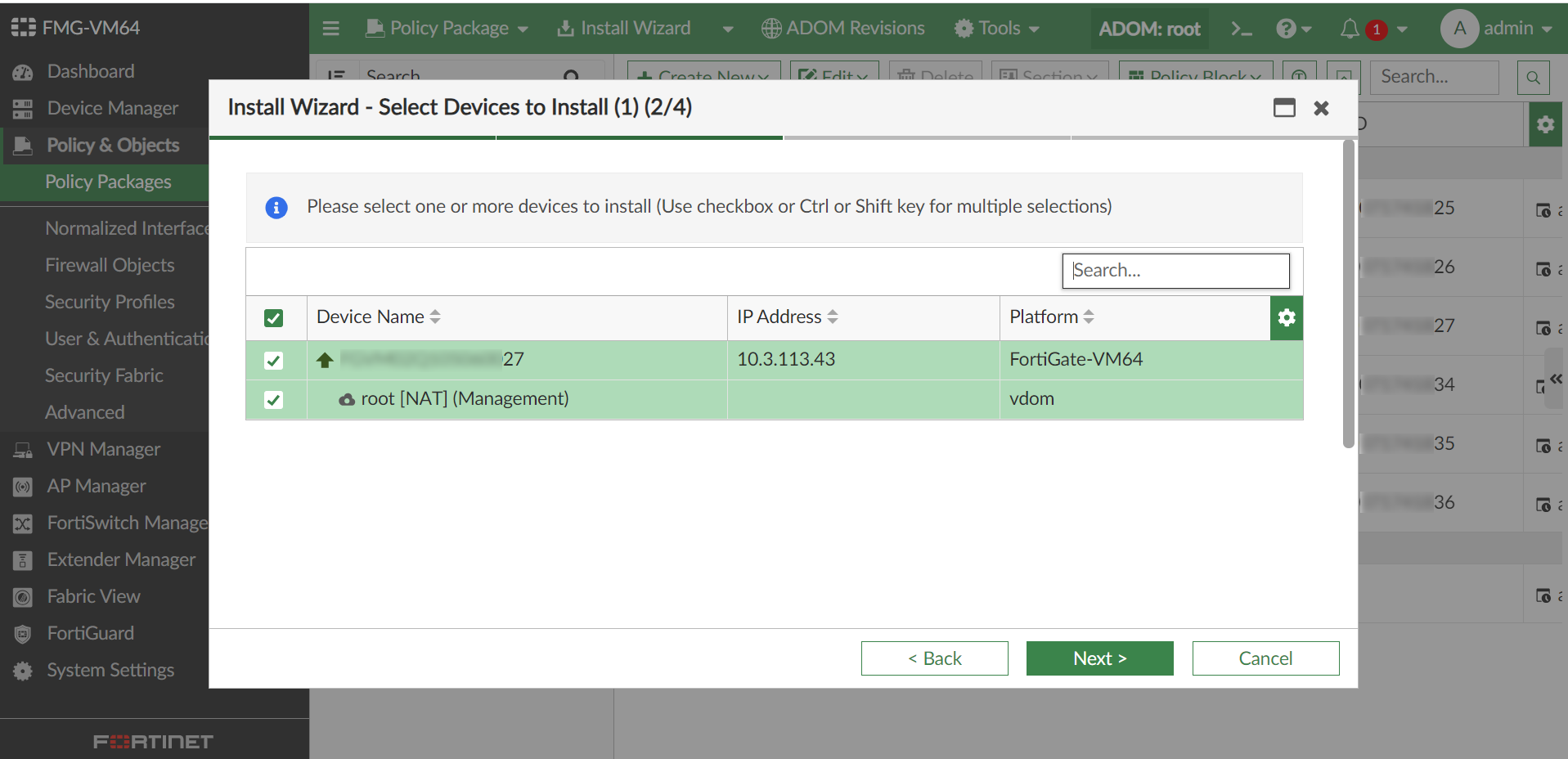
    Below is the example copy log:

    config firewall policy
        edit 1071741825
            set name "pb1-a1"
            set uuid 0722adfadea-729d-51ee-0fad-*************
            set srcintf "any"
            set dstintf "any"
            set srcaddr "all"
            set dstaddr "all"
            set schedule "always"
            set service "ALL"
            set logtraffic all
        next
        edit 1071741834
            set name "pb1-a4"
            set uuid 99adsfadsf34e-7375-51ee-c3a4-*************
            set srcintf "any"
            set dstintf "any"
            set srcaddr "all"
            set dstaddr "all"
            set schedule "always"
            set service "ALL"
            set logtraffic all
        next
        edit 1071741835
            set name "pb1-a5"
            set uuid 9ffdca46-7375-51ee-ca51-*************
            set srcintf "any"
            set dstintf "any"
            set srcaddr "all"
            set dstaddr "all"
            set schedule "always"
            set service "ALL"
            set logtraffic all
        next
    end