

Appending a policy block to a policy package
Once a policy block is created, it can be appended to a policy package. After appending the policy block to a policy package, assigning installation targets, and installing the policy package to the installation targets, all of the policies in the policy block are installed to the target.
After a policy block has been appended to a policy package, you can freely add or remove policies that make up the policy block without needing to reappend the policy block to the policy package each time.
To append an existing policy to a policy block:
-
Ensure that you are in the correct ADOM.
-
Go to Policy & Objects > Policy Packages.
-
Click [Policy Package Name] > [Policy Type]. For example, default > Firewall Policy.
-
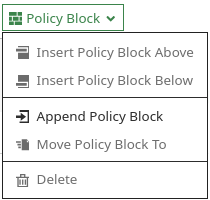
In the toolbar, select Policy Block > Append Policy Block.
-
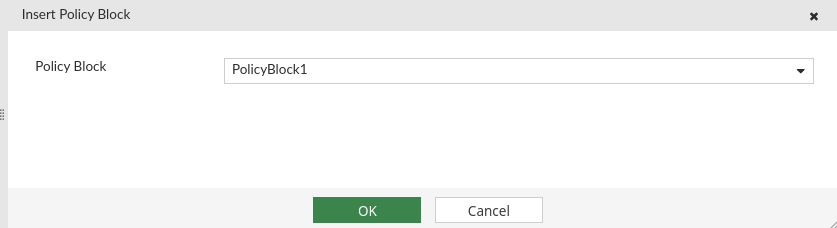
Select the policy block from the dropdown and click OK.
Deleting a policy block after it is appended to a policy package will automatically remove the policy block (and the included policies) from the policy package.