

SD-WAN monitor map view
To monitor SD-WAN with Map View:
-
Go to SD-WAN Manager > Network > Monitor or Device Manager > Monitors > SD-WAN Monitors.
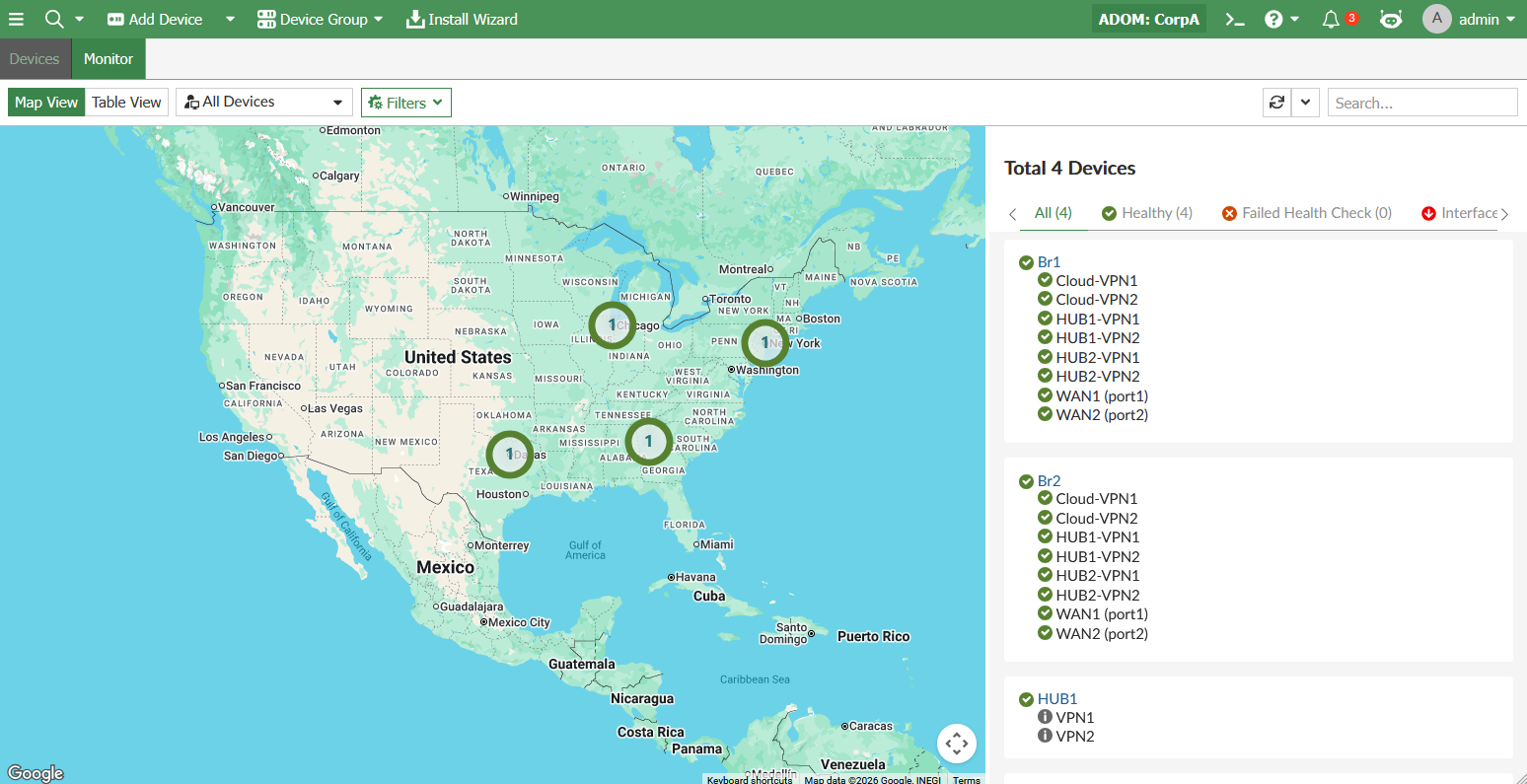
In the Map View section, devices in the SD-WAN network are displayed on Google Maps.
-
(Optional) Click the Filters dropdown to view options to Show Unhealthy Devices Only and/or Show Unhealthy Interfaces Only.
-
Click a device to display its details on the right pane.
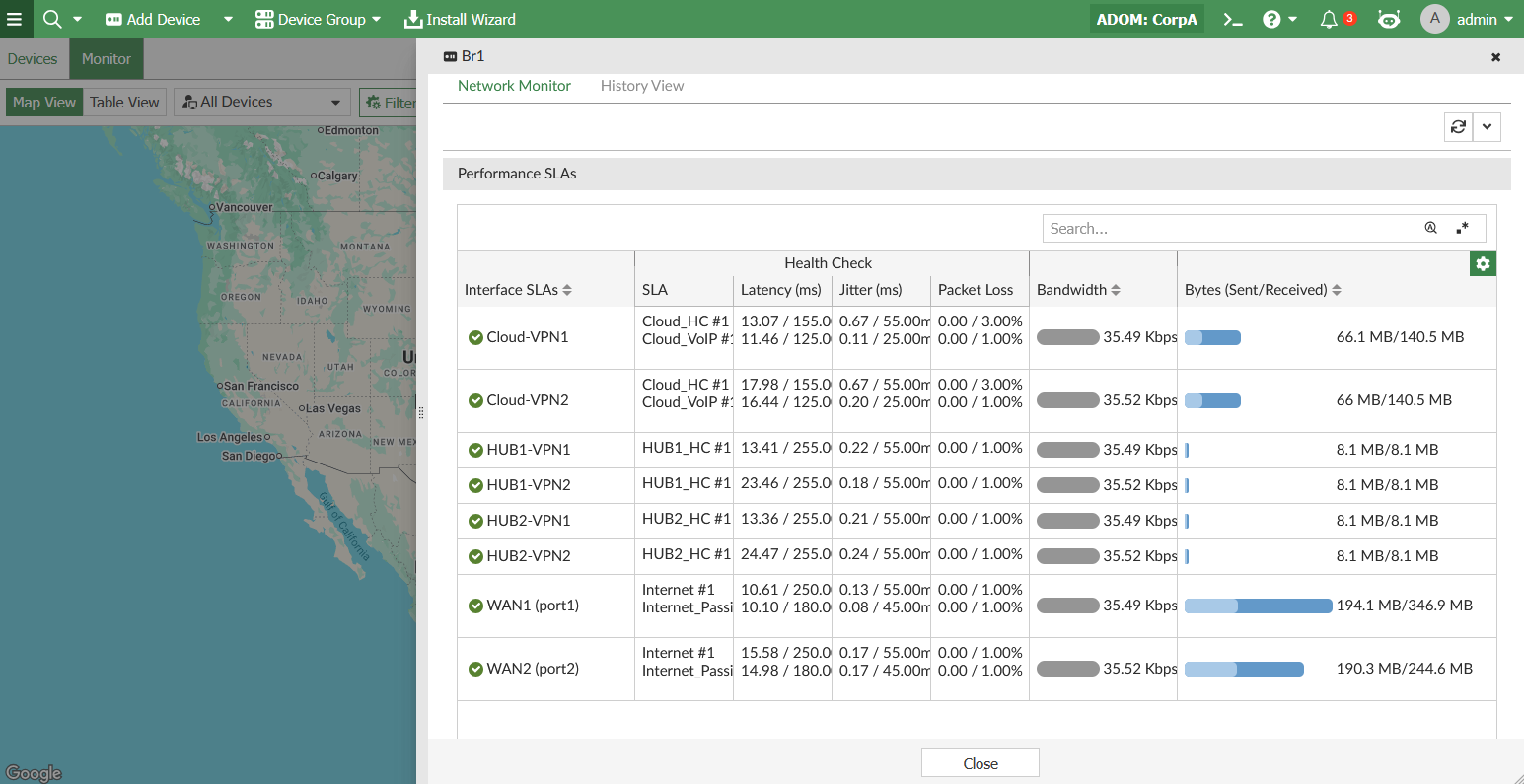
In order to see the port bandwidth usage, you must configure the estimated bandwidth on the interface used by SD-WAN.