

FortiData labels
When FortiData and FortiGate are integrated, you can use FortiData labels for DLP processing in FortiGate proxy-based firewall policies. For information about integrating FortiData with FortiGate, see FortiData.
FortiData is used to create labels by discovering, classifying, and labeling files with sensitive in your file storage system. See the FortiData Administration Guide for information.
Once FortiData labels are created, you can configure DLP labels in FortiOS, reference the FortiData labels in a DLP profile, and then apply the DLP profile to a proxy-based firewall policy.
To use FortiData labels in FortiOS:
-
Configure a DLP label of the FortiData type:
config dlp label edit "fortidata" set type fortidata config entries edit 1 set fortidata-label-name "Critical" next end next end -
Reference the FortiData DLP label in your DLP profile:
config dlp profile edit "fortidata" set feature-set proxy config rule edit 1 set proto set filter-by label set name fortidata set action block next end next end -
Apply your DLP profile into a proxy-based firewall policy on your FortiGate to scan your traffic and detect any data loss based on the label of your document.
config firewall policy
    edit 1
        set inspection-mode proxy
        set dlp-profile fortidata
    next
end
Example
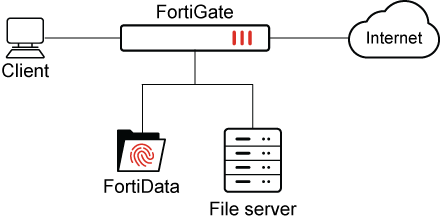
This example describes how to use following FortiData labels in FortiOS DLP processing: health-care, credit-card, and python-source-code.
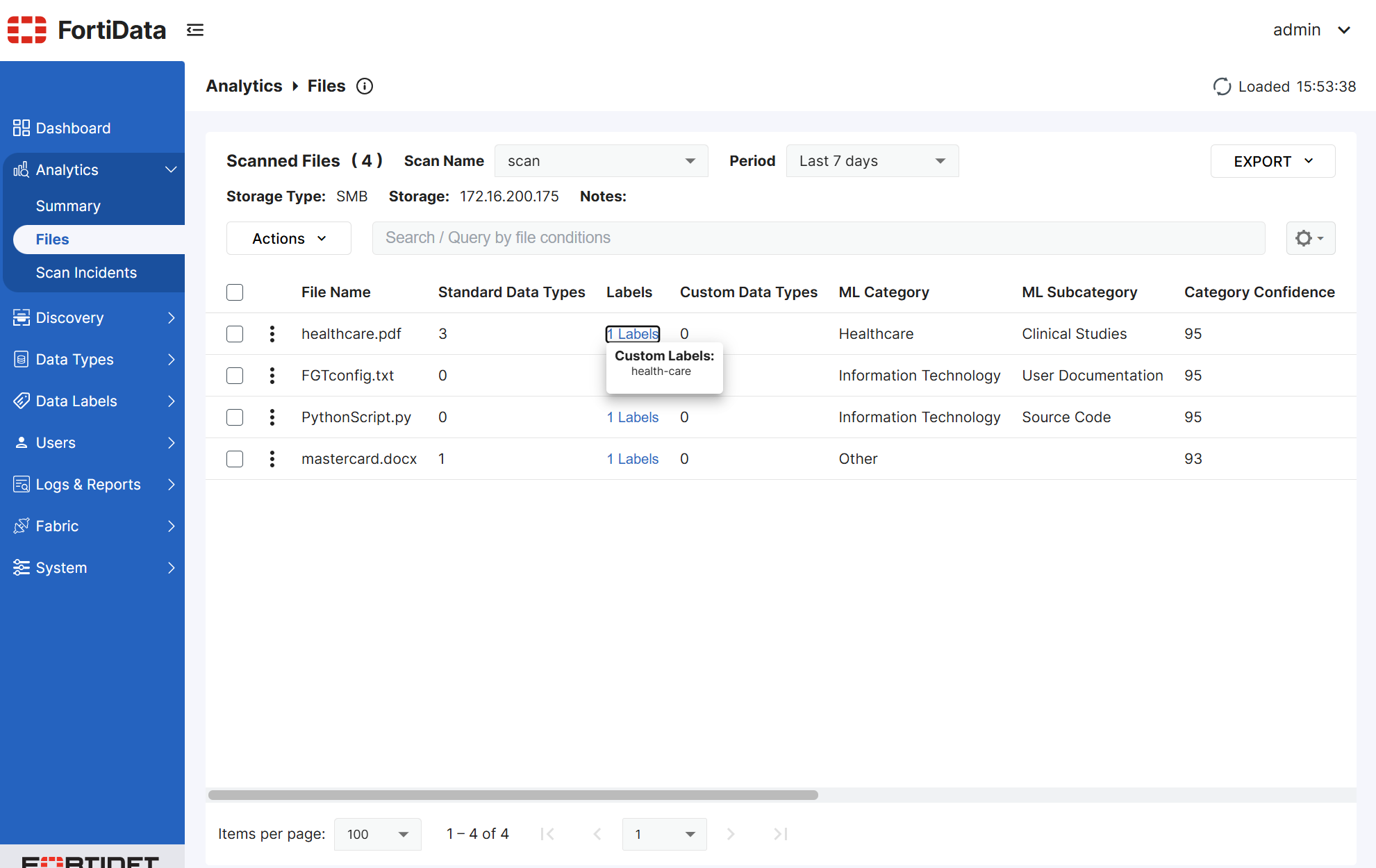
A file server is configured, and labels are selected in FortiData. FortiData scans the file server and applies labels to matching files.
Following is an example FortiData file source with the labels health-care, credit-card, and python-source-code. Only the health-care label is visible in the screen shot:
The next step is to configure FortiGate to use the FortiData labels. See Configuring FortiGate to use FortiData labels.
With FortiData and FortiGate configured, the labels can be used for DLP processing in FortiGate policies. The results of DLP processing are described in the following example scenarios:
Configuring FortiGate to use FortiData labels
Configure the following FortiData labels in FortiOS: health-care, credit-card, and python-source-code.
To configure FortiGate to use FortiData labels:
-
In FortiOS, configure DLP FortiData labels:
config dlp label edit "fortidata-label" set type fortidata config entries edit 1 set fortidata-label-name "python-source-code" next edit 2 set fortidata-label-name "credit-card" next edit 3 set fortidata-label-name "health-care" next end next end -
Configure a DLP profile:
In this example,
actionis set toblock, andfortidata-error-actionis set toblock:config dlp profile edit "fortidata-sensitive" set feature-set proxy config rule edit 1 set type file set proto http-get http-post ftp set filter-by label set label "fortidata-label" set action block next end set fortidata-error-action block next end -
Create a firewall policy:
config firewall policy
    edit 1
        set uuid 19e776e0-5c63-51f0-9d68-3053988cbc21
        set srcintf "port2"
        set dstintf "port1"
        set action accept
        set srcaddr "all"
        set dstaddr "all"
        set srcaddr6 "all"
        set dstaddr6 "all"
        set schedule "always"
        set service "ALL"
        set utm-status enable
        set inspection-mode proxy
        set profile-protocol-options "protocol"
        set ssl-ssh-profile "protocols"
        set dlp-profile "fortidata-sensitive"
        set nat enable
    next
end
Scenario 1: FortiData error action
This scenario demonstrates what happens when the FortiGate DLP profile has fortidata-error-action set to block, and the FortiData query fails.
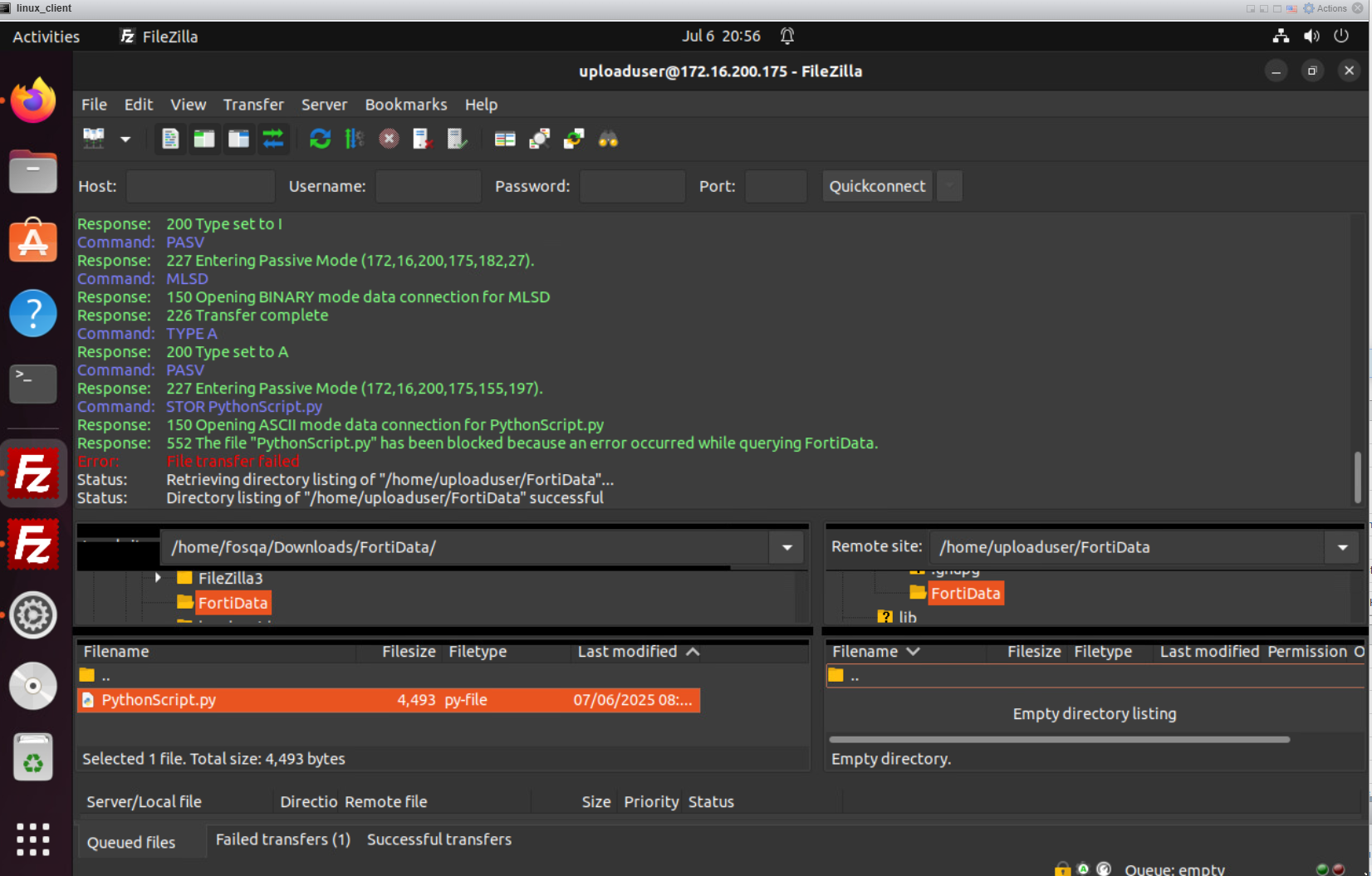
When the user attempts to post a PythonScript.py file through FTPS and the FortiData query fails, FortiGate blocks the attempt with an error message.
The following screen shot shows the PythonScript.py file has been blocked:
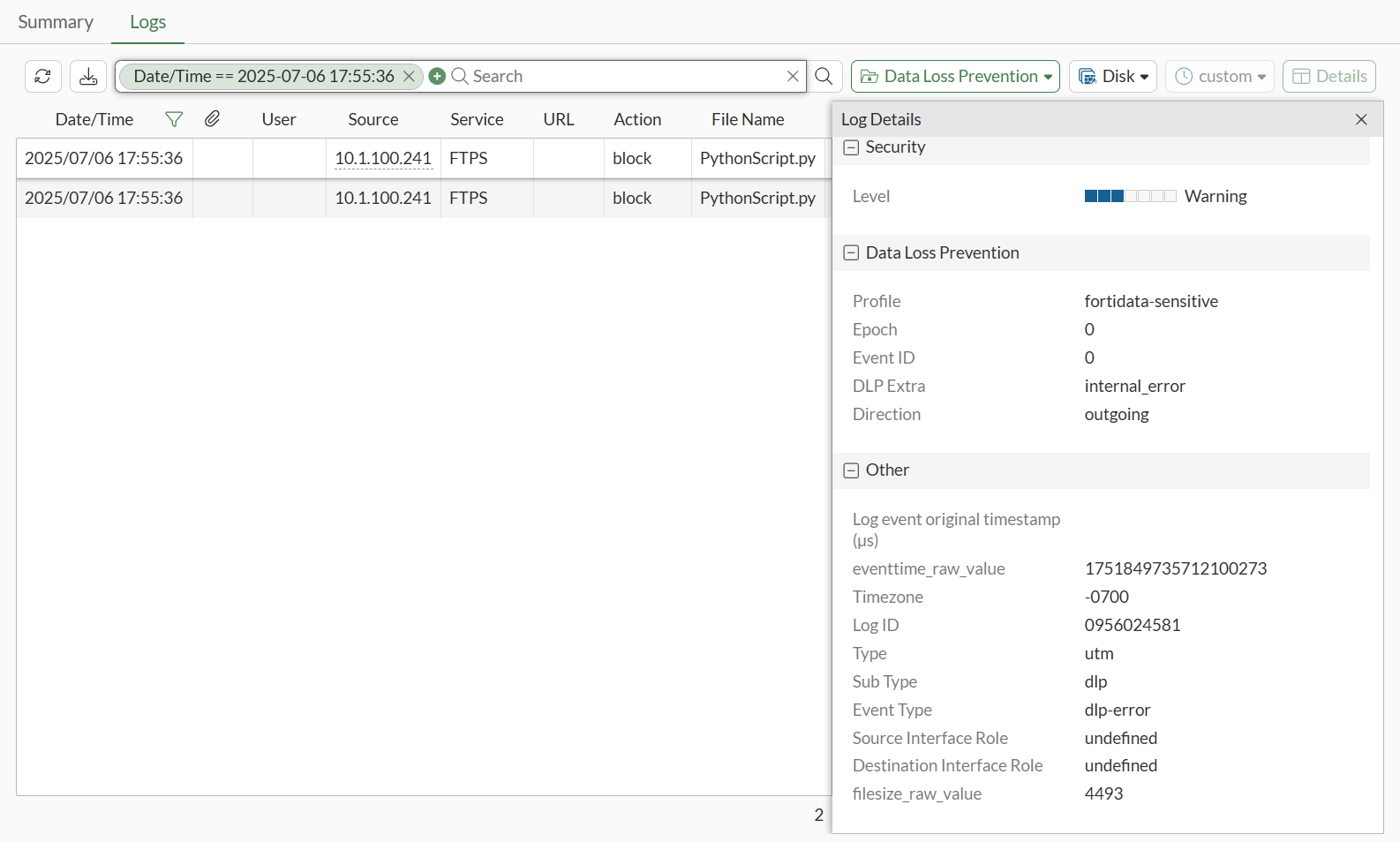
A DLP log with block action is generated on FortiGate, and you can view the log in the GUI on the Log & Report > Security Events > Data Loss Prevention pane:
You can also view the log in the CLI:
30: date=2025-07-06 time=17:55:24 eventtime=1751849724254438363 tz="-0700" logid="0956024581" type="utm" subtype="dlp" eventtype="dlp-error" level="warning" vd="vdom1" error="fortidata" dlpextra="internal_error" policyid=1 poluuid="8a20ddd4-5abf-51f0-3fcd-80a21a2eac18" policytype="policy" sessionid=3142 epoch=0 eventid=0 srcip=10.1.100.241 srcport=58837 srccountry="Reserved" srcintf="port2" srcintfrole="undefined" srcuuid="5146e274-5abf-51f0-48e4-5a4728500b83" dstip=172.16.200.175 dstport=40325 dstcountry="Reserved" dstintf="port1" dstintfrole="undefined" dstuuid="5146e274-5abf-51f0-48e4-5a4728500b83" proto=6 service="FTPS" filetype="python" direction="outgoing" action="block" filename="PythonScript.py" filesize=4493 profile="fortidata-sensitive"
Scenario 2: DLP action quarantine
This scenario demonstrates what happens when the FortiGate DLP profile has action set to quarantine-ip:
config dlp profile
    edit "fortidata-sensitive"
        set feature-set proxy
        config rule
            edit 1
                set proto http-get http-post ftp ssh
                set filter-by label
                set label "fortidata-label"
                set action quarantine-ip
            next
        end
    next
end
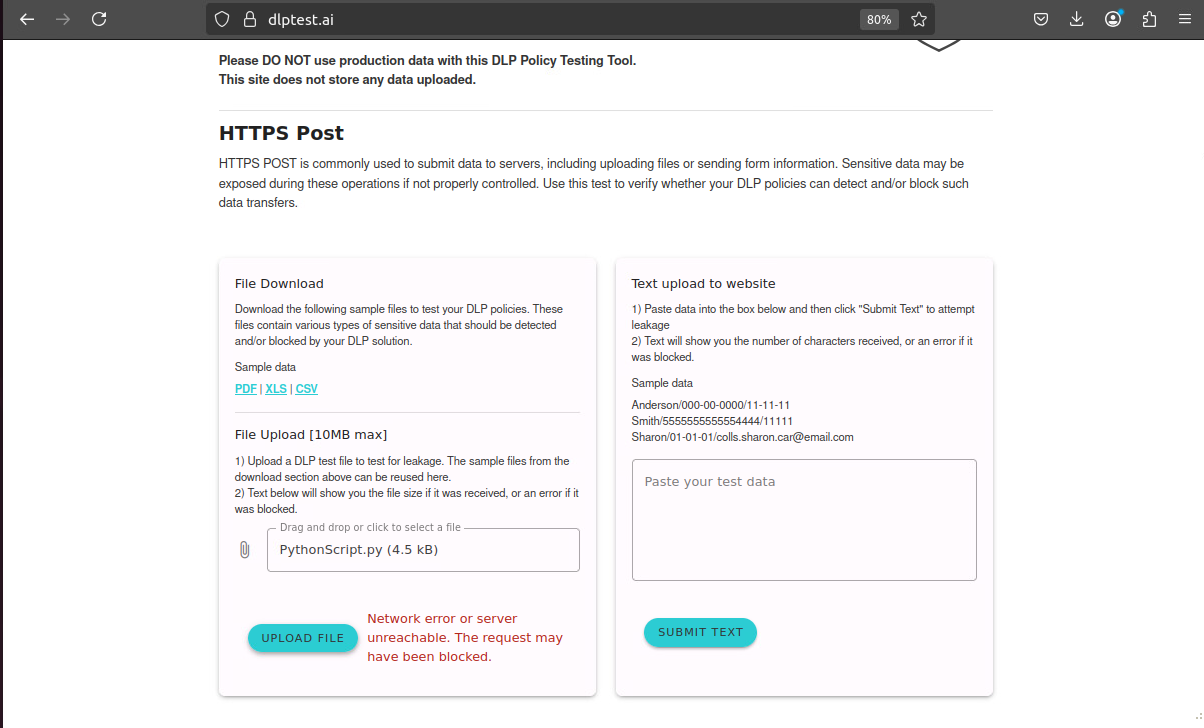
When the user attempts to post a PythonScript.py file through dlptest.ai that matches python-source-code FortiData label, FortiGate blocks the file and quarantines the IP:
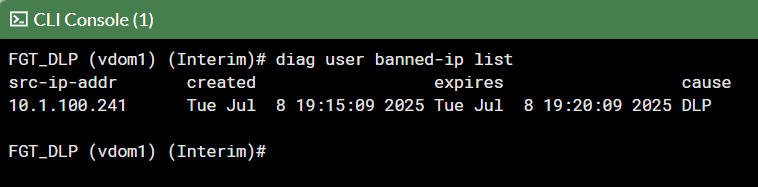
In FortiGate, the client is banned:
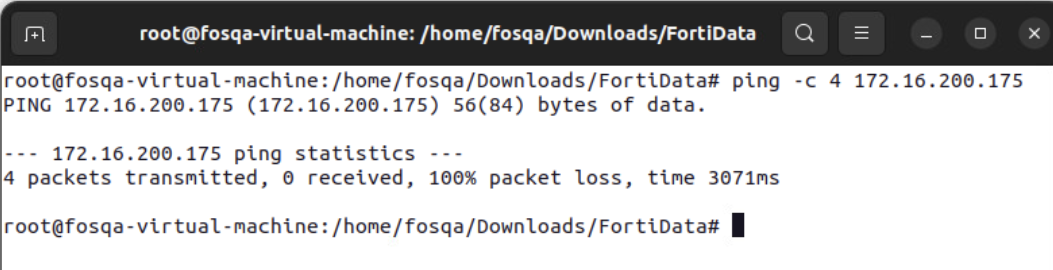
The client cannot ping the server through FortiGate:
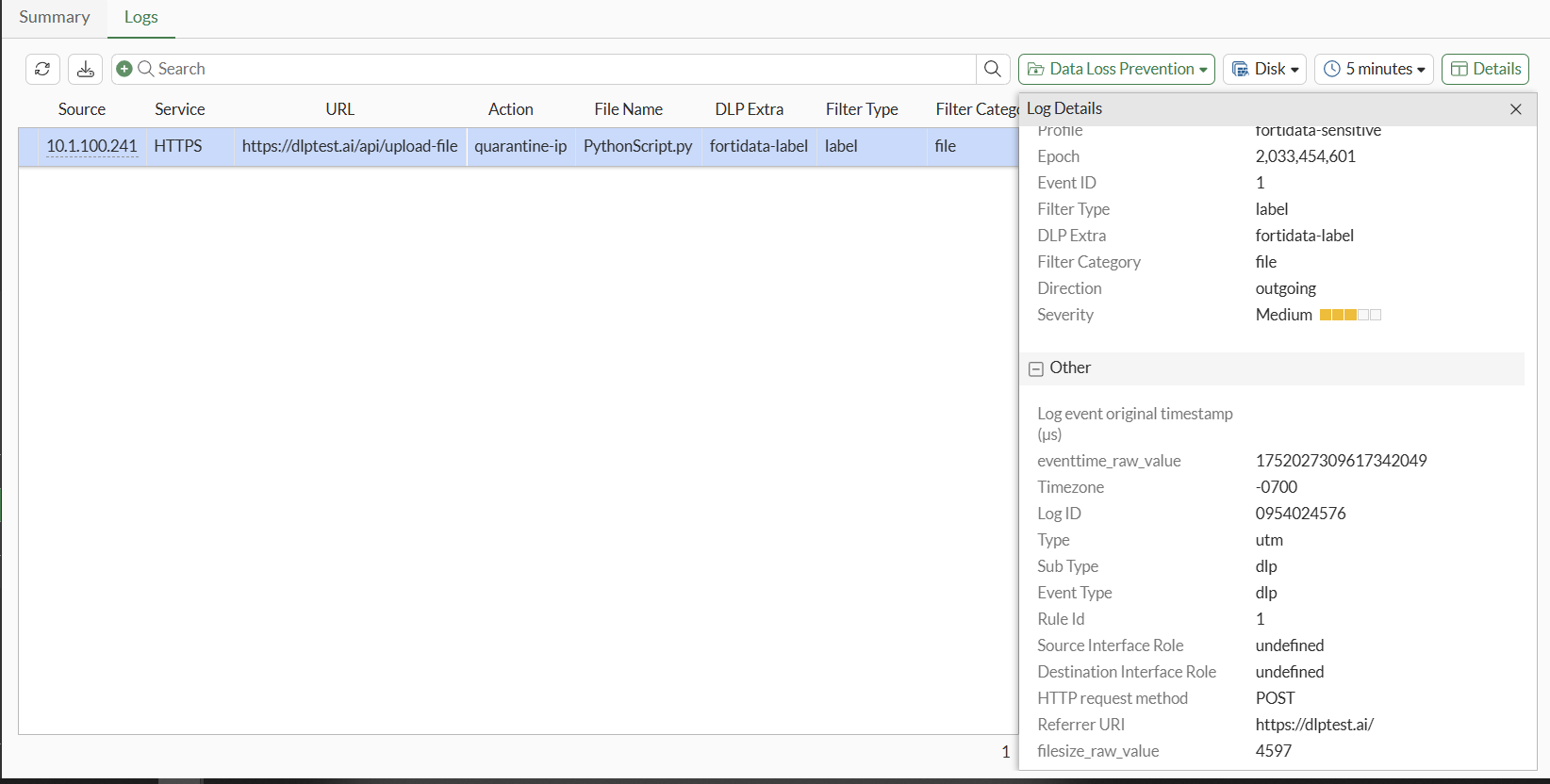
A DLP log with quarantine-ip action is generated on FortiGate, and you can view the log in the GUI on the Log & Report > Security Events > Data Loss Prevention pane:
You can view the log in the CLI:
1: date=2025-07-08 time=19:15:09 eventtime=1752027309617342049 tz="-0700" logid="0954024576" type="utm" subtype="dlp" eventtype="dlp" level="warning" vd="vdom1" ruleid=1 dlpextra="fortidata-label" filtertype="label" filtercat="file" severity="medium" policyid=1 poluuid="19e776e0-5c63-51f0-9d68-3053988cbc21" policytype="policy" sessionid=3465 epoch=2033454601 eventid=1 srcip=10.1.100.241 srcport=37258 srccountry="Reserved" srcintf="port2" srcintfrole="undefined" srcuuid="dea915de-5c62-51f0-b993-090ad249da82" dstip=206.47.132.132 dstport=443 dstcountry="Canada" dstintf="port1" dstintfrole="undefined" dstuuid="dea915de-5c62-51f0-b993-090ad249da82" proto=6 service="HTTPS" filetype="python" direction="outgoing" action="quarantine-ip" hostname="dlptest.ai" url="https://dlptest.ai/api/upload-file" agent="Mozilla/5.0 (X11; Ubuntu; Linux x86_64; rv:139.0) Gecko/20100101 Firefox/139.0" httpmethod="POST" referralurl="https://dlptest.ai/" filename="PythonScript.py" filesize=4597 profile="fortidata-sensitive"
Scenario 3: DLP action monitor
This scenario demonstrates what happens when the FortiGate DLP profile has action set to monitor:
config dlp profile
    edit "fortidata-sensitive"
        set feature-set proxy
        config rule
            edit 1
                set proto http-get http-post ftp ssh
                set filter-by label
                set label "fortidata-label"
                set action monitor
            next
        end
    next
end
When the user attempts to post a file (mastercard.docx) that matches a FortiData label, FortiGate passes the file through.
User secure copy to upload the mastercard.docx file to the server:

A DLP log with log-only action is generated on FortiGate, and you can view the log in the GUI on the Log & Report > Security Events > Data Loss Prevention pane
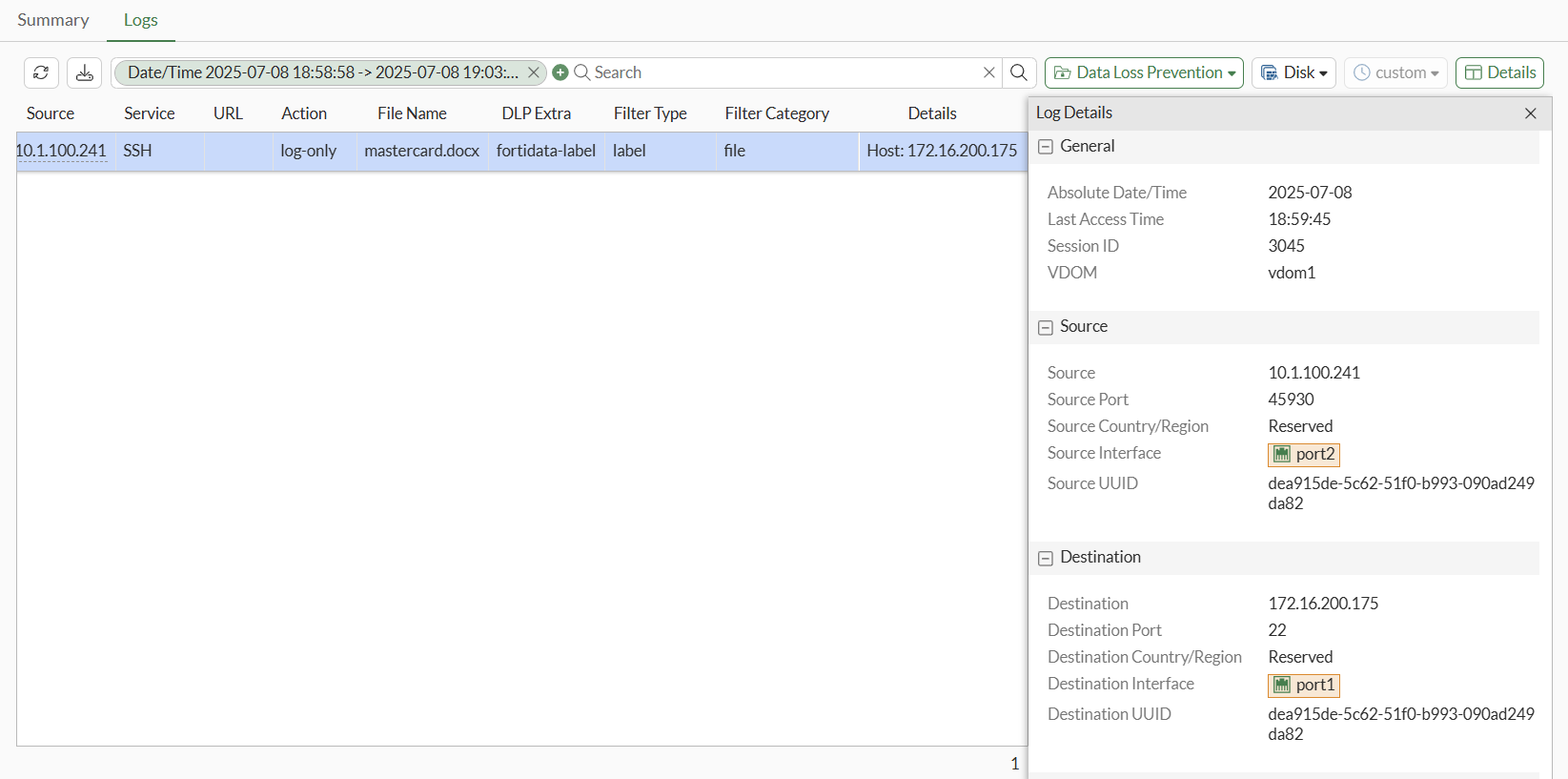
You can view the log in the CLI:
1: date=2025-07-08 time=18:59:45 eventtime=1752026384529707336 tz="-0700" logid="0954024577" type="utm" subtype="dlp" eventtype="dlp" level="notice" vd="vdom1" ruleid=1 dlpextra="fortidata-label" filtertype="label" filtercat="file" severity="medium" policyid=1 poluuid="19e776e0-5c63-51f0-9d68-3053988cbc21" policytype="policy" sessionid=3045 epoch=2033454538 eventid=0 srcip=10.1.100.241 srcport=45930 srccountry="Reserved" srcintf="port2" srcintfrole="undefined" srcuuid="dea915de-5c62-51f0-b993-090ad249da82" dstip=172.16.200.175 dstport=22 dstcountry="Reserved" dstintf="port1" dstintfrole="undefined" dstuuid="dea915de-5c62-51f0-b993-090ad249da82" proto=6 service="SSH" subservice="SCP" filetype="msofficex" direction="outgoing" action="log-only" filename="mastercard.docx" filesize=12604 profile="fortidata-sensitive"