

Configure FQDN-based VIPs
In public cloud environments, sometimes it is necessary to map a VIP to an FQDN address.
To configure an FQDN-based VIP in the GUI:
- Go to Policy & Objects > Virtual IPs and click Create New > Virtual IP.
- Enter a name for the VIP.
- Select an interface.
- For Type, select FQDN.
- For External, select IP and enter the external IP address.
- For Mapped address, select an FQDN address.
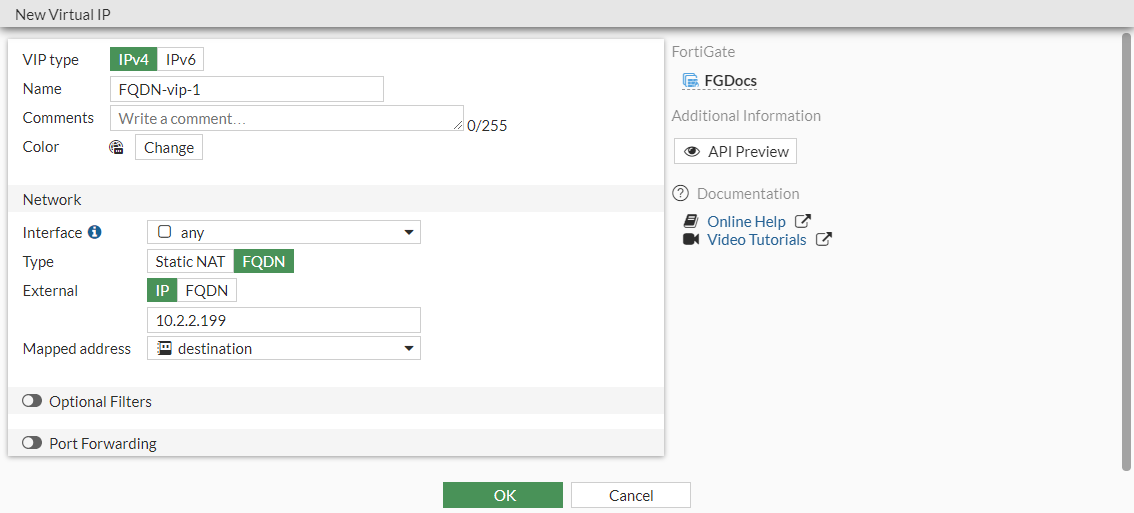
- Click OK.
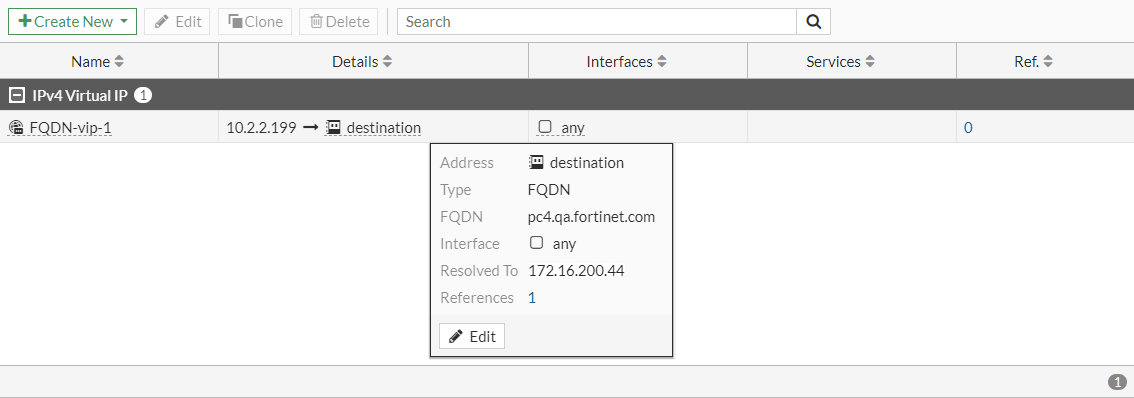
In the virtual IP list, hover over the address to view more information.
To configure an FQDN-based VIP in the CLI:
config firewall vip
    edit "FQDN-vip-1"
        set type fqdn
        set extip 10.2.2.199
        set extintf "any"
        set mapped-addr "destination"
    next
end