

FortiSwitch device list
On the Devices and Provisioning > Device List > FortiSwitch page, you can see FortiSwitch devices managed by FortiGates.
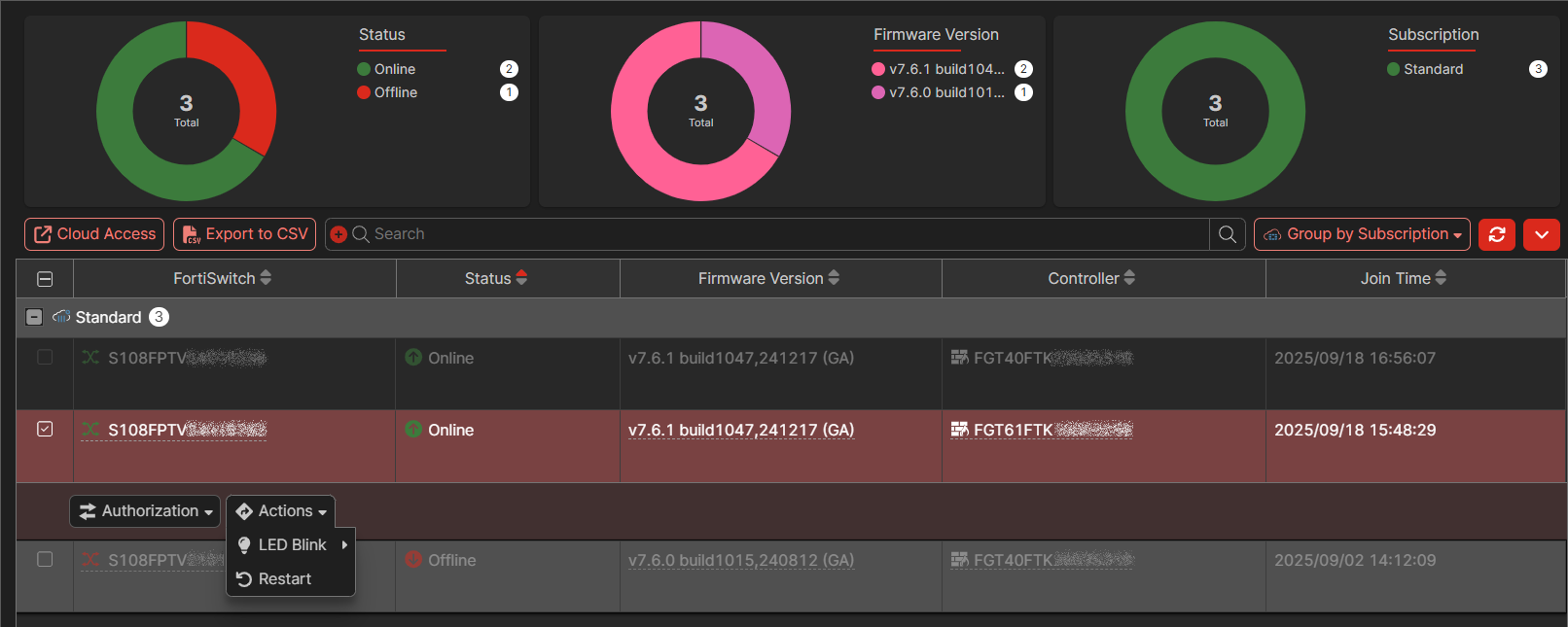
Charts at the top of the page display:
|
Chart |
Description |
|---|---|
|
Status |
Displays the total number of FortiSwitch devices and how many devices have a status of Online and Offline. Click the chart to filter the page. Click the Filter icon beside Status to remove the filter. |
|
Firmware Version |
Displays the total number of FortiSwitch devices and how many devices are running each firmware version. Click the chart to filter the page. Click the Filter icon beside Firmware Version to remove the filter. |
|
Subscription |
Displays the FortiGate Cloud subscription status of the FortiGate managing the FortiSwitch. Click the chart to filter the page. Click the Filter icon beside Subscription to remove the filter. |
Below the charts, you can access the following buttons:
|
Button |
Description |
|---|---|
|
Cloud Access |
Select a FortiSwitch, and click Cloud Access to access the FortiGate that is managing the FortiSwitch. |
|
Export to CSV |
Click the Export to CSV to export the Devices and Provisioning > Device List > FortiSwitch page to a CSV file. |
|
Group by |
Select how to group the list of displayed devices:
|
The table displays the following information about each FortiSwitch:
|
Column |
Description |
|---|---|
|
FortiSwitch |
Displays the name and serial number. Hover the mouse over a column heading to display:
|
|
Status |
Displays whether the FortiSwitch is Online or Offline. |
|
Firmware Version |
Displays the firmware version and build number running on the FortiSwitch. |
|
Controller |
Indicates that the FortiSwitch belongs to a Fortinet Security Fabric by displaying a FortiGate serial number. |
|
Folder Name |
Displays the name of the asset folder to which the device belongs. FortiGate Cloud pulls the folder structure from FortiCloud. |
|
Model |
Displays the FortiSwitch model. |
Select a FortiSwitch to display and access the following options:
|
Option |
Description |
|---|---|
|
Authorize |
Select a FortiSwitch to display and access the following buttons to authorize, reject, or deauthorize the selected FortiSwitch. |
|
Actions |
Select a FortiSwitch to display and access the following options:
|