

Adding a Network
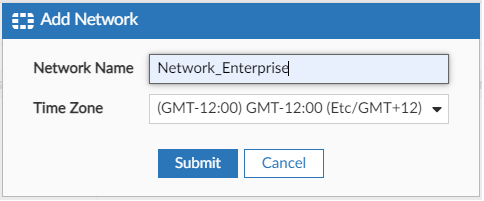
- In the FortiEdge Cloud GUI, navigate to the Networks page and click Add Network.
- Type a name for the network.
- Select a time zone. This is the time zone of the FortiAP devices that you want to manage with this network.
- Click Submit.
The newly created network is added in the Networks page.
- Click the network that you created and configure the devices.