

Deploying on AWS Fargate for EKS
You can deploy the FortiCNAPP agent to secure and monitor applications running in Fargate.
Fargate for EKS is Kubernetes-centric. It does not have the concept of tasks like in Fargate for ECS. A task is replaced by a pod and a pod is defined in a manifest and deployed to Fargate the same way a pod is deployed in Kubernetes.
Deploying the agent on Fargate
The following two deployment methods are supported for Fargate:
- Embedded in the application.
- As a sidecar injected in the application pod to be deployed in Fargate. The sidecar will be used as an init container. Its purpose is to share a volume with the application container and copy the agent binary and setup script to the shared volume.
Fargate does not support Daemonset. So, the only way to monitor an application running on Fargate is by embedding the agent in the application at image build time or by injecting a sidecar into the pod.
Your application container must have the ca-certificates package (or equivalent global root certificate store) in order to reach FortiCNAPP APIs. The root certificate used by FortiCNAPP is Go Daddy Root Certificate Authority - G2.
If your EKS cluster is not purely Fargate, but is instead a mix of EC2 instances and Fargate, deploy the agent as a daemonset on the EC2 nodes and use the deployment options described in this document for Fargate workloads. See Installing Linux agent on Kubernetes.
Required pod settings
Environment variables
For the agent to detect that it is running in Fargate, the following environment variable must be set in the pod specification file under the application container:
LW_EXECUTION_ENV = “EKS_FARGATE”
For the agent to talk to the API server and request information about the pod, the EKS node name must be injected into the application container through the environment variable LW_KUBERNETES_NODENAME. If this variable is missing, the agent will fail to report container information.
- name: LW_KUBERNETES_NODENAME
      valueFrom:
         fieldRef:
            apiVersion: v1
            fieldPath: spec.nodeName
Shared Process Namespace
For the agent to see all processes that are running in other containers that are part of the same pod, the pod specification must have the parameter **shareProcessNamespace** set to **true** in the pod’s YAML file. Without sharing the PID namespace, the agent cannot attribute connections to processes correctly.
The network namespace is shared between all containers in the same pod, so the agent will be able to see all traffic initiated and terminated in the pod.
It is important to understand the implications of sharing the process namespace. See Limitations for more information.
RBAC Rules
To provide the appropriate permissions for the agents to list pods and containers, you must add the following RBAC rules to the EKS cluster. Ensure that you define a service account with a ClusterRole and ClusterRoleBinding. The details for RBAC rules are as follows:
apiVersion: rbac.authorization.k8s.io/v1
kind: ClusterRole
metadata:
  name: YourRoleName
rules:
  - apiGroups:
      - ""
    resources:
      - nodes
      - pods
      - nodes/metrics
      - nodes/spec
      - nodes/stats
      - nodes/proxy
      - nodes/pods
      - nodes/healthz
    verbs:
      - get
      - list
---
apiVersion: rbac.authorization.k8s.io/v1
kind: ClusterRoleBinding
metadata:
  name: YourBindingName
roleRef:
  apiGroup: rbac.authorization.k8s.io
  kind: ClusterRole
  name: YourRoleName
subjects:
  - kind: ServiceAccount
    name: YourServiceAccountName
    namespace: FargateNamespace
---
apiVersion: v1
kind: ServiceAccount
metadata:
  name: YourServiceAccountName
  namespace: FargateNamespace
The namespace to specify in the service account and ClusterRoleBinding is the namespace associated with the Fargate profile. Pods started in this namespace are scheduled to run on Fargate nodes.
Fargate monitoring
Each pod in Fargate has its own node managed by AWS. These nodes will appear in the FortiCNAPP console as part of the EKS cluster in the Kubernetes Dashboard. For these Fargate nodes to be included in the EKS cluster, ensure that you include the EKS cluster name as part of the tags in the agent config.json file. The cluster name should appear as follows:
"tags":{"Env":"k8s", "KubernetesCluster": "Your EKS Cluster name"}
This is because Fargate nodes are not tagged with the cluster name to enable the auto discovery of the cluster. See How FortiCNAPP derives the K8s cluster name for more details.
Configuration map example
The following is an example of a configuration map where the cluster name is specified.
apiVersion: v1
kind: ConfigMap
metadata:
  namespace: fargate-ns
  name: lacework-config
data:
  config.json: |
    {"tokens":{"AccessToken":"YOUR ACCESS TOKEN"}, "tags":{"Env":"k8s", "KubernetesCluster": "eksclustername"}, "serverurl":"YOUR AGENT SERVER URL"}
For more information about the config.json properties, see Configure Linux Agent Using Agent Configuration File.
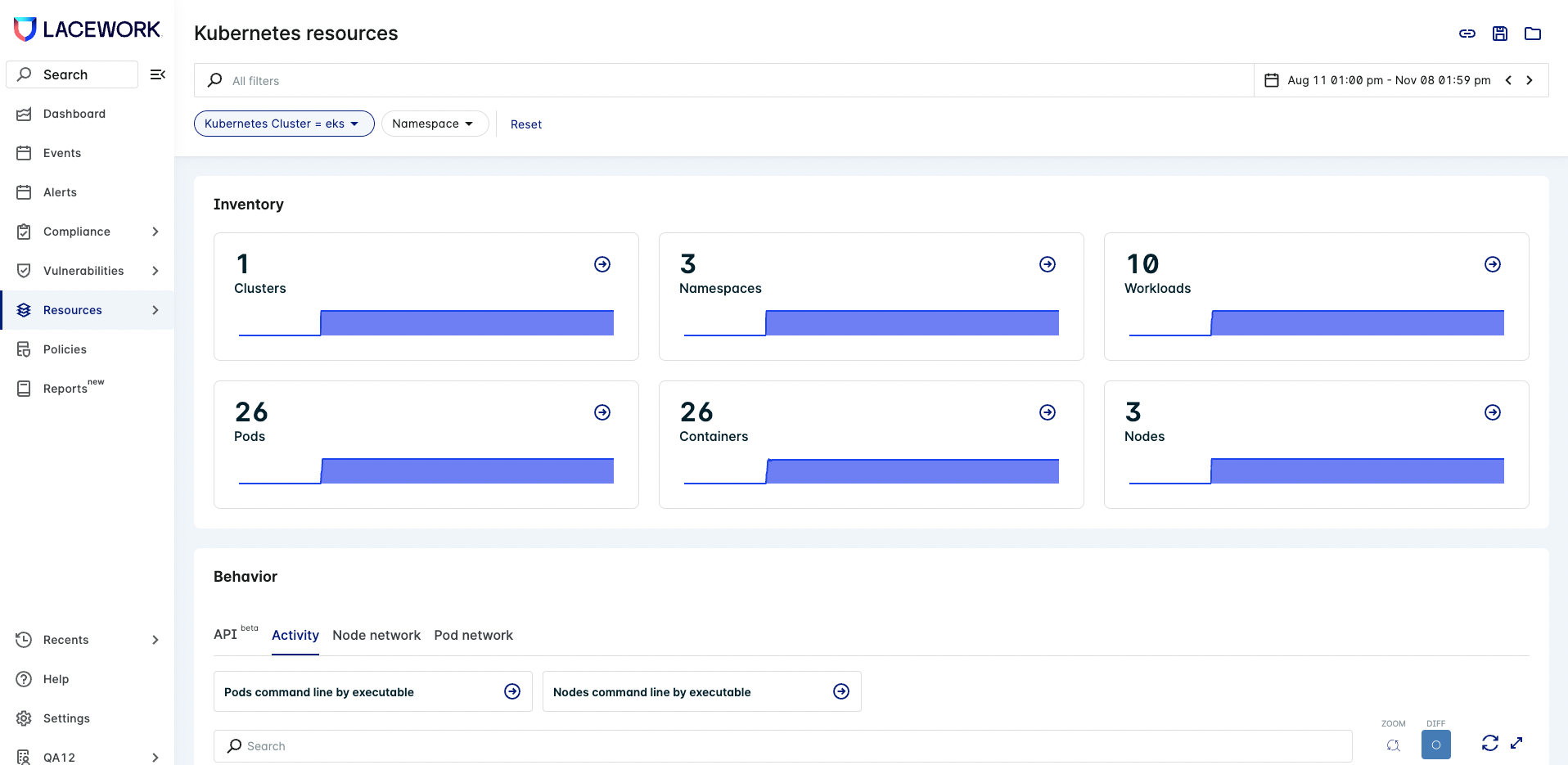
The Kubernetes nodes appear in the FortiCNAPP console in the Node Activity section.
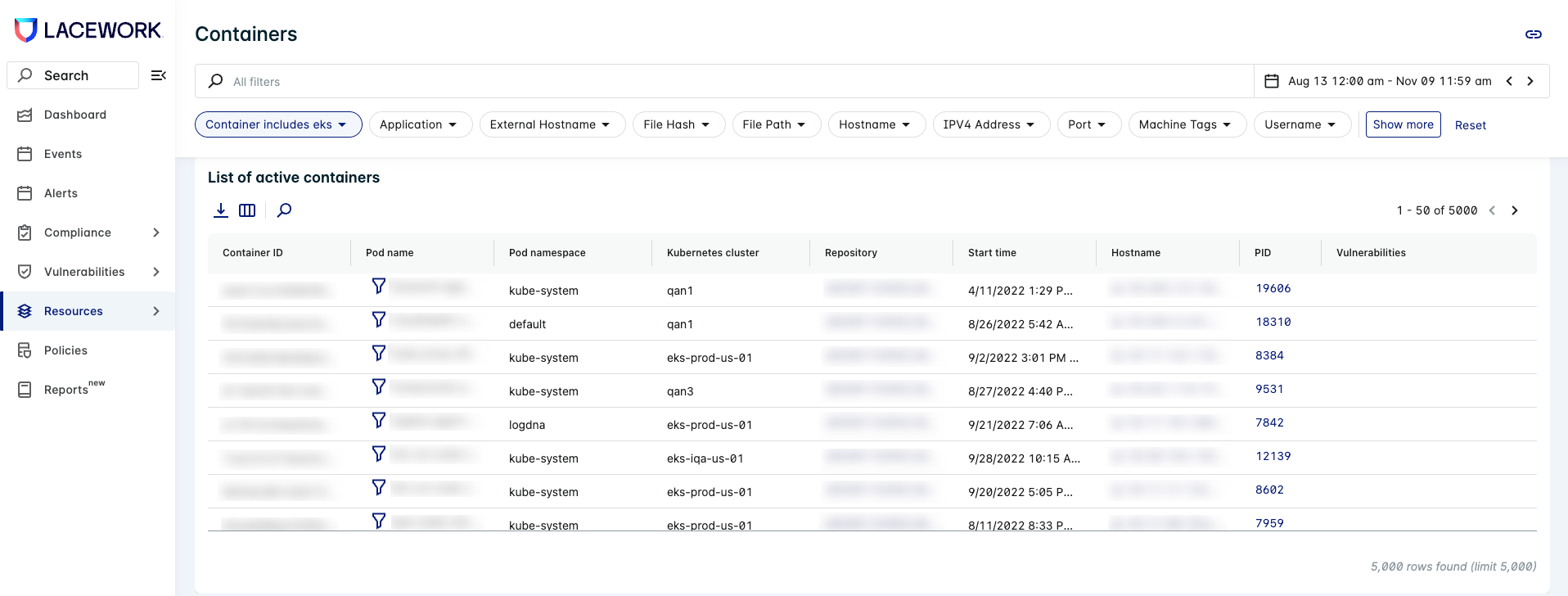
In the case of Fargate, the hostname that appears in the Node Activity section is the hostname inside the container (hostname is the pod name) and not the Fargate node name.
All containers defined in the Fargate pod will appear under the section List of Active Containers.
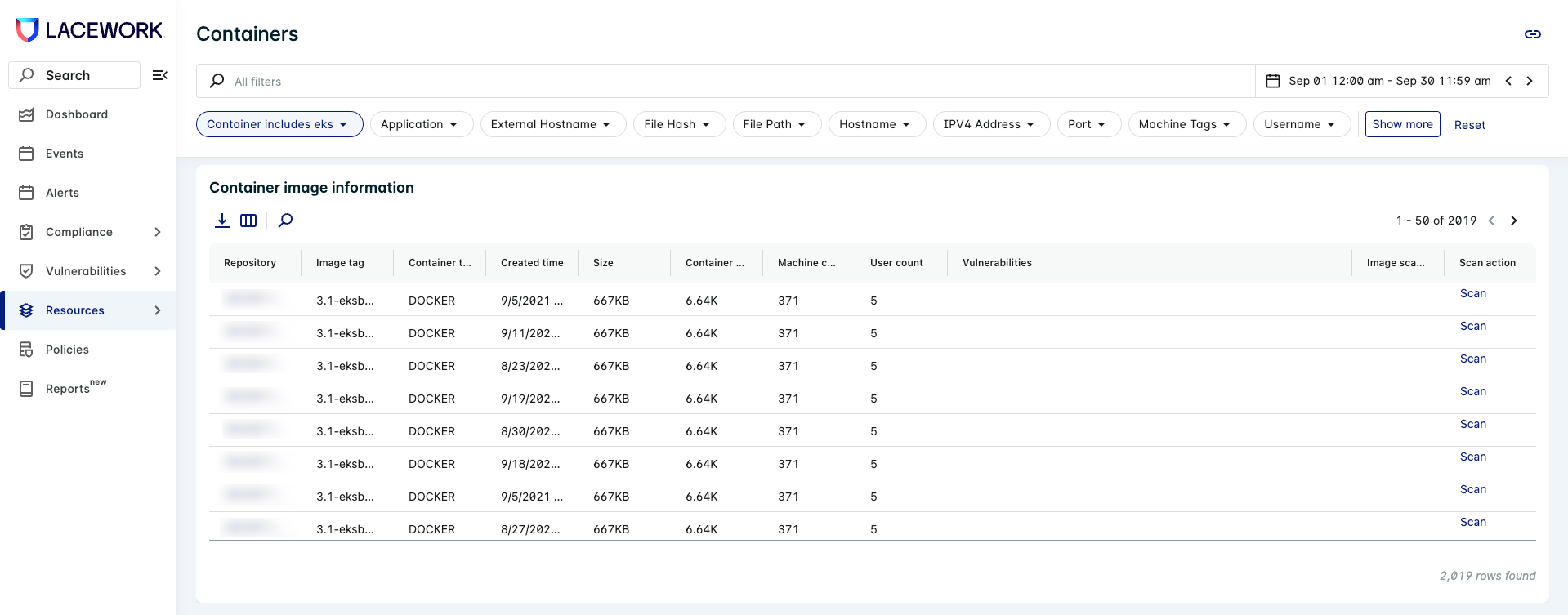
The container image information is under the section Container Image Information.
Sidecar container example
If you already have an existing EKS cluster, you can add a Fargate profile to it using a command similar to the following:
eksctl create fargateprofile --cluster YourClusterName --name YourProfileName --namespace FargateNamespace
The namespace that you use here is the namespace used to launch your pods into Fargate runtime. It should be used in the pod specification file, the FortiCNAPP agent configmap, and the defined RBAC resources to allow the agent to access the API server. In the example that follows, the Fargate namespace is fargate-ns.
The following is a sample pod definition file using an init container to inject the agent. This is sidecar deployment where the agent is integrated into the application container at runtime.
The cfgmap is the configuration map defined in the Lacework Configuration Map section.
The service account is the service account as defined in the RBAC Rules section.
Resource Requests/Limits depend on your application’s needs. This is a sample pod configuration.
apiVersion: v1
kind: Pod
metadata:
  namespace: fargate-ns
  name: app
  labels:
    name: "appclientserver"
spec:
  serviceAccountName: lwagent-sa
  shareProcessNamespace: true
  initContainers:
  - image: lacework/datacollector:latest-sidecar
    imagePullPolicy: Always
    name: lw-agent-sidecar
    volumeMounts:
    - name: lacework-volume
      mountPath: /lacework-data
    command: ["/bin/sh"]
    args: ["-c", "cp -r /var/lib/lacework-backup/* /lacework-data"]
  containers:
  - image: ubuntu:latest
    imagePullPolicy: Always
    name: app-client
    command: ["/var/lib/lacework-backup/lacework-sidecar.sh"]
    args: ["/your-app/run.sh"]
    ports:
      - containerPort: 8080
    resources:
      limits:
        memory: "600Mi"
        cpu: "500m"
      requests:
        memory: "200Mi"
        cpu: "100m"
    volumeMounts:
    - name: lacework-volume
      mountPath: /var/lib/lacework-backup
    - name: cfgmap
      mountPath: /var/lib/lacework/config
    - name: podinfo
      mountPath: /etc/podinfo
    env:
    - name: LW_KUBERNETES_NODENAME
      valueFrom:
         fieldRef:
            apiVersion: v1
            fieldPath: spec.nodeName
    - name: LW_EXECUTION_ENV
      value: "EKS_FARGATE"
  - image: nginx
    imagePullPolicy: Always
    name: nginx
    ports:
      - containerPort: 80
  volumes:
    - name: lacework-volume
      emptyDir: {}
    - name: cfgmap
      configMap:
        name: lacework-config
        items:
        - key: config.json
          path: config.json
    - name: podinfo
      downwardAPI:
        items:
        - path: "labels"
          fieldRef:
             fieldPath: metadata.labels
        - path: "annotations"
          fieldRef:
             fieldPath: metadata.annotations
Example application with an embedded agent
Dockerfile
The agent is pulled from the sidecar container at build time using multistage builds.
FROM lacework/datacollector:latest-sidecar as laceworkagent
FROM ubuntu:18.04
COPY --from=laceworkagent /var/lib/lacework-backup /var/lib/lacework-backup
RUN apt-get update && \
    apt-get install --no-install-recommends ca-certificates -y && \
    apt-get clean && \
    rm -rf \
    /var/lib/apt/lists/* \
    /tmp/* \
    /var/tmp/* \
    /usr/share/man \
    /usr/share/doc \
    /usr/share/doc-base

COPY your-app/ /your-app/
ENTRYPOINT ["/var/lib/lacework-backup/lacework-sidecar.sh"]
CMD ["/your-app/run.sh"]
After your application image is created and pushed to a container registry, you can deploy it to your EKS Fargate cluster using a pod specification as follows.
Pod specification file
When the agent is layered inside the application container, there is no init-container involved in the pod specification. For the container entrypoint and command, you can use the images defaults (as defined in the Dockerfile) or overwrite them in the pod specification file.
The cfgmap is the configuration map defined in Lacework Configuration Map.
apiVersion: v1
kind: Pod
metadata:
  namespace: fargate-ns
  name: crawler
  labels:
    name: "fargatecrawler"
spec:
  serviceAccountName: lwagent-sa
  shareProcessNamespace: true
  containers:
  - image: youraccount.dkr.ecr.us-east-1.amazonaws.com/testapps:latest
    imagePullPolicy: Always
    name: crawler-app
    ports:
      - containerPort: 8080
    resources:
      limits:
        memory: "1500Mi"
        cpu: "500m"
      requests:
        memory: "1Gi"
        cpu: "100m"
    volumeMounts:
    - name: cfgmap
      mountPath: /var/lib/lacework/config
    - name: podinfo
      mountPath: /etc/podinfo
    env:
    - name: LW_KUBERNETES_NODENAME
      valueFrom:
         fieldRef:
            apiVersion: v1
            fieldPath: spec.nodeName
    - name: LW_EXECUTION_ENV
      value: "EKS_FARGATE"
  - image: nginx
    imagePullPolicy: Always
    name: nginx
    ports:
      - containerPort: 80
  imagePullSecrets:
  - name: regcred
  volumes:
    - name: cfgmap
      configMap:
        name: lacework-config
        items:
        - key: config.json
          path: config.json
    - name: podinfo
      downwardAPI:
        items:
        - path: "labels"
          fieldRef:
             fieldPath: metadata.labels
        - path: "annotations"
          fieldRef:
             fieldPath: metadata.annotations
Limitations
The following are the limitations of deploying containers in Fargate for EKS:
-
Fargate does not support Daemonsets.
-
Fargate does not support privileged containers.
-
Pods running on Fargate cannot specify HostPost or HostNetwork in the pod manifest.
-
Pods cannot mount volumes from the host (hostpath is not supported).
-
The Amazon EC2 instance metadata service (IMDS) isn't available to pods that are deployed to Fargate nodes.
-
EKS Fargate does not allow a container to have SYS_PTRACE in their security context. This means the agent cannot examine processes in the proc filesystem that are not owned by root. This limitation does not apply to ECS Fargate.
-
For EKS Fargate, adding the SYS_PTRACE to the security context makes the pod fail to come up.
securityContext:
   capabilities:
     add:
     - SYS_PTRACE
You’ll see the following error in the pod description:
Warning FailedScheduling unknown fargate-scheduler Pod not supported on Fargate: invalid SecurityContext fields: Capabilities added: SYS_PTRACE
-
In Kubernetes, it is not possible to get the image creation time through the API server. The agent sets the image creation time to the start time of the container. Therefore, for EKS Fargate, the
Created Timewill not be accurate in the UI under container/KubernetesDossier → Container Image Information. -
When containers are sharing the process namespace, PID 1 is assigned to the pause container. An application or script that signals PID 1, or assumes that it is the ancestor of all processes, in its container might break. It is important to understand the security implications when sharing the process namespace. Secrets and passwords passed as environment variables are visible between containers. For more information, see Share Process Namespace between Containers in a Pod.
Troubleshooting the sidecar script
You can add the LaceworkVerbose=true environment variable to your task definition which will tail the datacollector debug log.
In most cases, errors typically occur because either the agent does not have outbound access to the internet OR there are SSL issues indicating your container does not have the ca-certificates bundle installed.