Base image scanning
A base image, or golden image, is a standardized, preconfigured container image that serves as the foundation for other images. A base image provides a clean and tested starting point for deployments.
Base image scanning allows you to track and manage vulnerabilities in your base images to quickly identify and prioritize fixes for vulnerabilities that affect multiple images and containers.
As FortiCNAPP scans the images in your container registries, it automatically identifies the base images for the images it scans. If a base image is found for a scanned image, the base image is identified as a base image and the relationship is recorded.
The risk scoring system uses this information when calculating the risk score. Base images that are used by running containers will have a higher risk score than base images that are not actively in use.
With base image scanning, you can:
-
View base image vulnerabilities in the Vulnerabilities dashboard.
-
Determine the base image for a specific image.
-
View the images that are based on a particular base image.
-
Separate vulnerabilities found in base images from those found in custom applications and packages.
Vulnerabilities dashboard
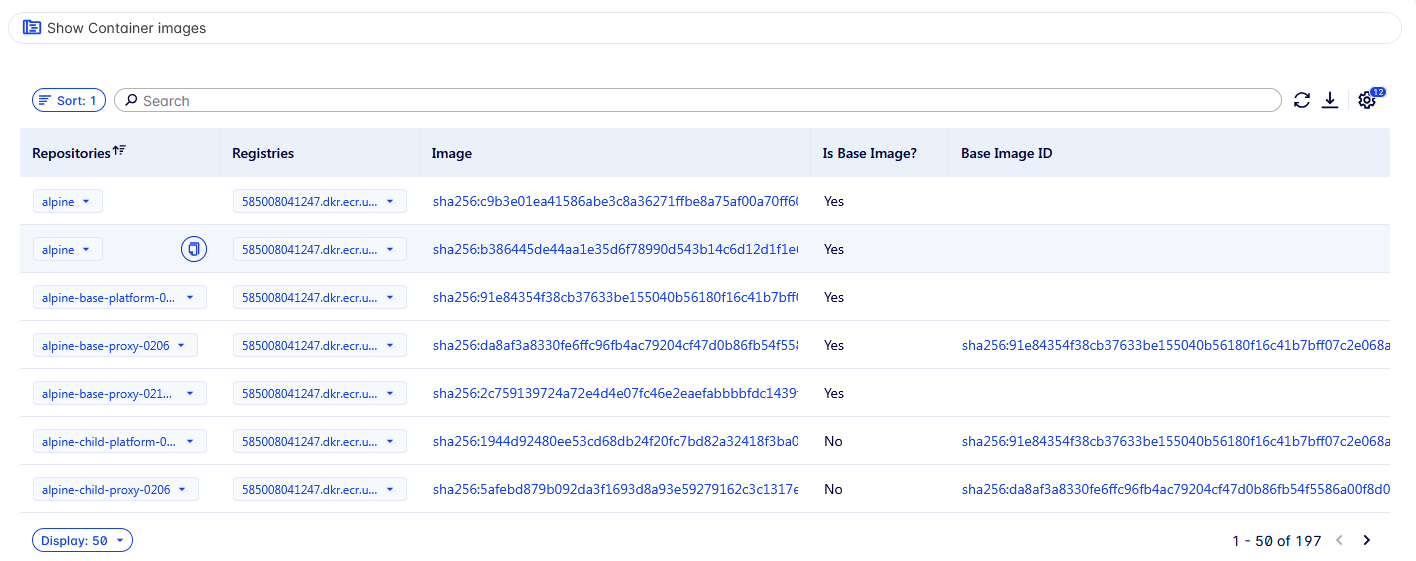
Two base image fields are available in the Vulnerabilities > Explore: Container images dashboard as columns and filters:
-
Is Base Image?: Indicates whether this image is a base image.
-
Base Image ID: Identifies the base image used by this image.
You can display these columns in the query result table and also use them as filters in the query builder. In the query builder, find them in the Container image category.
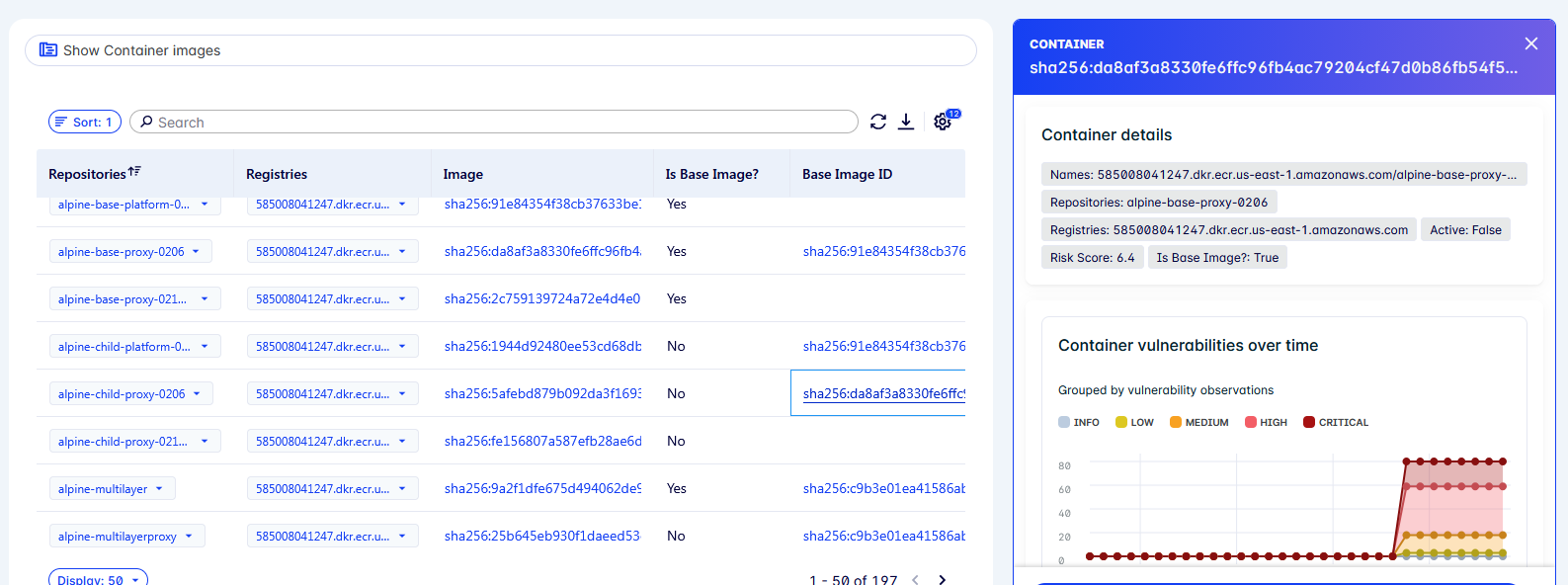
Click the Base Image ID value in the table to view the details for the base image.
Configuring base image scanning
To configure base image scanning:
-
Create an integration for the registry where your base images are stored. This can be a public or private registry.
For more information about configuring container registries, see Integrate container registries in the FortiCNAPP Administration Guide.
-
In Add Base Image Repositories, specify a list of the repositories within this registry that contain base images.
When the registry is configured with base image repositories specified, FortiCNAPP will automatically determine base image relationships for container images in your integrated registries.