FortiView Bot Analysis
Go to Dashboard > FortiView Bot Analysis. If it's not available in the Dashboard menu, refer to Monitors for how to add a monitor.
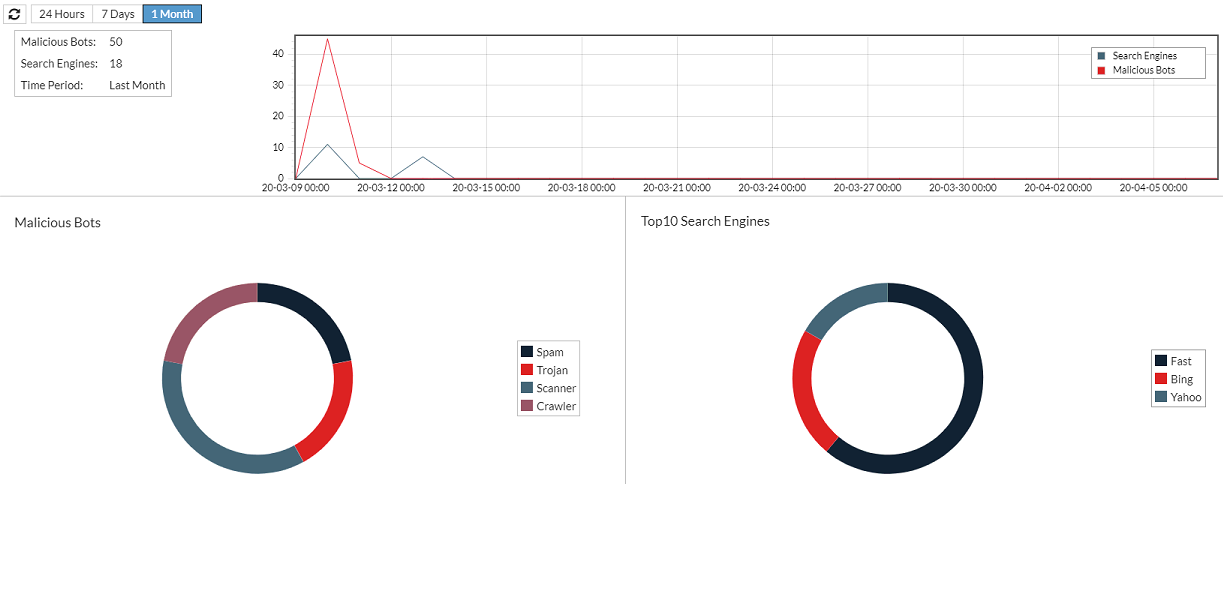
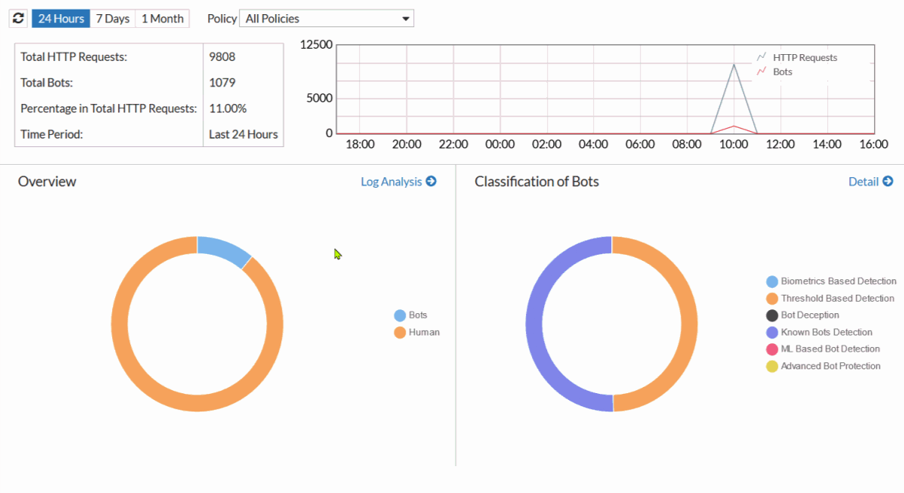
The FortiView Bot Analysis consolidates data from all bot-related modules, with enhanced analysis diagrams for improved user experience. You can view analysis results by time period, server policies, and filter attack logs by Top 10 URLs, IPs, regions, user agents, and bot types.
Bot Statistics from the Following Security Models:
-
Biometrics-Based Detection
-
Threshold-Based Detection
-
Bot Deception
-
Known Bots Detection
-
ML-Based Bot Detection
-
Advanced Bot Protection
Key Features:
-
Comprehensive bot statistics overview with detailed classifications. See Bot statistics overview and classifications.
-
Options for viewing analysis results by specific time periods and server policies. See Viewing analysis results by time period and server policies.
-
Advanced filters for Top 10 URLs, IPs, regions, user agents, and bot types. See Filtering attack logs by Top 10 URLs, IPs, regions, user agents, and bot types.
-
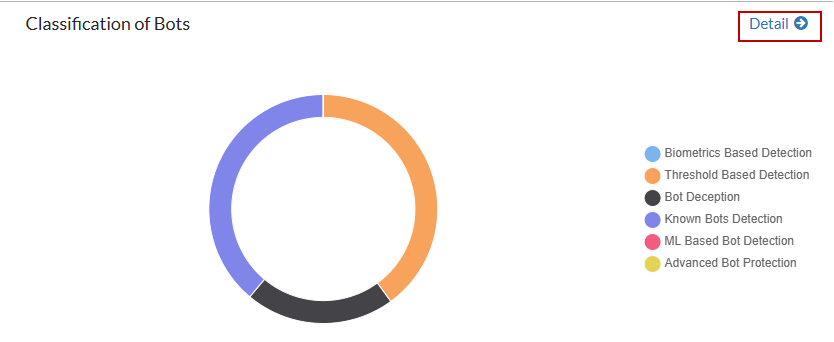
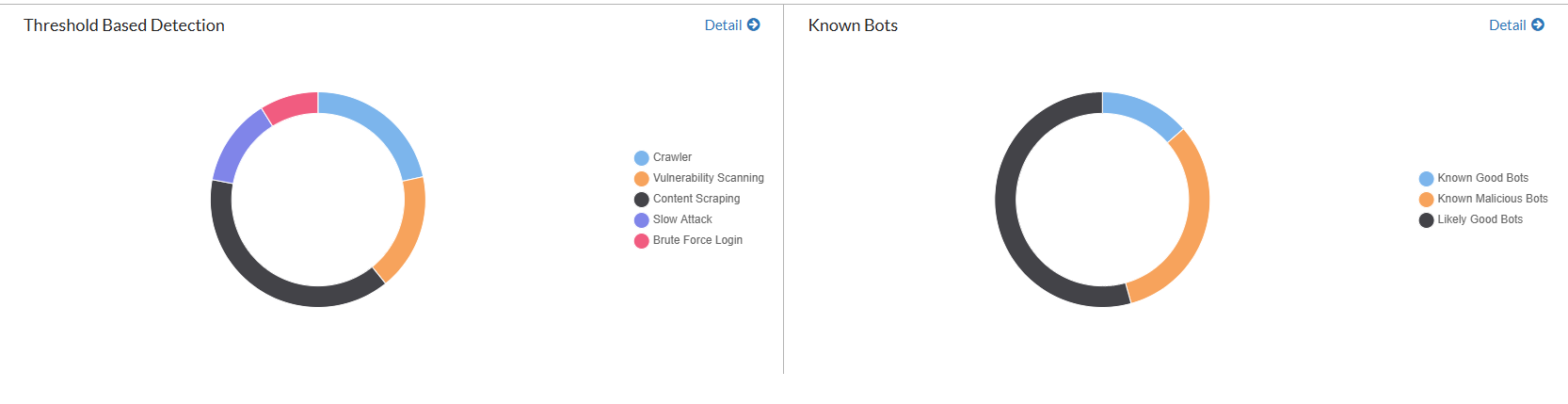
In-depth bot classification details, giving you more visibility into each bot category. See Viewing bot classification details.
With these tools, FortiWeb delivers deeper insight into bot traffic while simplifying navigation. The layout is intuitive, designed to support your ongoing API protection work, making it straightforward to identify, analyze, and respond to bot-related threats.
Bot statistics overview and classifications
Viewing analysis results by time period and server policies

Filtering attack logs by Top 10 URLs, IPs, regions, user agents, and bot types
-
Click Log Analysis in the Overview chart.
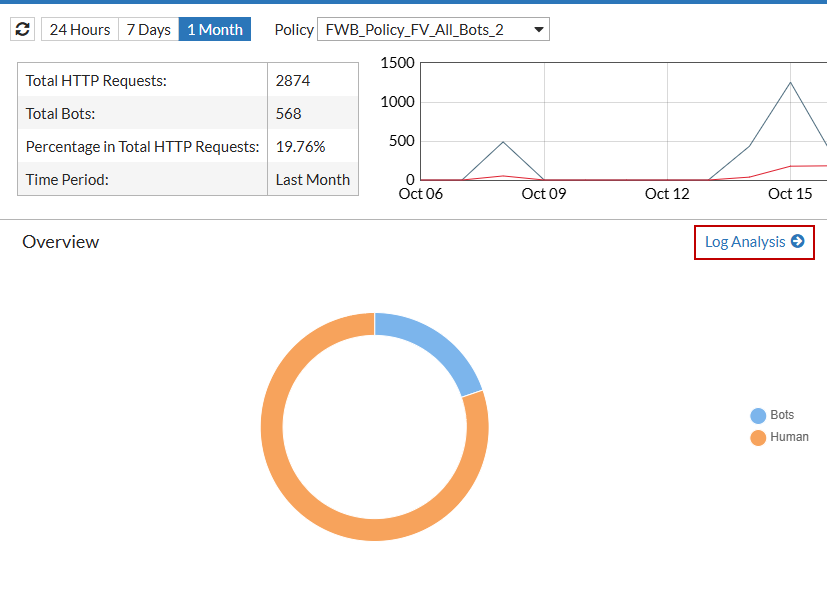
- Filter bot attacks by Main Category and Subcategory to view related attack statistics, including the Top 10 URLs, IPs, regions, and user agents.
Viewing bot classification details
Click the Detail button to view a breakdown of data for each bot category.