

FortiAI Investigation Agent
The FortiAI Investigation Agent can be used by SOC analysts to efficiently investigate threats, answer questions, and get suggested next steps using FortiAI's advanced natural language processing capabilities. The agent's responses can include text, images, widgets, and data retrieved directly from your FortiSOC instance. Any response actions remain controlled and require approval by the SOC analyst to complete.
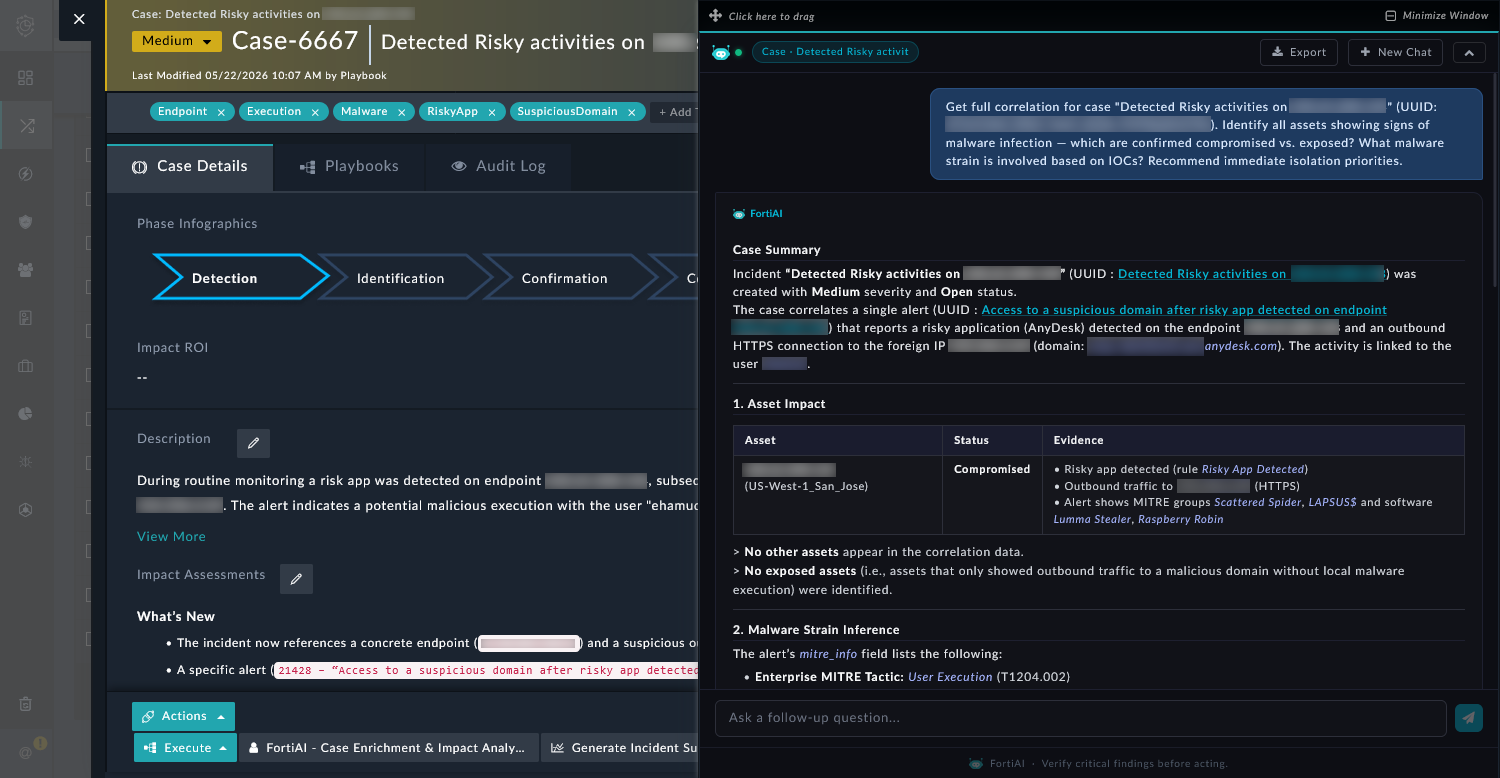
The FortiAI Investigation Agent can be opened using the FortiAI button at the bottom right of the following panes:
-
Alerts
-
Cases
-
Assets
-
Identities
-
Indicators

The FortiAI Investigation Agent window displays suggested prompts according to the pane you are in. You can open the agent within the details view to get more specific investigation suggestions. For example, see below where the FortiAI Investigation Agent is opened in Cases compared to Case details.

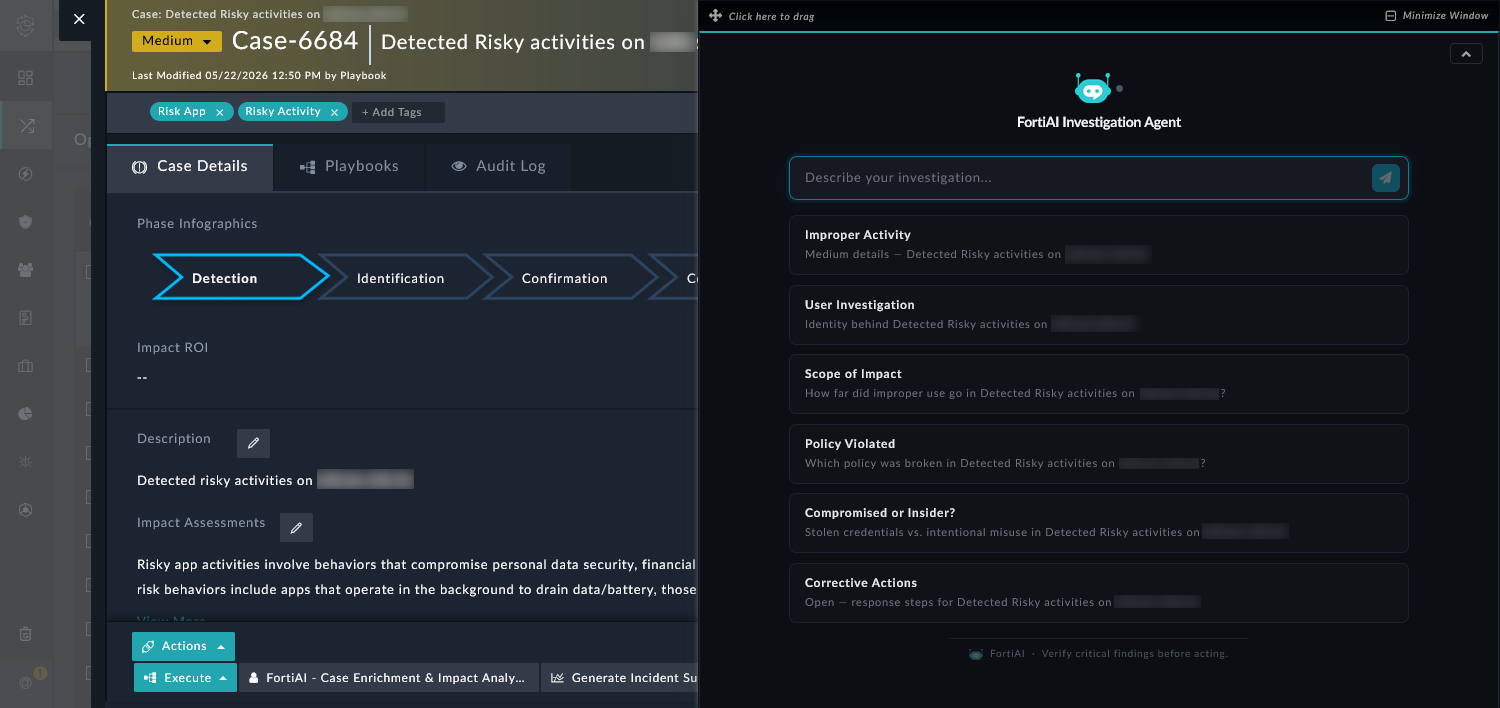
Alternatively, the SOC analysts can enter their own custom prompt to start the chat with the agent. You can use natural language to request actions or information from the agent.
After the initial response from the agent, SOC analysts can perform the following actions from within the FortiAI Investigation Agent window:
-
Show reasoning: Click Show reasoning at the bottom of the response to display the reasoning from the agent.
-
Export the chat: Click Export to export the complete chat as a PDF to download and share with other analysts.
-
Start a new chat: Click + New Chat to start a new chat with the agent.
-
Ask follow-up questions: Enter a new prompt in the text box at the bottoms and click the Send button to continue the chat with the agent.
Prompts should be directly related to the information the assistant is programmed to access, enabling efficient and effective data retrieval. A valid prompt is a clear, well-defined question that the agent can easily interpret and process. It should be specific and relevant to the data or queries the agent is designed to handle. For example, the agent can be effectively used to:
-
add context, such as asset information, user identity, and threat intelligence.
-
correlate events and build a timeline to show what happened.
-
analyze the data to identify patterns or possible attack scenarios.
-
suggest next steps, such as escalating the case, containing the issue, monitoring, or closing the case.
An invalid prompt is one that cannot be easily interpreted or processed by the agent. This typically includes prompts that are ambiguous, lack sufficient detail, or are outside the scope of the agent’s capabilities (e.g. prompts that ask about information outside of FortiSOC).