

FortiAI case enrichment
In Cases & Alerts > Cases, SOC analysts can execute FortiAI playbooks for case enrichment, impact analysis, and asset threat posture timelines. In the Case details, there is also a shortcut button to execute FortiAI - Case Enrichment & Impact Analysis.
To execute the FortiAI - Case Enrichment & Impact Analysis:
-
Go to Cases & Alerts > Cases.
-
Double-click a case to open the Case details.
-
Click FortiAI - Case Enrichment & Impact Analysis.
If the case already has impact assessment data, a dialog will display to confirm if you would like to update the existing assessment or start fresh.
Once the playbook successfully completes, FortiAI will update and/or populate the Description and Impact Assessments fields in the Case details.
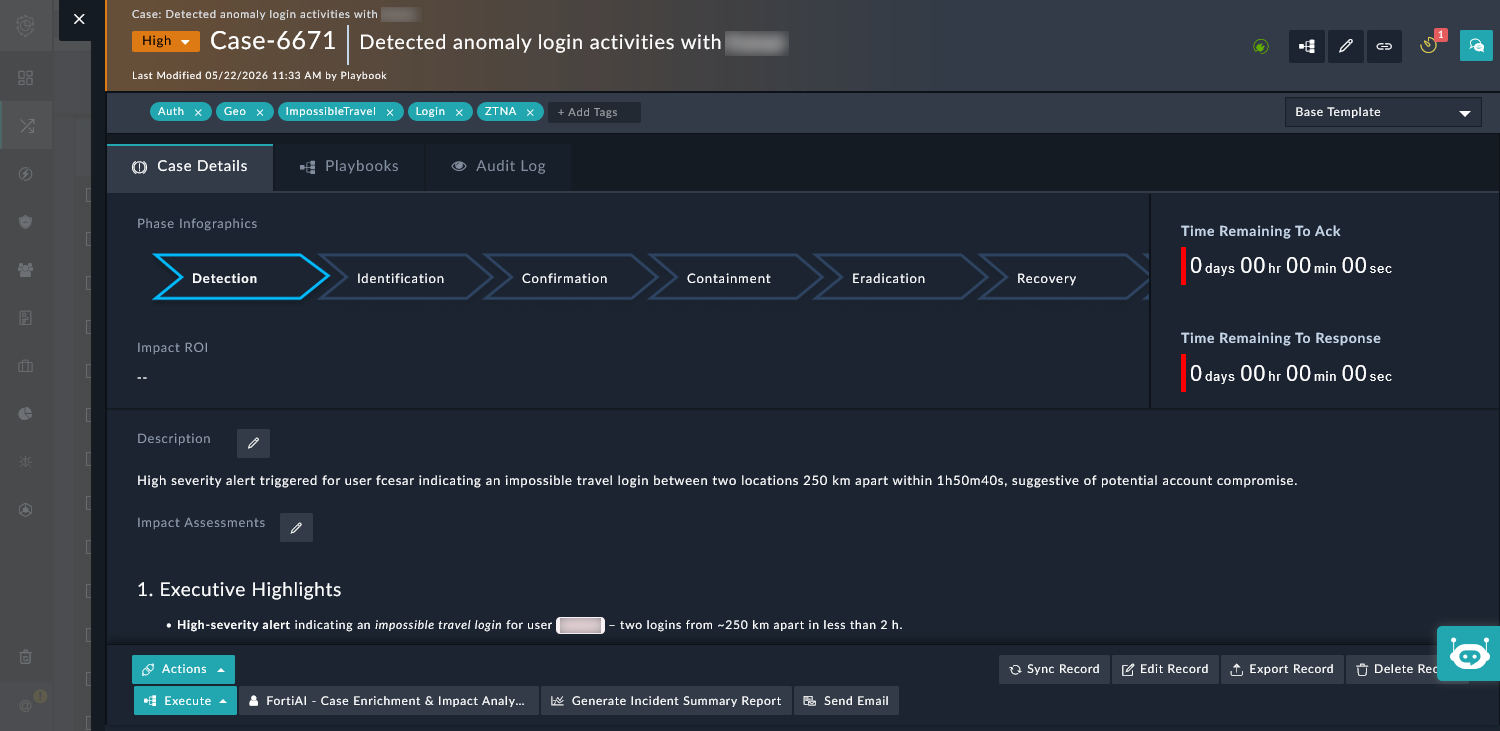
The Impact Assessments is structured by a template to include the following information:
-
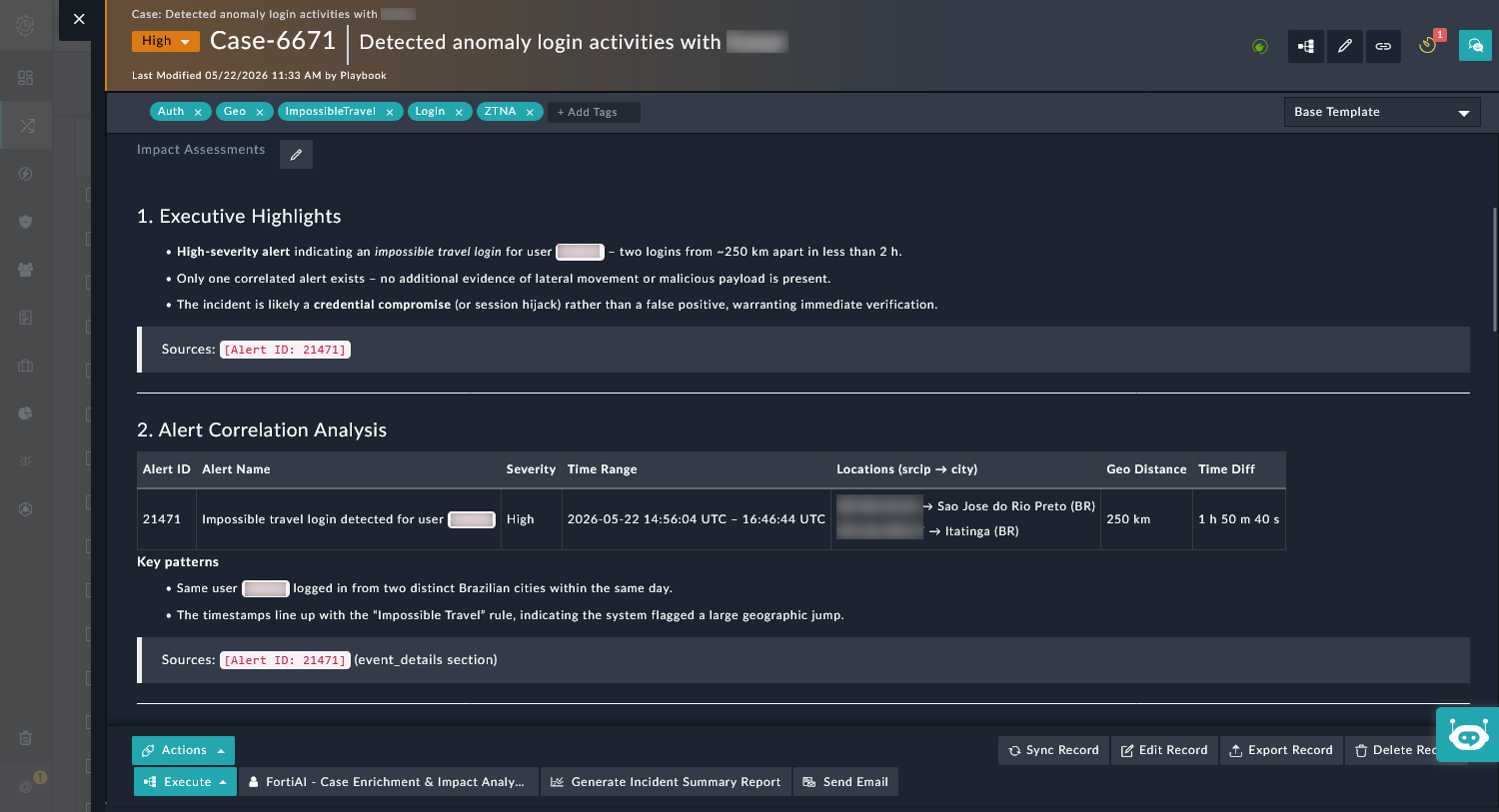
Executive Highlights
-
Alert Correlation Analysis
-
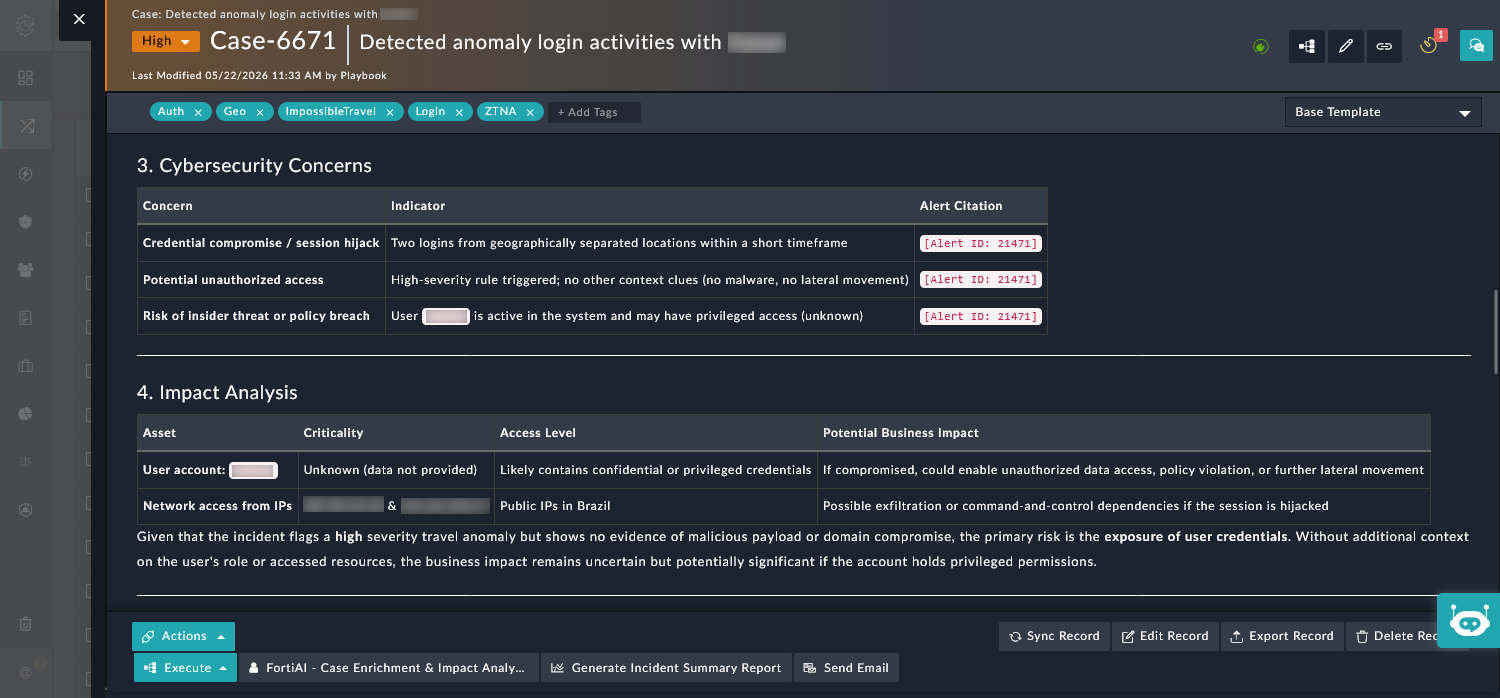
Cybersecurity Concerns
-
Impact Analysis
-
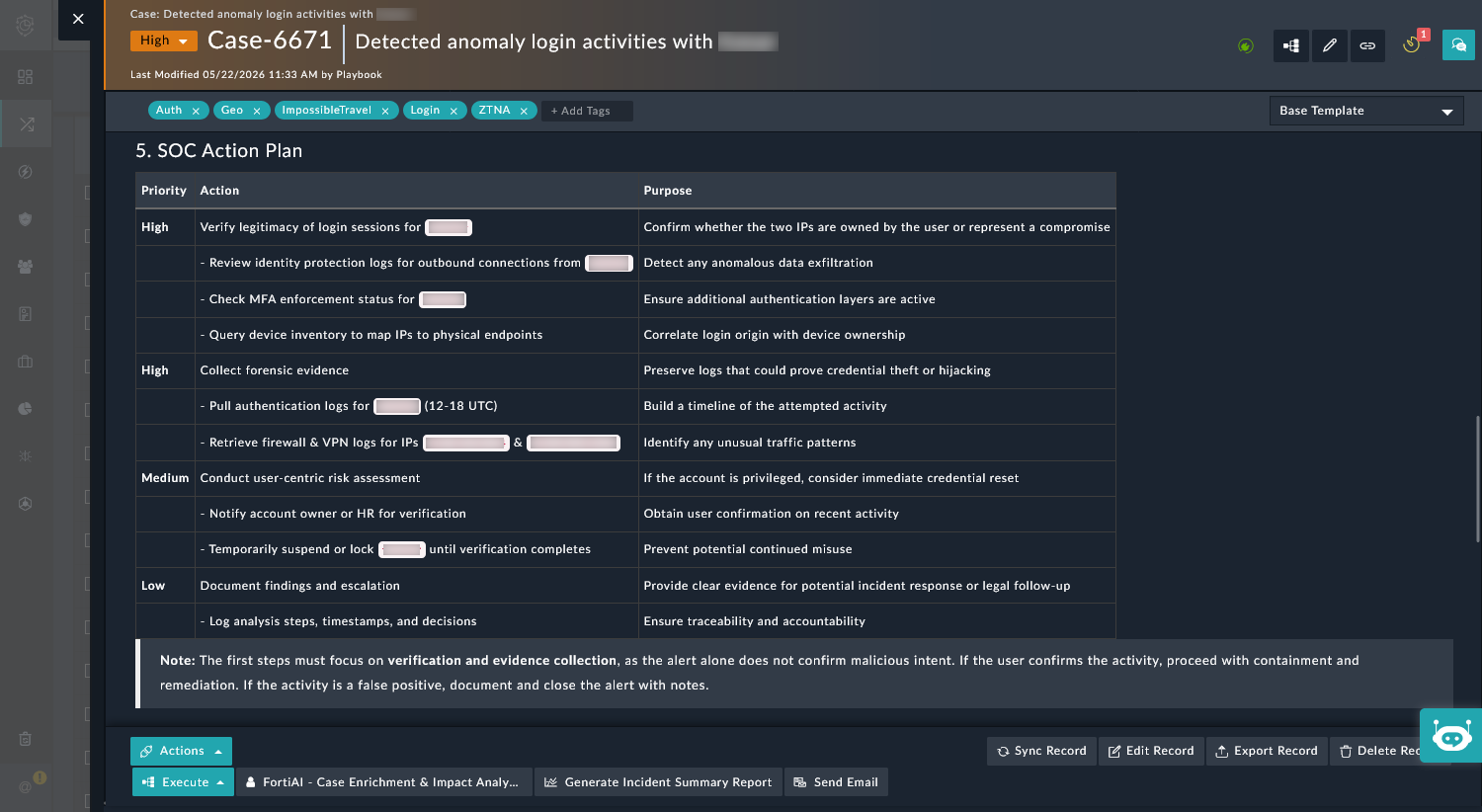
SOC Action Plan
See below for an example of the Impact Assessment from FortiAI:
-