
Fortinet white logo
Fortinet white logo

Keeping firmware up-to-date

Keeping firmware up-to-date

Firmware updates include new features and bug fixes. If there is an updated firmware, the Dashboard in the portal displays a notification and a download link. Your maintenance schedule should include upgrading the firmware.

You can download the firmware from the portal to your local PC.
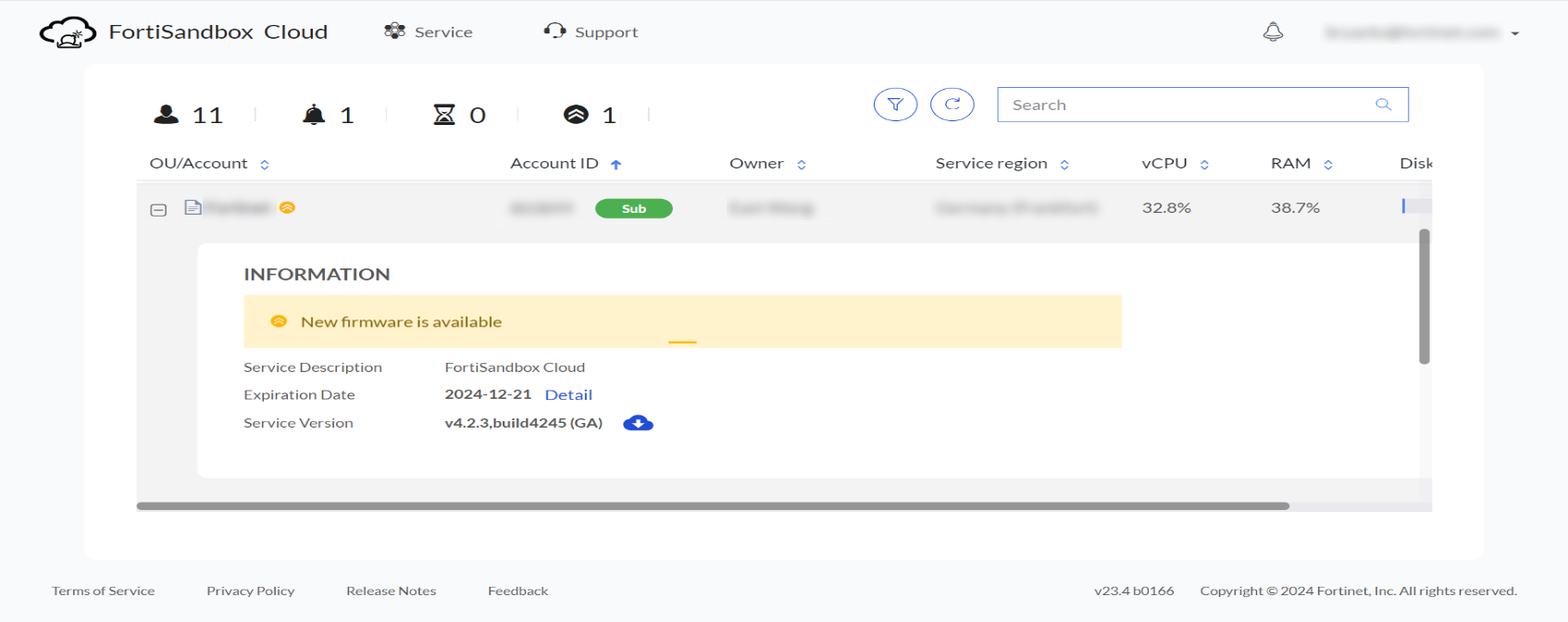
To upgrade the firmware:
  1. Go to Dashboard > Status.

  2. Click the System Information widget.

  3. From the menu, select Update Firmware.

  4. The firmware upgrade page provides the following options:

    • Manually upload a firmware image.

    • Download and install the latest available firmware.

    • Create a backup of the current configuration before upgrading.

    Note

    Always back up your configuration before performing a firmware upgrade.

Keeping firmware up-to-date

Keeping firmware up-to-date

Firmware updates include new features and bug fixes. If there is an updated firmware, the Dashboard in the portal displays a notification and a download link. Your maintenance schedule should include upgrading the firmware.

You can download the firmware from the portal to your local PC.

To upgrade the firmware:
  1. Go to Dashboard > Status.

  2. Click the System Information widget.

  3. From the menu, select Update Firmware.

  4. The firmware upgrade page provides the following options:

    • Manually upload a firmware image.

    • Download and install the latest available firmware.

    • Create a backup of the current configuration before upgrading.

    Note

    Always back up your configuration before performing a firmware upgrade.