
Fortinet white logo
Fortinet white logo

User Guide

Adding assets manually

Adding assets manually

FortiRecon discovers assets for you. You can also manually add assets to FortiRecon scans.

When you manually add assets to FortiRecon, results for the assets are visible after the next scheduled FortiRecon scan.

To add assets:
  1. Go to EASM > Asset Discovery. The discovered assets are displayed.
  2. Click Bulk Add / Remove Assets. The Bulk Add / Remove Assets dialog is displayed.
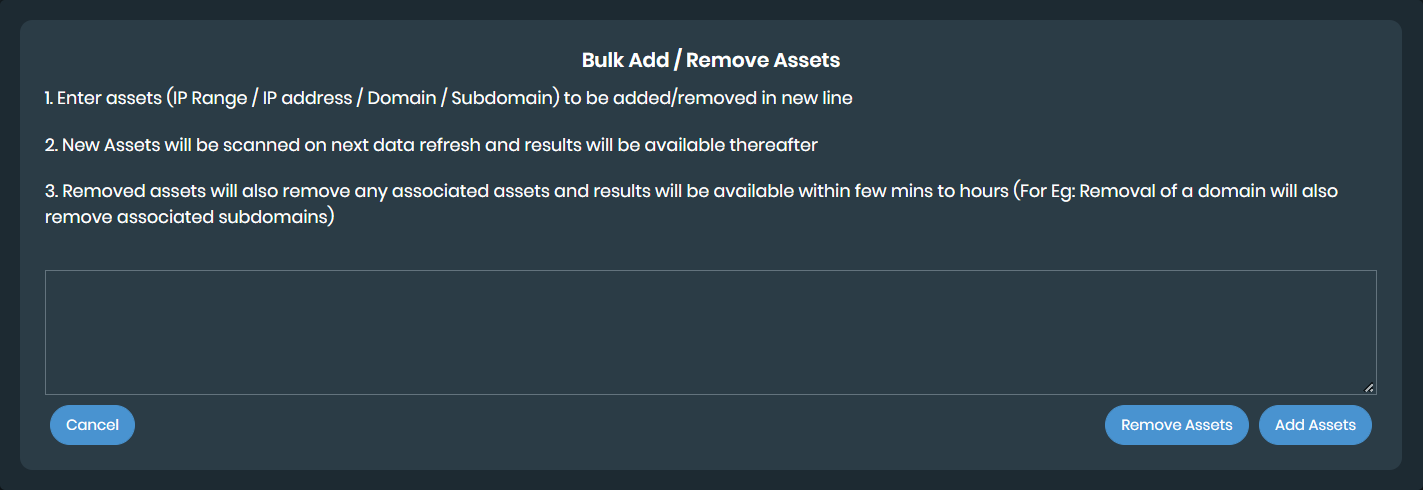
  3. Enter the assets, and click Add Assets.

Adding assets manually

Adding assets manually

FortiRecon discovers assets for you. You can also manually add assets to FortiRecon scans.

When you manually add assets to FortiRecon, results for the assets are visible after the next scheduled FortiRecon scan.

To add assets:
  1. Go to EASM > Asset Discovery. The discovered assets are displayed.
  2. Click Bulk Add / Remove Assets. The Bulk Add / Remove Assets dialog is displayed.

  3. Enter the assets, and click Add Assets.