
Fortinet white logo
Fortinet white logo

User Guide

Previewing policy installs

Previewing policy installs

Use the policy install preview feature to preview the changes that will be made when the current policies are installed to the target device.

Install preview is available if policies are changed, including the following cases:

  • A policy has been added, edited, or deleted.

  • Append or delete a policy block.

  • Enable or disable a policy.

If only policy package settings or policy objects have changed, preview is not available. This including the following:

  • Central NAT has been enabled or disabled.

  • NGFW mode has been changed.

  • Firewall objects have been changed but not applied to a policy.

To preview a policy install:
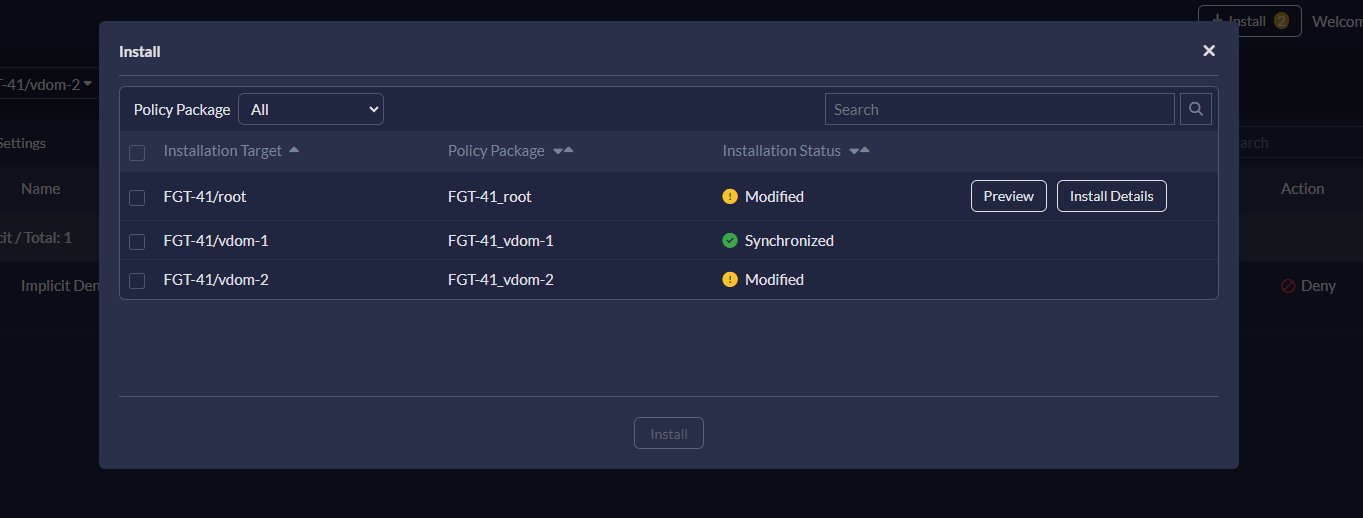
  1. In the top banner, click Install.

    The following preview options are available:

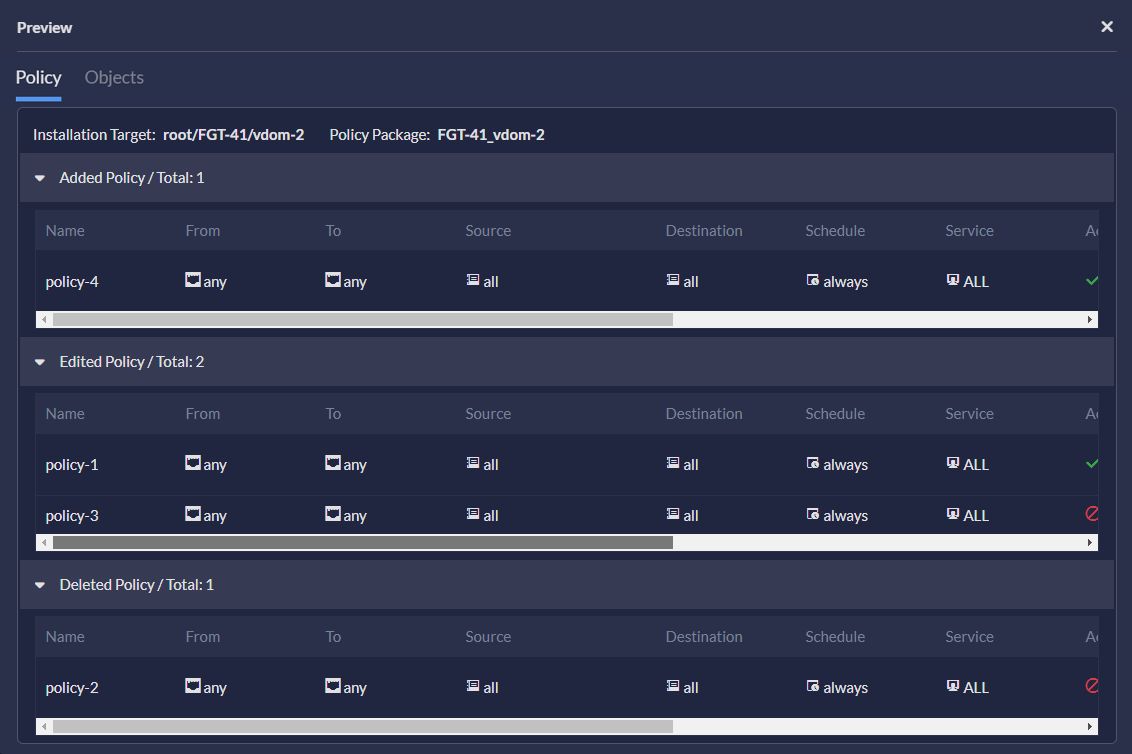
    • Click Preview to view the summary of changes.
      A summary of policy changes is displayed. The Objects tab displays any changed objects in the policies.
    • Click Install Details to view the details of the new configuration.
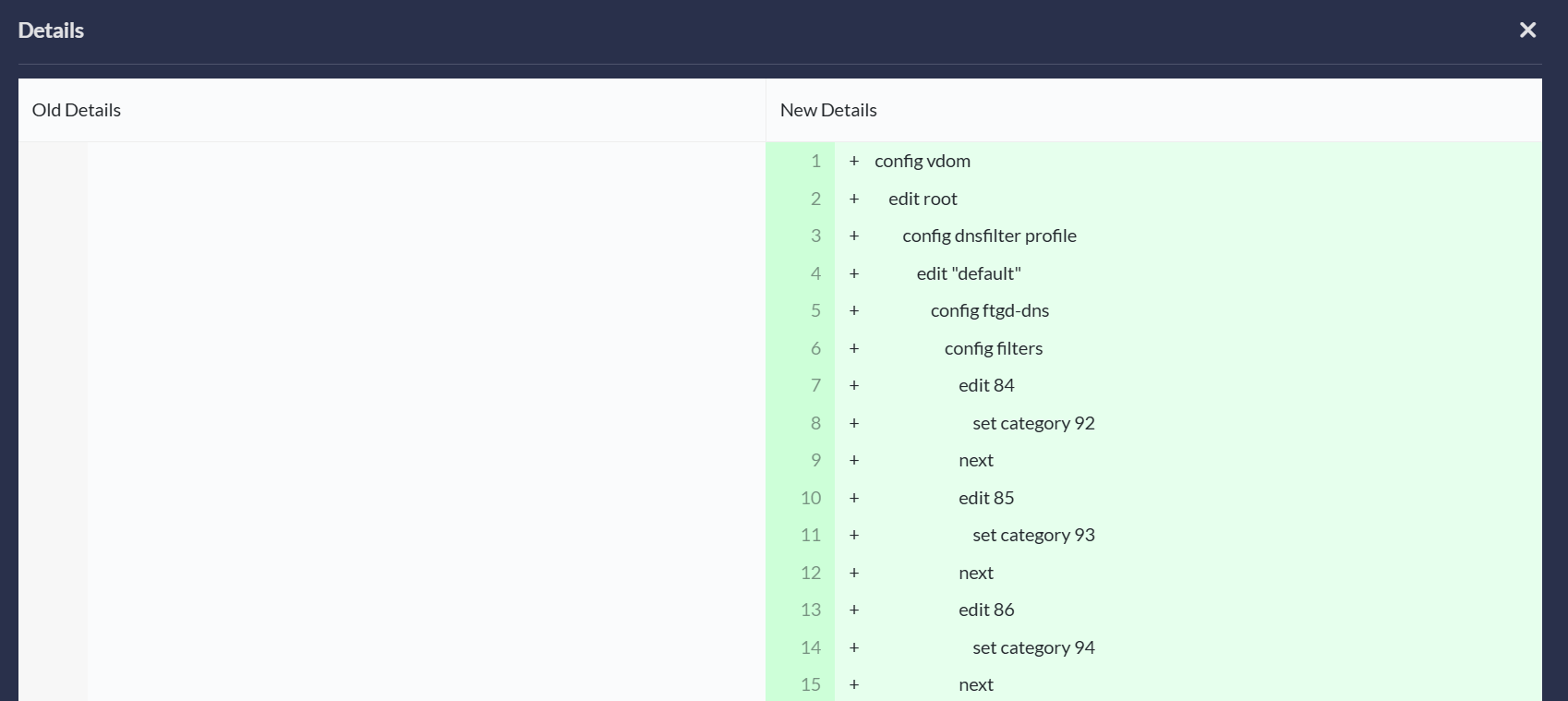
      Note: Depending on how the administrator has configured your system, this option may not be available to you.

Previewing policy installs

Previewing policy installs

Use the policy install preview feature to preview the changes that will be made when the current policies are installed to the target device.

Install preview is available if policies are changed, including the following cases:

  • A policy has been added, edited, or deleted.

  • Append or delete a policy block.

  • Enable or disable a policy.

If only policy package settings or policy objects have changed, preview is not available. This including the following:

  • Central NAT has been enabled or disabled.

  • NGFW mode has been changed.

  • Firewall objects have been changed but not applied to a policy.

To preview a policy install:
  1. In the top banner, click Install.

    The following preview options are available:

    • Click Preview to view the summary of changes.

      A summary of policy changes is displayed. The Objects tab displays any changed objects in the policies.

    • Click Install Details to view the details of the new configuration.

      Note: Depending on how the administrator has configured your system, this option may not be available to you.