Fortinet white logo
Fortinet white logo

Enable Auto Delete

Enable Auto Delete

Schedule archived campaigns to be automatically deleted at monthly intervals.

To enable auto delete:
  1. Navigate to Settings > Campaigns page.
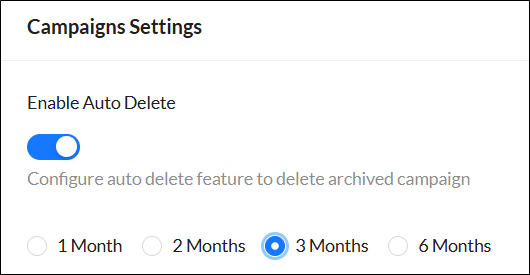
  2. Enable the Enable Auto Delete toggle.
  3. From the dropdown menu, select 1 Month, 2 Months, 3 Months, or 6 Months.
  4. Click Submit.

Enable Auto Delete

Enable Auto Delete

Schedule archived campaigns to be automatically deleted at monthly intervals.

To enable auto delete:
  1. Navigate to Settings > Campaigns page.
  2. Enable the Enable Auto Delete toggle.
  3. From the dropdown menu, select 1 Month, 2 Months, 3 Months, or 6 Months.

  4. Click Submit.
