
Fortinet white logo
Fortinet white logo

Examples

Backing up videos to the FTP server

Backing up videos to the FTP server

To back up videos to the FTP server:
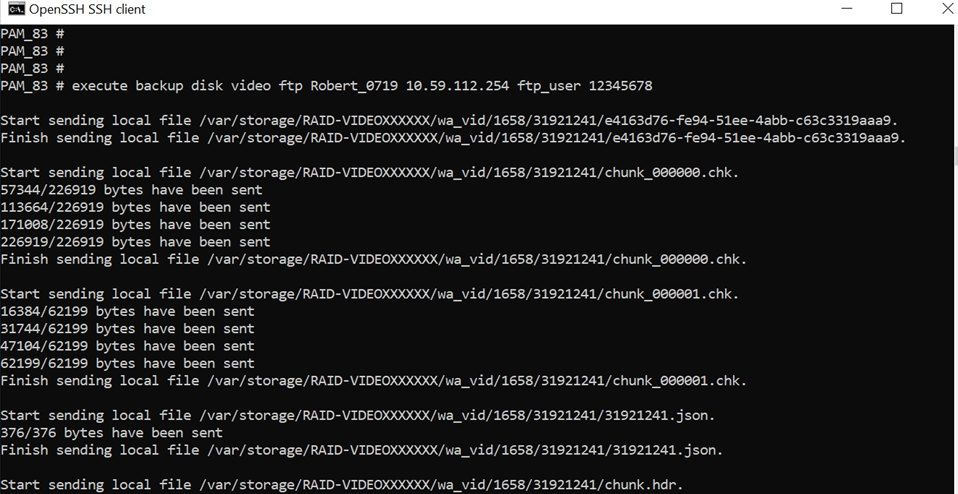
  1. In the FortiPAM CLI console, enter the following command to backup the video:
     execute backup disk  video ftp <remote folder path> <ftp server>[:ftp port] <user> <passwd>

    FortiPAM starts to backup the video.
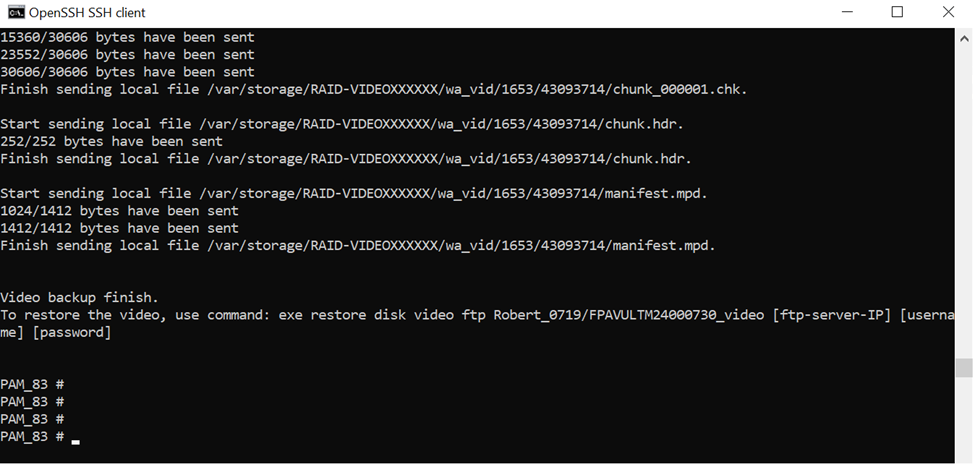
    After the video backup is completed, Video backup finish is displayed on the console.

    FortiPAM creates a folder named FortiPAM-license-number_video in the path provided in the backup command and places all the video files in it.

    FortiPAM displays how to restore the backed up video files.
Backing up videos to the FTP server

Backing up videos to the FTP server

To back up videos to the FTP server:
  1. In the FortiPAM CLI console, enter the following command to backup the video:
     execute backup disk  video ftp <remote folder path> <ftp server>[:ftp port] <user> <passwd>

    FortiPAM starts to backup the video.

    After the video backup is completed, Video backup finish is displayed on the console.

    FortiPAM creates a folder named FortiPAM-license-number_video in the path provided in the backup command and places all the video files in it.

    FortiPAM displays how to restore the backed up video files.