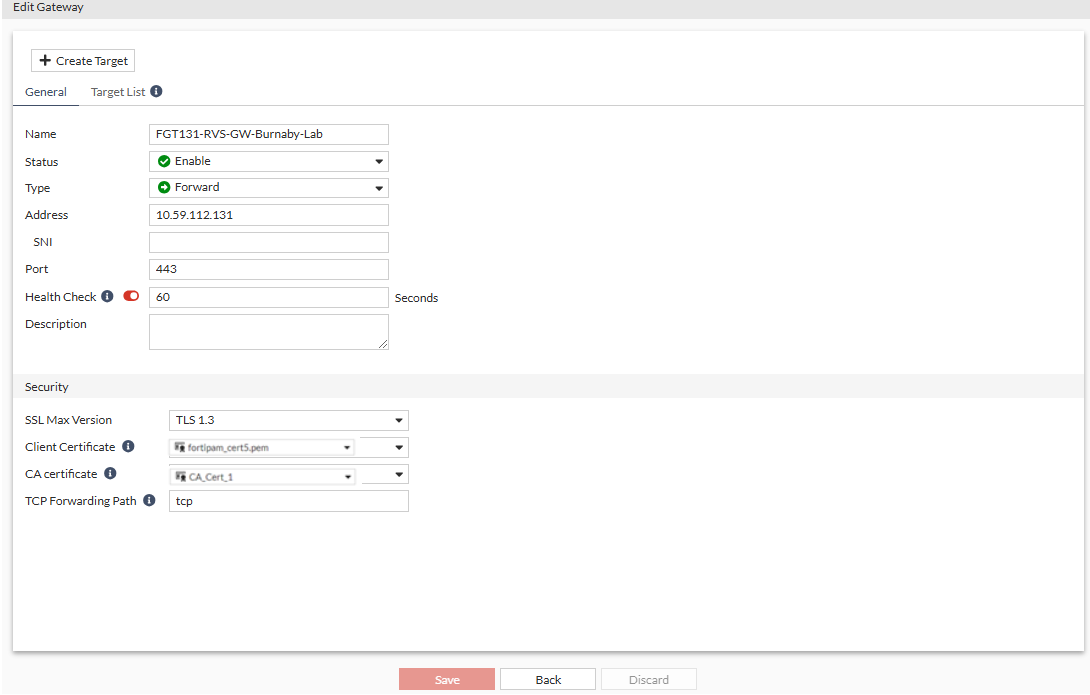
Configuring a gateway entry on FortiPAM server for secret launch (traffic plane)
To configure a FortiPAM gateway entry on FortiPAM:
- Go to Network > Secret Gateway.
- From the Gateways List, select Create.
The New Gateway window opens.
- Enter a name for the gateway.
- Ensure that the status is set to enable.
- In Type, select Reverse.
- In Address, enter the gateway IPv4 address.
- In Port, enter
7443.The Address and Port were configured in
vipin Configuring traffic proxy on the gateway for forwarding secret launch (traffic plane). - Ensure that Health Check is enabled and set to
60seconds.The gateway status is displayed on the right.
- Optionally, enter a description.
- In Gateway ID, enter the gateway client certificate common name to create mapping between FortiPAM and the gateway.
- In Mode, select Reverse Gateway.
- In SSL Max Version, select TLS 1.3.
- In the Client Certificate dropdown, select the client certificate for mTLS.
The Client Certificate is the current server certificate for secret launch.
It is required only when
client-certis set to enable inaccess-proxyin Configuring traffic proxy on the gateway for forwarding secret launch (traffic plane).The certificate CA is configured on the gateway using the CLI commands as shown below or from Network > FortiPAM Server > Server CA:
 config authentication setting
  set user-cert-ca "CA_Cert_1"
 end
- Click Submit.
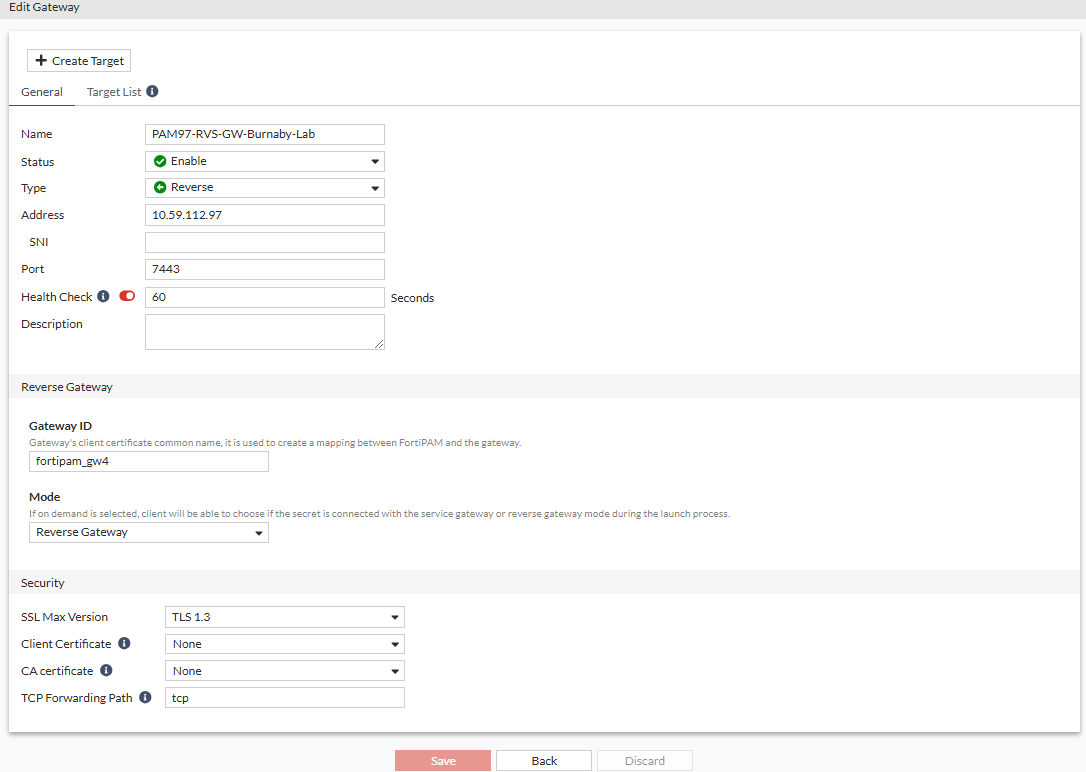
To configure a FortiGate gateway entry on FortiPAM:
- Go to Network > Secret Gateway.
- From the Gateway List, select Create.
The New Gateway window opens.
- Enter a name for the gateway.
- Ensure that the status is set to Enable.
- From the Type dropdown, select Reverse.
- In Address, enter the gateway IPv4 address.
- In Port, enter
9443.The Gateway Address and Port were configured in
ztna traffic-forward-proxyin Configuring traffic proxy on the gateway for forwarding secret launch (traffic plane). - Ensure that Health Check is enabled and set to
60seconds. - Optionally, enter a description.
- In Gateway ID, enter the FortiGate reverse gateway common name.
- In Mode, select Reverse Gateway.
- In SSL Max Version, select TLS 1.3.
-
In the Client Certificate dropdown, select the client certificate for mTLS.
The Client Certificate is the current server certificate for secret launch.
It is required only when
client-certis set to enable intraffic-forward-proxyin Configuring traffic proxy on the gateway for forwarding secret launch (traffic plane).The certificate CA is configured on the gateway using the CLI commands as shown below or from Network > FortiPAM Server > Server CA:
 config authentication setting
  set user-cert-ca "CA_Cert_1"
 end
- Click Submit.