
Fortinet white logo
Fortinet white logo

Administration Guide

Importing packages

Importing packages

You can import packages that you exported from another FortiManager or FortiGuard service updates downloaded from FortiCare.

To import packages:
  1. Go to FortiGuard > Packages > Receive Status.
  2. Click Import box.

    The Import dialog box is displayed.
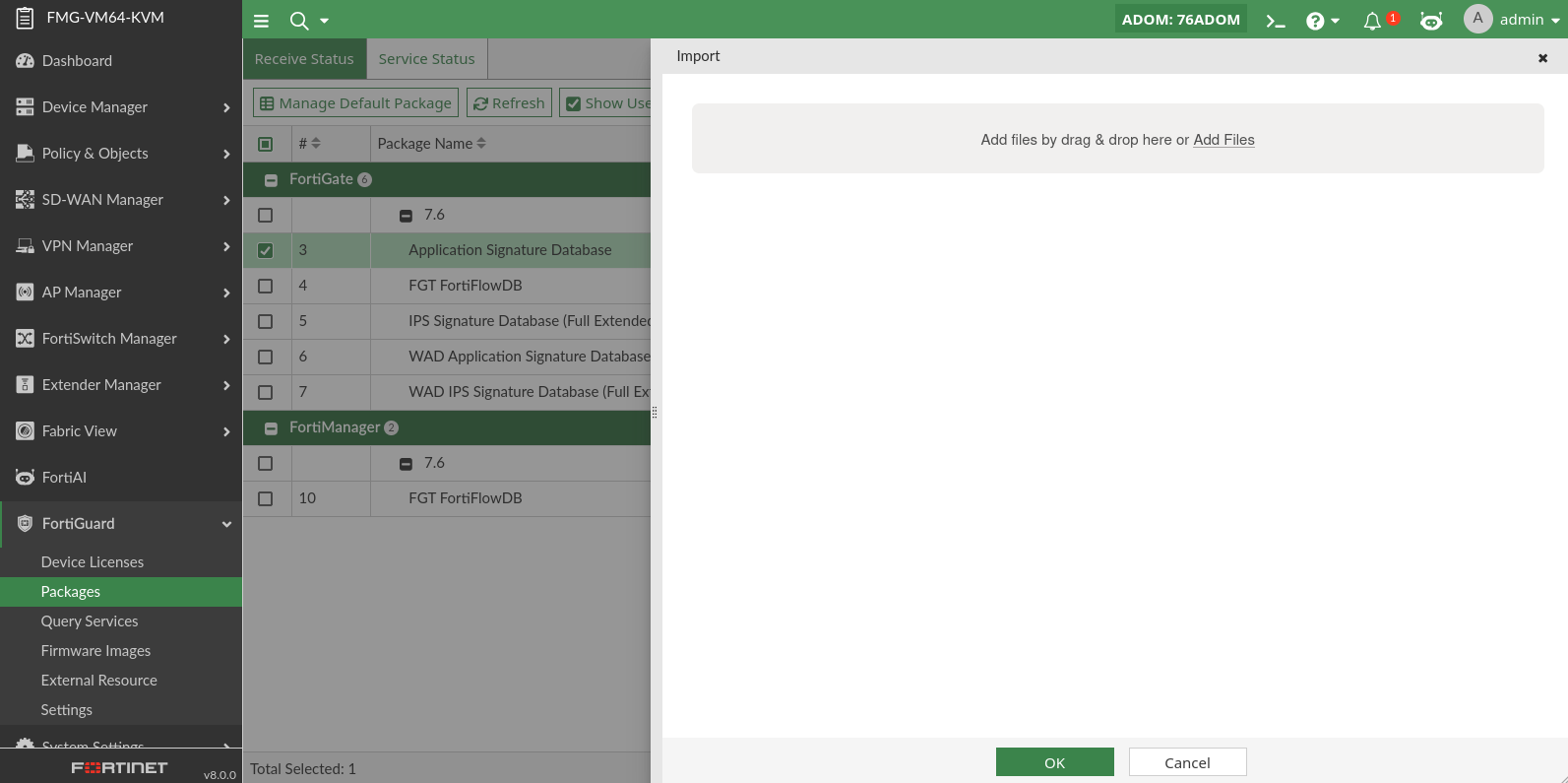
  3. Drag and drop the exported package onto the dialog box.

    The dialog box updates.
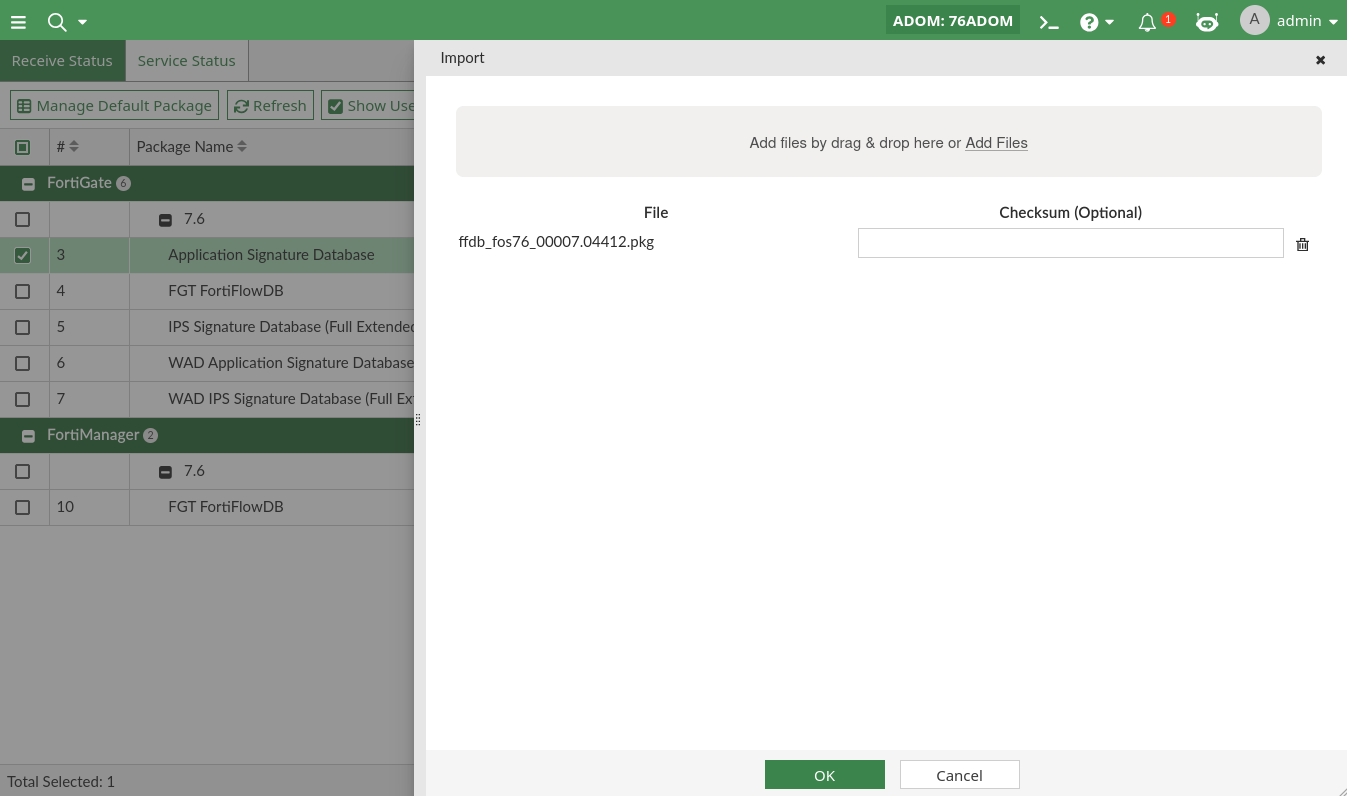
  4. Click OK.

    A confirmation dialog box is displayed.
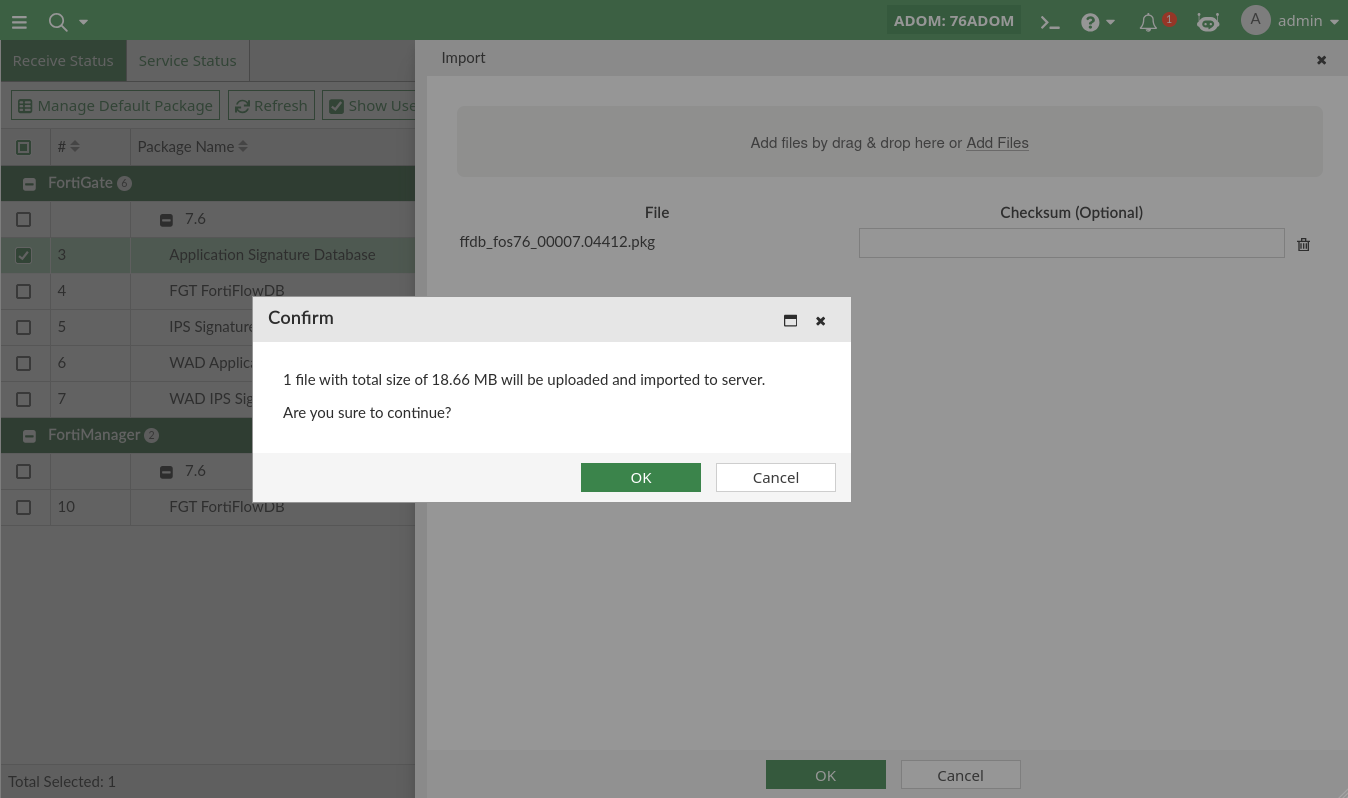
  5. Click OK.

    The progress of the process is displayed while the object is imported to FortiManager.
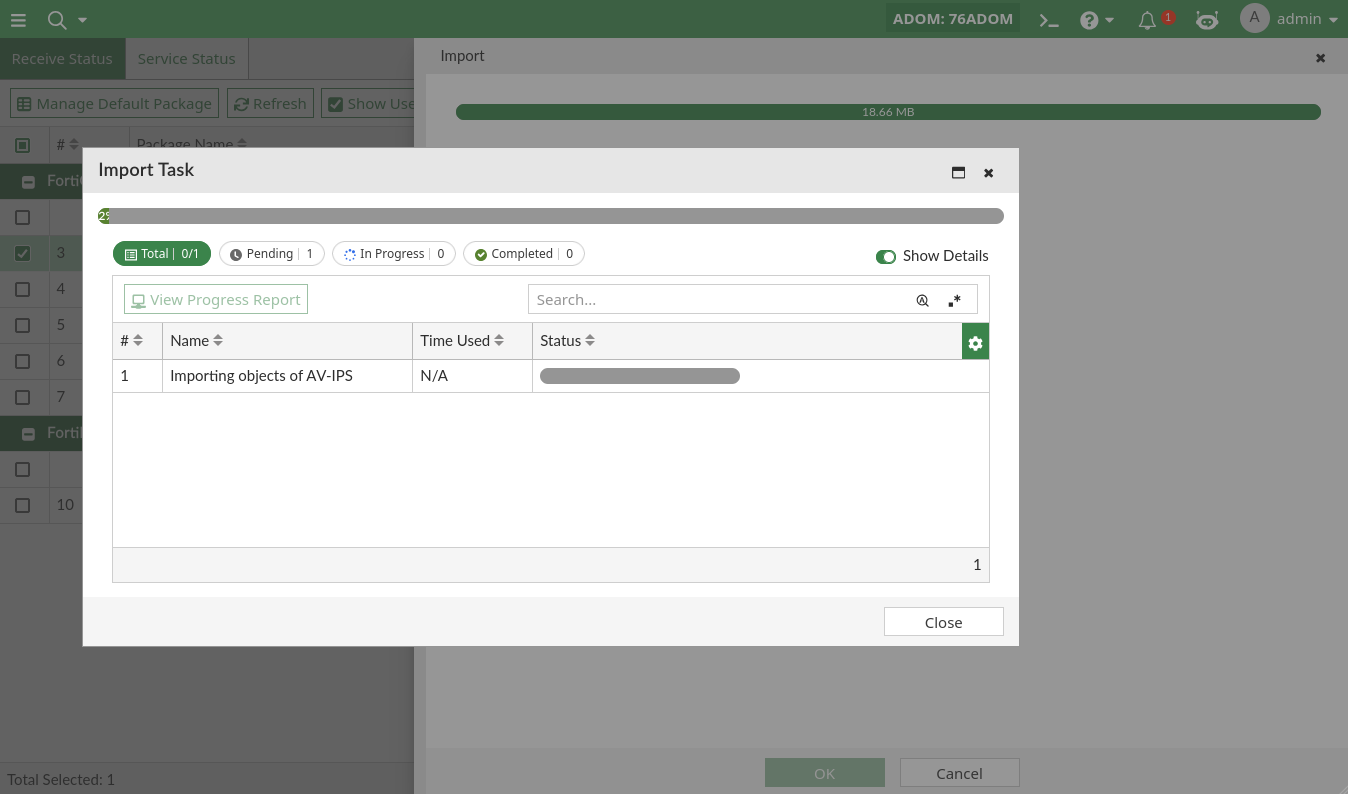
  6. Click Close and then Finish.

Importing packages

Importing packages

You can import packages that you exported from another FortiManager or FortiGuard service updates downloaded from FortiCare.

To import packages:
  1. Go to FortiGuard > Packages > Receive Status.
  2. Click Import box.

    The Import dialog box is displayed.

  3. Drag and drop the exported package onto the dialog box.

    The dialog box updates.

  4. Click OK.

    A confirmation dialog box is displayed.

  5. Click OK.

    The progress of the process is displayed while the object is imported to FortiManager.

  6. Click Close and then Finish.