
Fortinet white logo
Fortinet white logo

Administration Guide

Creating scripts using FortiAI Example

Creating scripts using FortiAI Example

  1. Ask FortiAI to help create a firewall address of 10.2.2.1 and awesome-service.com.

    • The FortiAI agent creates a script that creates two firewall addresses: one for the IP 10.2.2.1 and one for the FQDN awesome-service.com.

      • Click Copy Code to save the code to your clipboard.

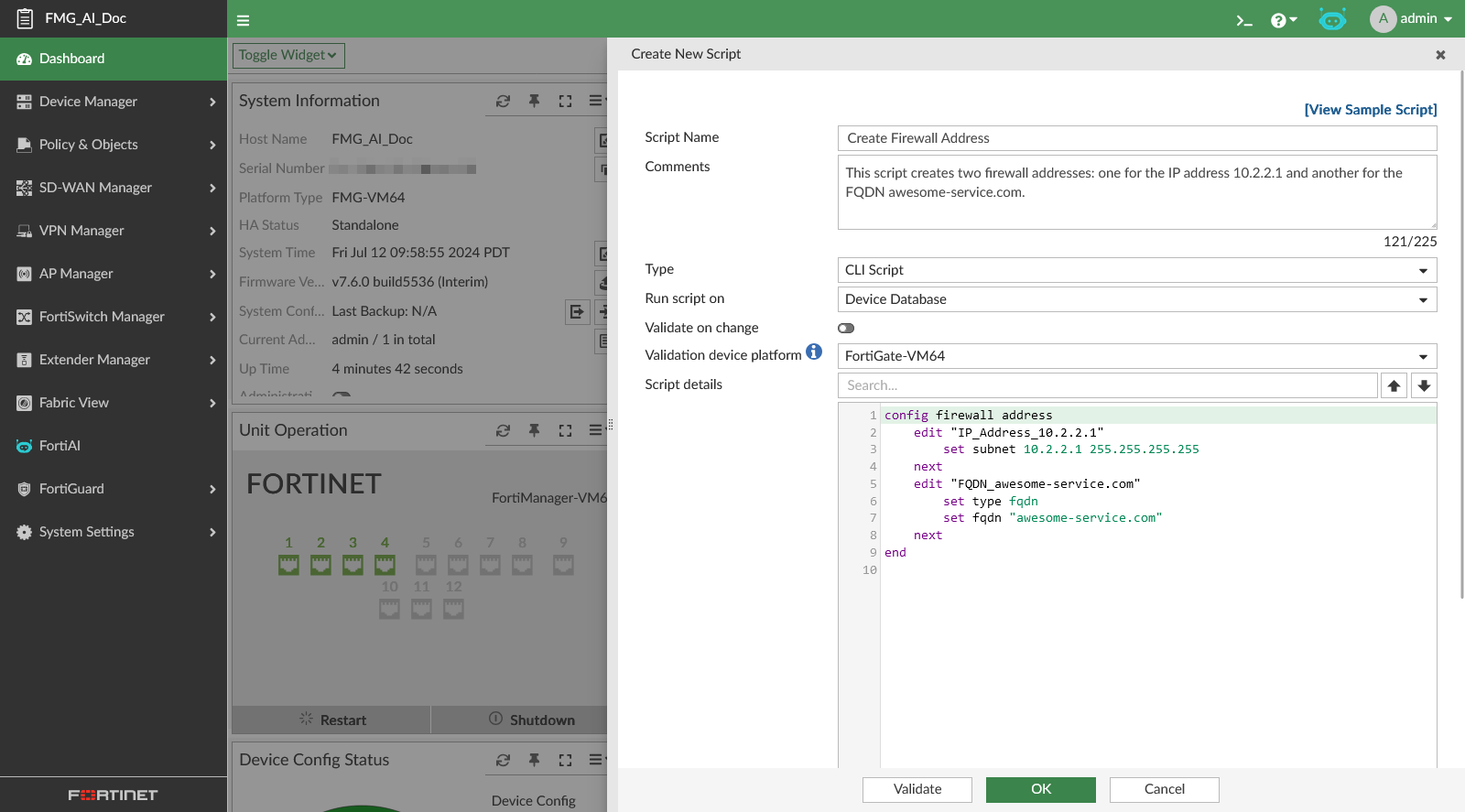
      • Click Save Script to edit the generated response as a new script, with the script name and comments automatically created. The script is saved to Device Manager > Scripts.
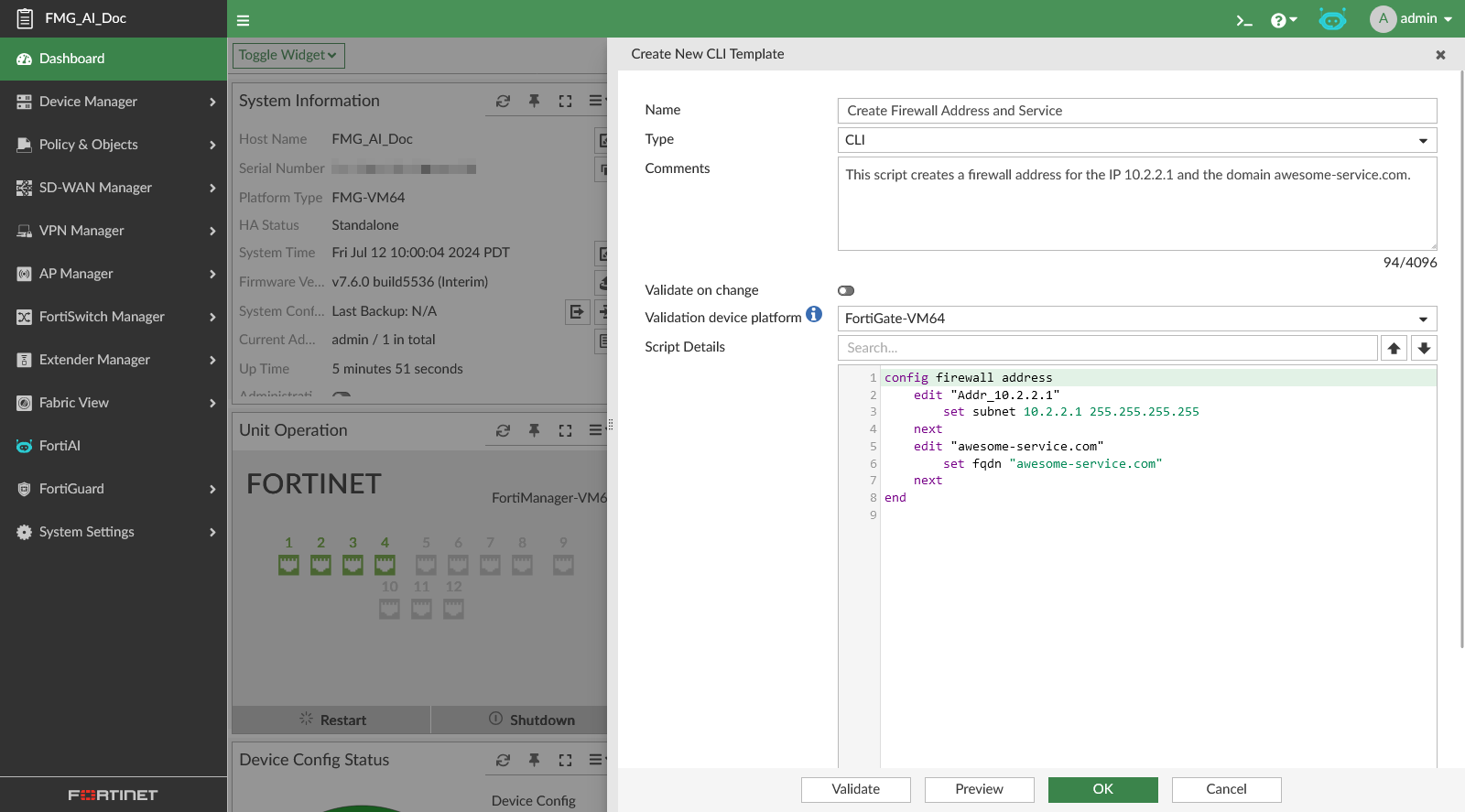
      • Click Save CLI Template to save the generated script to Device Manager > Provisioning Templates > CLI Template.
Creating scripts using FortiAI Example

Creating scripts using FortiAI Example

  1. Ask FortiAI to help create a firewall address of 10.2.2.1 and awesome-service.com.

    • The FortiAI agent creates a script that creates two firewall addresses: one for the IP 10.2.2.1 and one for the FQDN awesome-service.com.

      • Click Copy Code to save the code to your clipboard.

      • Click Save Script to edit the generated response as a new script, with the script name and comments automatically created. The script is saved to Device Manager > Scripts.

      • Click Save CLI Template to save the generated script to Device Manager > Provisioning Templates > CLI Template.