

GUI and SSH Settings NEW
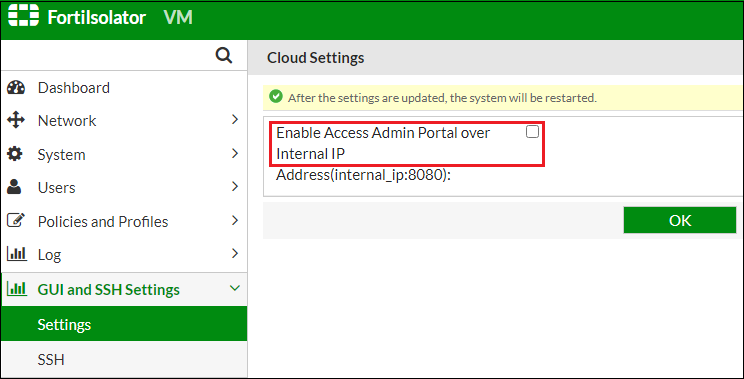
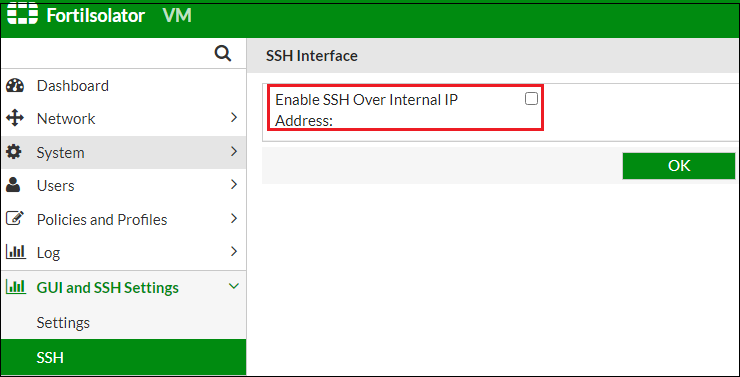
Use the GUI and SSH Settings menu to configure FortiIsolator to use internal IP (instead of the management IP) for admin portal and SSH access.
To enable admin portal access using internal IP:
-
Go to the Settings tab.
-
Check the Enable Access Admin Portal over Internal IP Address option.
-
Click OK.
To enable SSH access using internal IP:
-
Go to the SSH tab.
-
Check the Enable SSH Over Internal IP Address option.
-
Click OK.