Fortinet white logo
Fortinet white logo
25.3.c

Postman examples

Postman examples

Getting access token
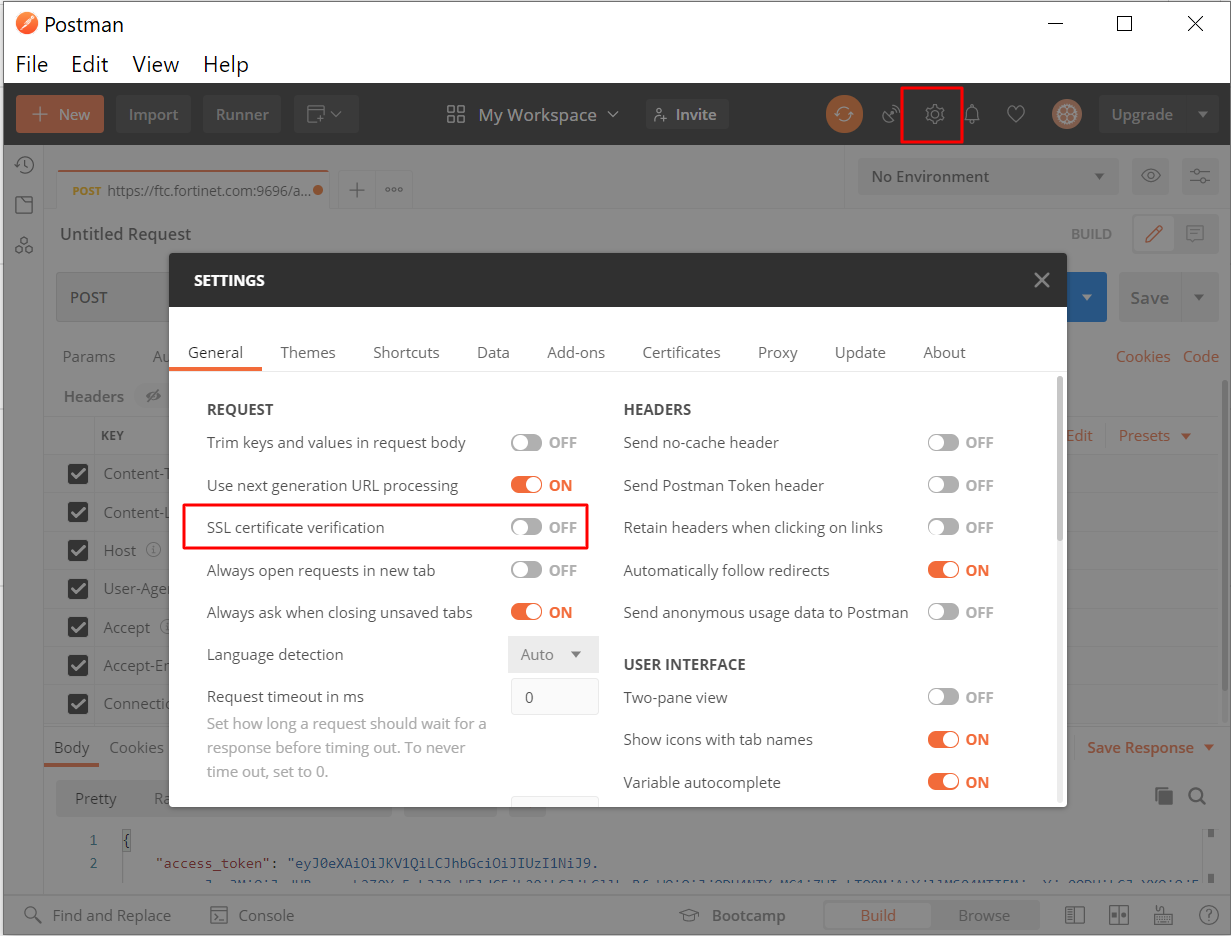
  1. Update Postman setting, and turn off “SSL certificate verification”.

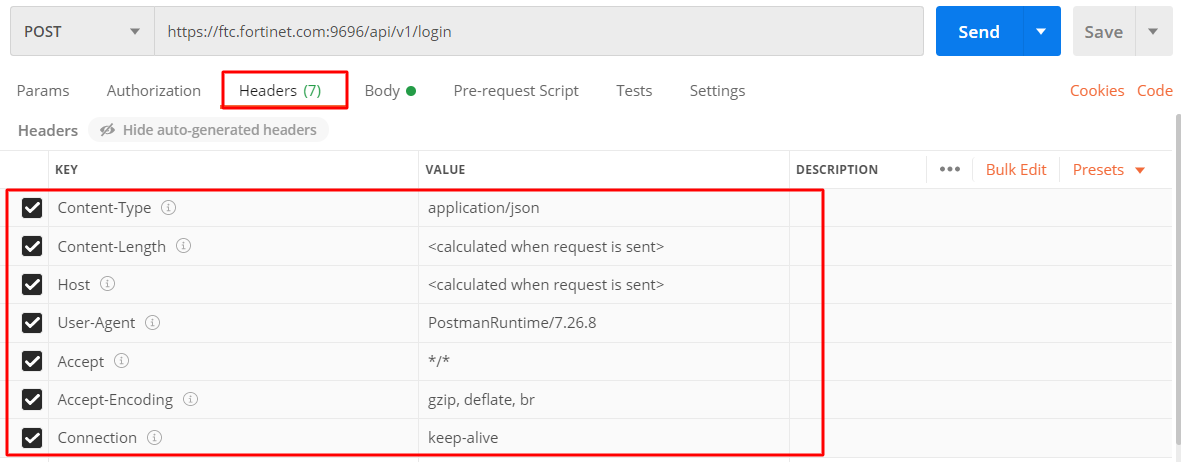
  2. Request Headers setting.

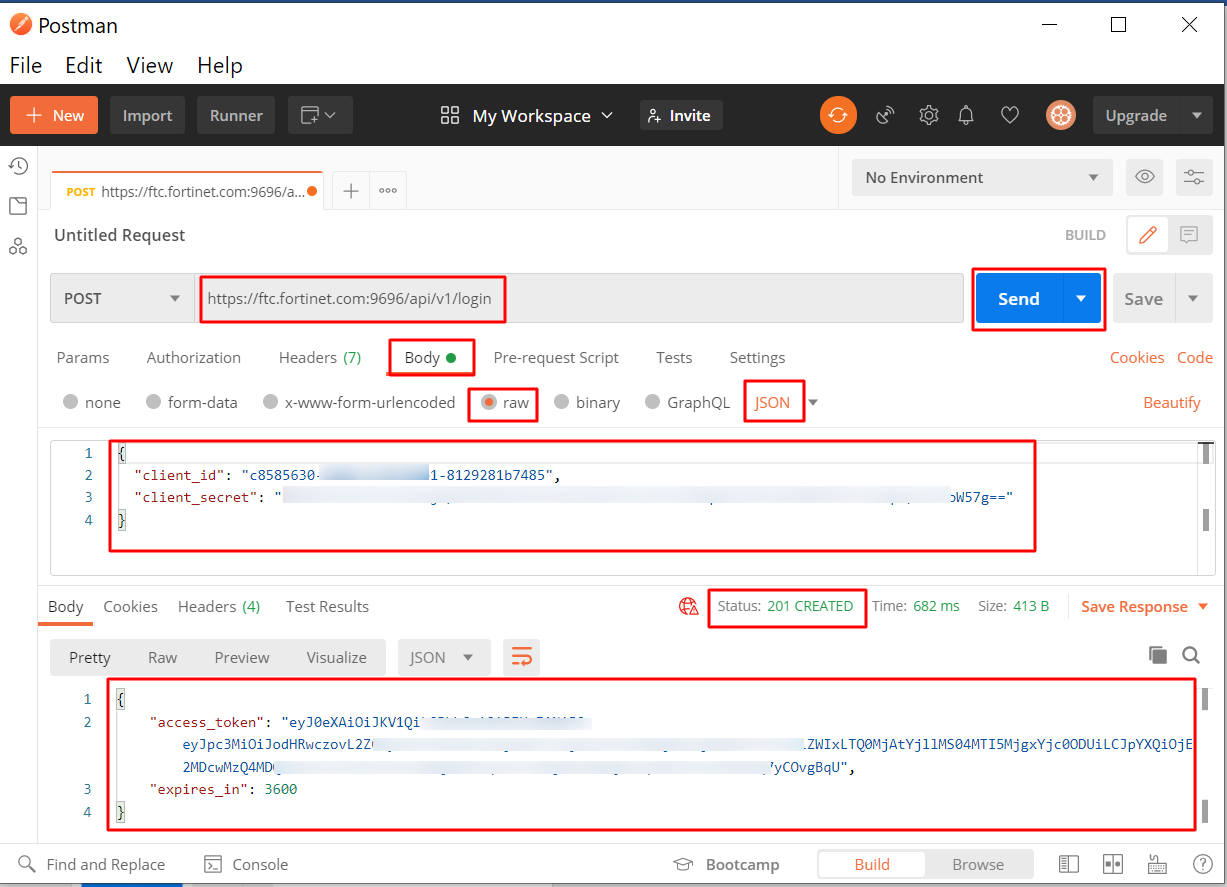
  3. Request Body format and response.

Creating user with access token
  1. Input the access token for authorization.
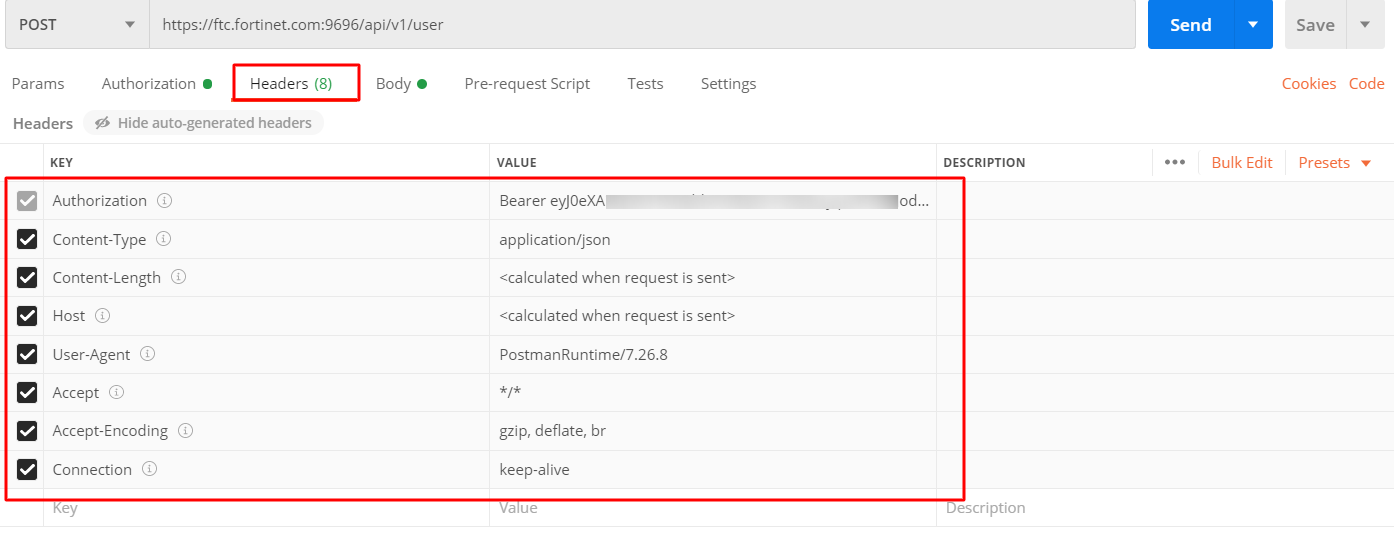
  2. Configure the request Headers.
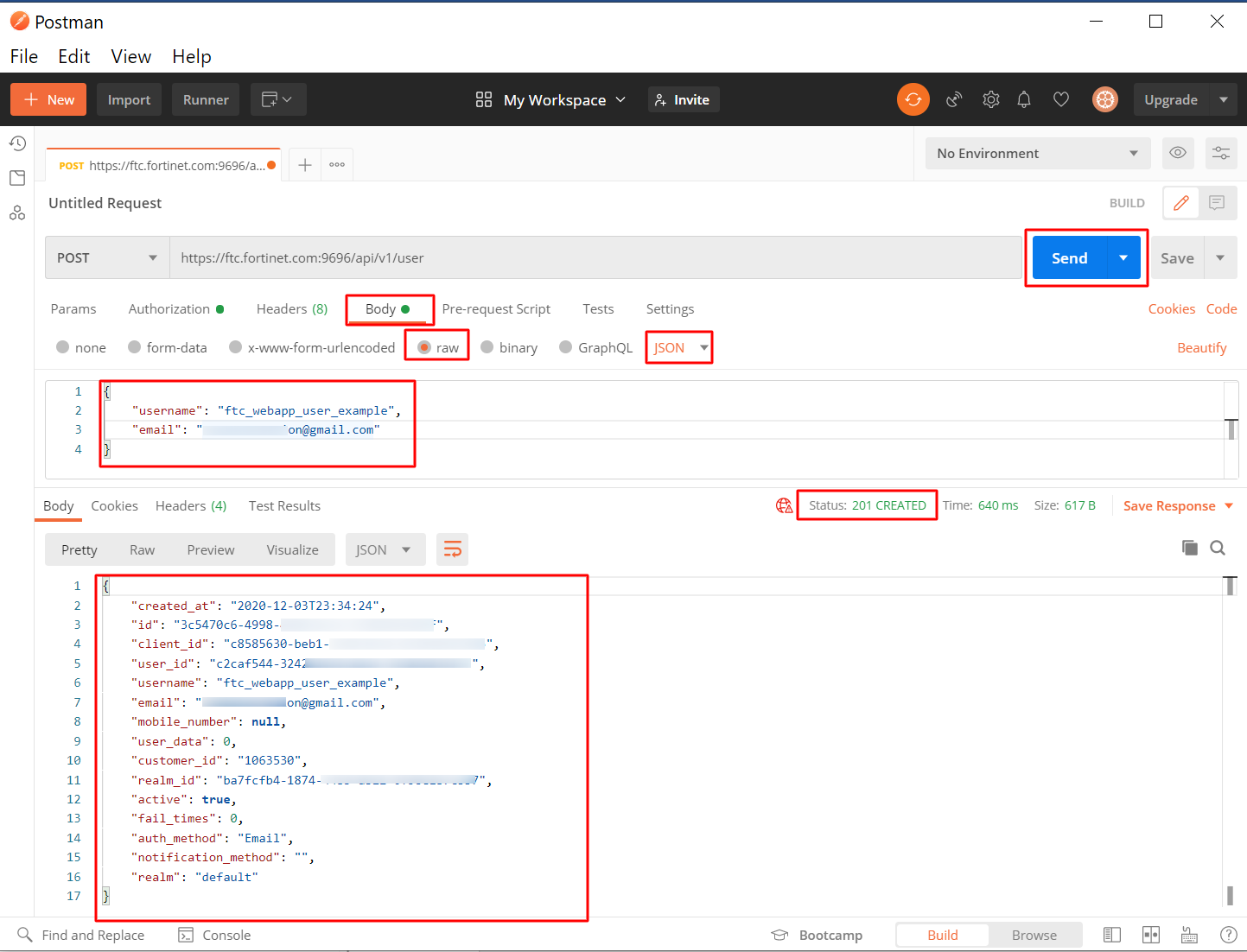
  3. Configure the request Body and response.
Postman examples

Postman examples

Getting access token
  1. Update Postman setting, and turn off “SSL certificate verification”.

  2. Request Headers setting.

  3. Request Body format and response.

Creating user with access token
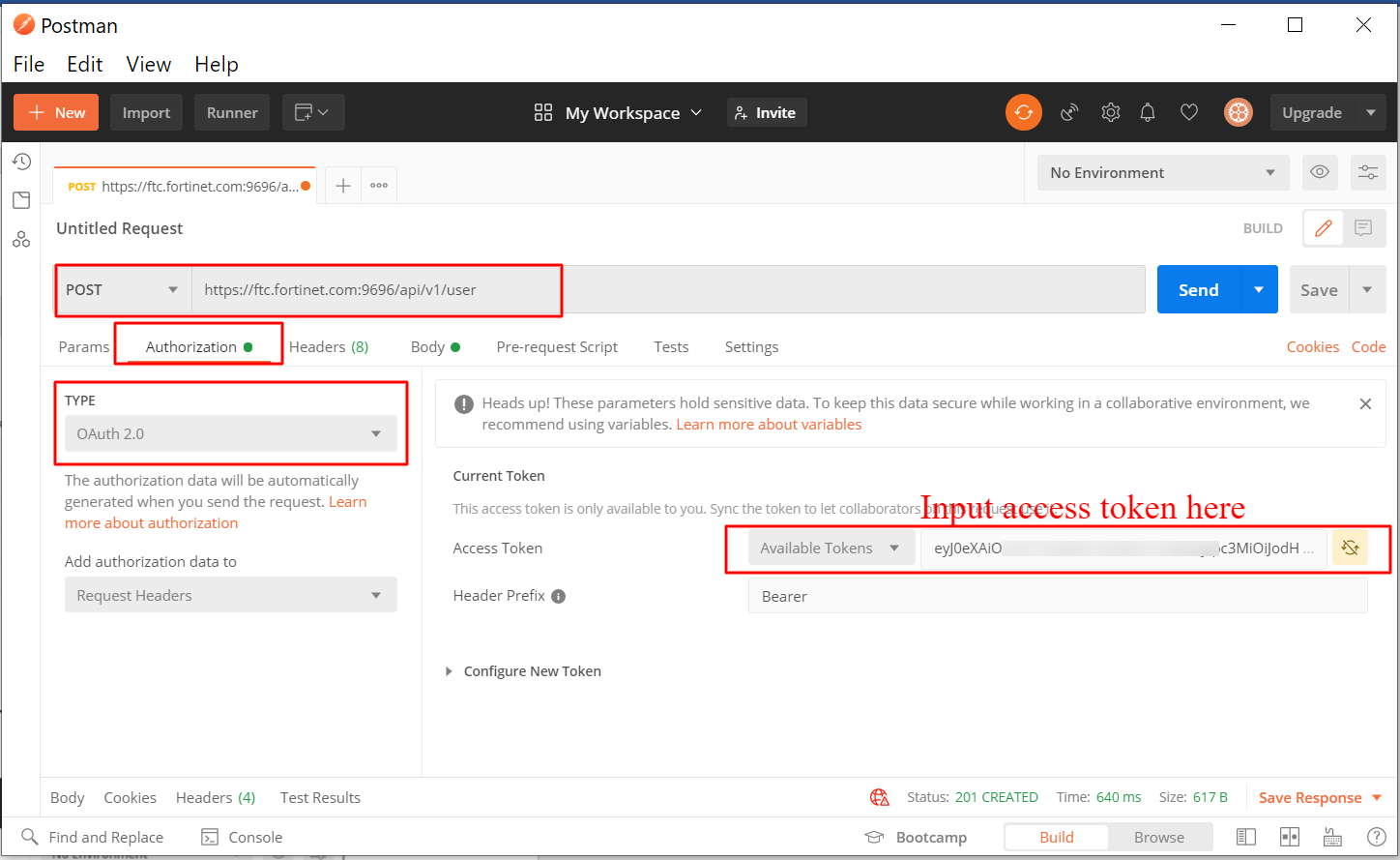
  1. Input the access token for authorization.
  2. Configure the request Headers.
  3. Configure the request Body and response.